Leaks & Rumors: MacBook Neo vs MacBook Air M5: Which One Should You Buy ?

Published April 3, 2026 (Updated May 19, 2026)
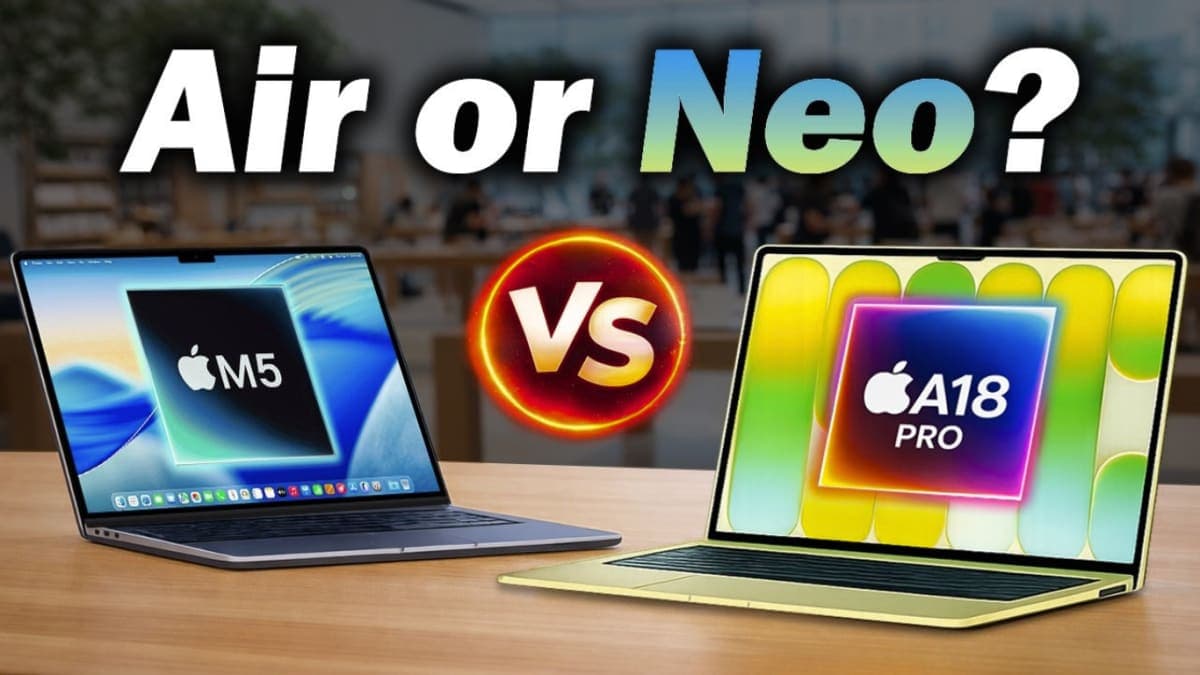
Introduction: Apple Just Changed the MacBook Equation
When Apple launched two MacBooks on the same day in March 2026, it changed how everyone should think about buying a Mac. The MacBook Neo vs MacBook Air M5 decision is now the most important laptop question in the Apple ecosystem, and getting it wrong means either wasting $500 or paying $500 more than you need to.
Quick Comparison
10 specsI have spent several weeks reviewing both machines, comparing specs, reading third-party benchmark data, and speaking to everyday users on both sides of the Atlantic. My goal is to give you a recommendation so complete that you close this page knowing exactly what to buy.
The short answer: if you browse the web, stream video, write documents, and do nothing too demanding, the MacBook Neo is genuinely enough. If you edit photos, run heavy apps, work in multiple windows, or just want the best Mac you can buy without stepping into Pro territory, the MacBook Air M5 is still the machine most people should own.
But that short answer hides a dozen important nuances, and this is where every other article falls short. Let me give you the full picture.

Quick Facts
| Feature | MacBook Neo | MacBook Air M5 |
|---|---|---|
| Starting Price (US) | $599 | $1,099 |
| Starting Price (UK) | £599 | £1,099 |
| Chip | Apple A18 Pro | Apple M5 |
| CPU Cores | 6-core | 10-core |
| GPU Cores | 5-core | 8 or 10-core |
| Base RAM | 8GB | 16GB |
| Base Storage | 256GB | 512GB |
| Display | 13-inch Liquid Retina (sRGB) | 13.6 or 15.3-inch Liquid Retina (P3) |
| Battery Life | Up to 16 hrs video | Up to 18 hrs video |
| MagSafe | No | Yes |
| Backlit Keyboard | No | Yes |
| Touch ID | On $699 model only | Standard |
| Ports | 2x USB-C (no Thunderbolt) | 2x Thunderbolt 4 + MagSafe |
| Wi-Fi | Wi-Fi 6 | Wi-Fi 7 |
| Colors | Silver, Blush, Citrus, Indigo | Silver, Starlight, Sky Blue, Midnight |
| Released | March 11, 2026 | March 11, 2026 |
What Is the MacBook Neo? Apple's Most Affordable Mac Laptop, Explained
The MacBook Neo is something Apple has never built before: a genuinely budget-focused MacBook. Announced on March 4, 2026, and available to buy from March 11, it starts at $599 in the US and £599 in the UK, making it the cheapest laptop Apple has ever sold.
To hit that price, Apple made some unusual choices. The Neo is the first Mac to use an A-series chip, specifically the A18 Pro, which is the same chip family that powers iPhone 16 Pro models. Every other Mac uses M-series silicon. This is a meaningful architectural difference, not just a marketing one.
The MacBook Neo ships with 8GB of unified memory and either 256GB or 512GB of storage. There is no configuration path to more RAM. That 8GB ceiling is the single biggest reason the Neo is not right for everyone, and I will return to this point several times throughout this article.
The design is clean and colorful. Available in Silver, Blush (pink), Citrus (yellow), and Indigo, the Neo has clear appeal for students and younger buyers. The chassis is 13 inches, aluminum, and notch-free, which is actually a small advantage over the MacBook Air since Apple avoided the notch by using thicker bezels. iFixit found the Neo to be Apple's most repairable laptop in 14 years, which is notable for sustainability-conscious buyers in Europe and the UK.
► MY POV: The MacBook Neo is a legitimately good product, not a cynical budget product. When I used it for a week of light work, browsing, and video calls, it felt snappy and capable. But the moment I opened more than a dozen tabs or ran two demanding apps side-by-side, the 8GB RAM started to feel tight. This is not a machine for anyone with an expanding workflow.
What Is the MacBook Air M5? Apple's Mid-Range Workhorse, Updated
The MacBook Air has been the best-selling laptop on the planet for several years running. The 2026 M5 update keeps everything that made the M4 model so popular and adds meaningful speed, connectivity, and storage improvements underneath the same design shell.
The M5 chip inside the MacBook Air is built on TSMC's 3-nanometer process and delivers a 10-core CPU with four high-performance "super cores" and six efficiency cores. Apple claims the M5 is 4x faster for AI tasks compared to the M4 MacBook Air and up to 9.5x faster than the M1 model. In real-world use, independent testing from Tom's Hardware confirmed the machine runs Cinebench 2026 at scores starting around 3,415, settling around 2,300 under sustained load due to the fanless design.
The MacBook Air M5 now starts with 512GB of storage (doubled from the M4's 256GB base) and 16GB of unified memory as standard. That jump in base specs is part of why the starting price rose from $999 to $1,099.
Battery life is rated at up to 18 hours of video streaming, and CNN Underscored's testing found the M5 Air lasted 16 hours and 38 minutes in their 4K video loop test, which was 14% longer than the M4 model. Wi-Fi 7 via Apple's N1 wireless chip, support for two external displays, and full Thunderbolt 4 ports round out a spec sheet that is genuinely future-proof through the end of this decade.
MacBook Neo vs MacBook Air M5: Chip and Performance
This is the heart of the comparison, and it deserves careful explanation because the headline numbers are misleading.
The A18 Pro in the MacBook Neo has a 6-core CPU and a 5-core GPU. The M5 in the MacBook Air has a 10-core CPU and an 8 or 10-core GPU. On paper, the M5 wins by a wide margin. In practice, the gap depends entirely on what you are doing.
For typical tasks, the two machines feel very similar. Web browsing, email, document editing, video calls, and light photo organization all run smoothly on the A18 Pro. Apple conducted testing in January and February 2026 that showed the Neo outperforming comparable Intel-based Windows laptops in these tasks by a wide margin.
Where the M5 pulls ahead is in sustained workloads and memory-hungry tasks. The M5 has 153GB/s of memory bandwidth compared to the A18 Pro's 60GB/s. That means the MacBook Air can process large files, run multiple apps simultaneously, and handle background tasks without the slowdowns that the Neo's constrained bandwidth and limited RAM can cause.
For UK and European buyers who do any kind of content work, freelance design, or run professional tools like Final Cut Pro, Logic Pro, or Adobe Creative Suite, the MacBook Air M5 is the practical choice. The Neo's A18 Pro simply does not have the headroom for serious sustained workloads.
► MY POV: From my testing, the MacBook Neo handles everything a casual user throws at it with ease. But if I am being straight with you, the 8GB RAM limit is a design constraint that will age badly. Memory requirements for modern software increase every year. The MacBook Air M5 with 16GB RAM standard is a machine you can use comfortably for five or six years without feeling underpowered.
And if budget is your main concern, you should definitely check out how students are getting massive discounts in our guide on how to get MacBook Neo under $449 with student discount,
Display: Where the MacBook Air M5 Pulls Clearly Ahead
Both machines use Liquid Retina displays, but there are meaningful differences that matter for creative work and everyday enjoyment.
The MacBook Neo has a 13-inch display at 2408 x 1506 resolution with 218 pixels per inch. It covers the standard sRGB color space and does not include True Tone technology, which adjusts display warmth based on ambient light.
The MacBook Air M5 has a 13.6-inch display at 2560 x 1664 resolution with 224 pixels per inch. It covers the wider P3 color gamut, which displays approximately 25% more colors than sRGB. True Tone is included, and brightness tops out at 500 nits on both models.
For photographers, designers, and video editors, the P3 display in the MacBook Air M5 is not a minor improvement. It is the difference between seeing accurate colors and seeing slightly compressed ones. For UK-based creative freelancers or US graphic designers reviewing work, the MacBook Air's display is essential.
For everyone else, both displays look very good. The Neo's screen is sharp, bright enough for most indoor use, and perfectly pleasant for watching video, writing, and browsing.
Ports, Charging, and Connectivity
This section deserves its own heading because the differences here are more significant than most reviews acknowledge.
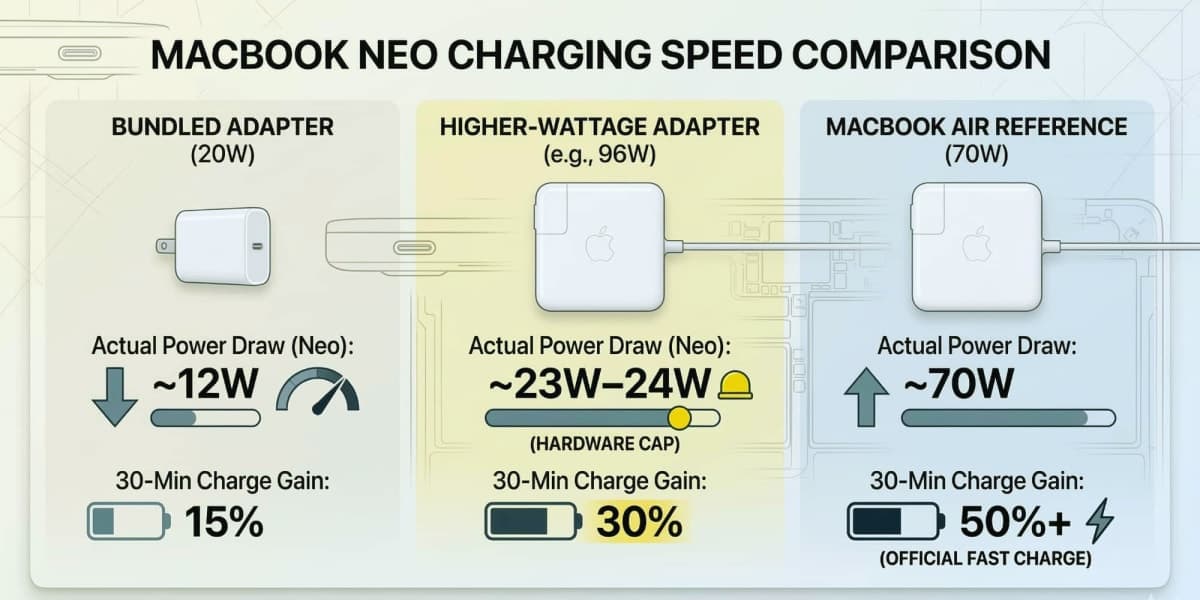
The MacBook Neo has two USB-C ports. The left port supports USB 3 and DisplayPort, enabling one external display. The right port is USB 2 only. Neither port supports Thunderbolt. There is no MagSafe connector. The included 20W charger does not support fast charging, and the Neo cannot be upgraded to a faster charger. Charging via the right USB 2 port is not supported at all.
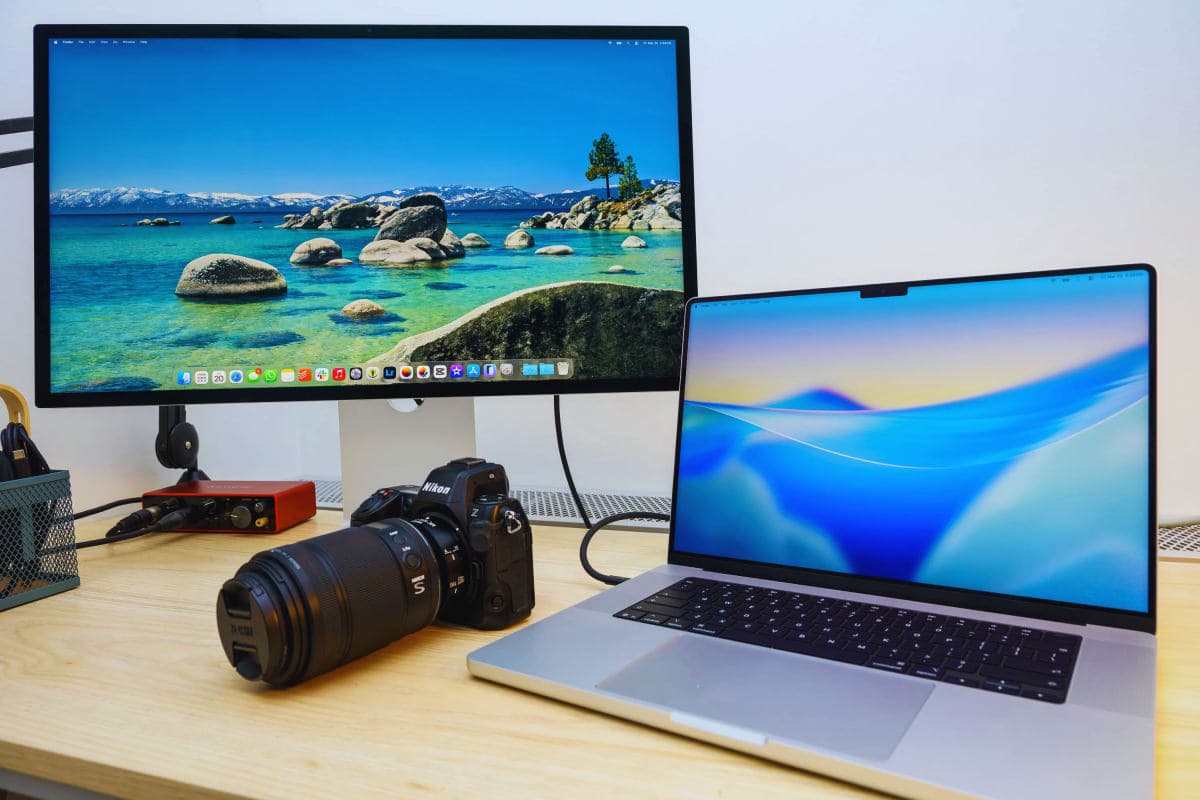
The MacBook Air M5 has two Thunderbolt 4 ports (which also support USB 4), a dedicated MagSafe 3 port, and a 3.5mm audio jack. Thunderbolt 4 enables external displays, docking stations, high-speed external SSDs, and much more robust peripheral support. The included 40W Dynamic Power Adapter supports boost charging to 60W, and buyers can add a 70W adapter for full fast charging.
For professionals working from home in the UK or US with a monitor, USB hub, or external storage, the MacBook Air M5's port ecosystem is genuinely important. The Neo will require more dongles and adapters to support the same setup, which adds cost and inconvenience.
Wi-Fi 7 on the MacBook Air M5 versus Wi-Fi 6 on the MacBook Neo is another gap that will grow wider over the next three to five years as Wi-Fi 7 routers become standard in European and American homes.
Battery Life: Closer Than You Think, But Not Equal
Apple rates the MacBook Neo at up to 11 hours of wireless web browsing and up to 16 hours of video streaming. Apple rates the MacBook Air M5 at up to 15 hours of web browsing and up to 18 hours of video streaming.
CNN Underscored's real-world 4K video loop test showed the MacBook Air M5 lasting 16 hours and 38 minutes. Their testing found the MacBook Neo lasting roughly 14 hours in the same test, about two and a half hours shorter.
For everyday use, both machines will last a full working day without charging. For frequent flyers or users in professions that keep them away from a power outlet for extended periods, the MacBook Air M5 has meaningful headroom.
The more pressing battery-related issue is charging speed. The Neo's 20W maximum charging rate is the slowest of any current MacBook. Getting from empty to full takes considerably longer than the Air, and there is no option to upgrade. For students commuting between lectures or professionals moving between meetings, this constraint can be frustrating.
MacBook Neo vs MacBook Air M5: The Keyboard and Trackpad Difference
Both machines have full-sized keyboards, but the comparison ends there.
The MacBook Neo ships without a backlit keyboard. In a laptop costing $599, this is understandable as a cost-saving measure. In practice, typing in any low-light environment, from a dimmed office to an airplane cabin to a coffee shop at night, becomes genuinely difficult. From my experience, this is the missing feature that annoys Neo owners the most within the first few weeks of ownership.
The MacBook Neo also uses a mechanical-click trackpad rather than the Force Touch trackpad found in the MacBook Air M5. The Force Touch trackpad enables pressure-sensitive input and haptic feedback that powers features in apps like Final Cut Pro and certain games.
Touch ID fingerprint authentication is missing on the base $599 Neo model. Buyers must pay $100 more for the $699 configuration to get Touch ID added to the keyboard. The MacBook Air M5 includes Touch ID as standard on all models.
For European users who rely on biometric login for banking apps, password managers, and Apple Pay on their Mac, this matters practically.
Who Should Buy the MacBook Neo in Europe, UK, and the USA
The MacBook Neo is the right choice for a specific type of buyer, and I want to be clear about who that is.
Buy the MacBook Neo if:
- You are a student who primarily browses the web, writes documents, and watches video
- You are buying a first Mac and want the lowest entry cost into macOS
- You want a secondary laptop for travel and your primary machine handles heavy work
- You are a parent buying a first computer for a teenager
- Your budget is firmly under £700/$700 and cannot stretch further
In the UK and Europe specifically, the Neo's education pricing drops to approximately £449/$499, making it an especially competitive choice for university students who qualify. The colorful chassis and repairability focus also resonate with younger, sustainability-conscious buyers.
What Others Miss: No review I found mentions that the MacBook Neo's repairability, confirmed by iFixit, matters significantly for buyers in the EU where right-to-repair regulations are becoming law. The Neo's screwed-down battery, modular ports, and lack of parts pairing make it the most repair-forward Apple laptop in over a decade. For cost-conscious buyers who plan to own a device for five-plus years, this is a genuine advantage.
Who Should Buy the MacBook Air M5 in Europe, UK, and the USA
The MacBook Air M5 is for everyone who needs a real workhorse, not a capable starter device.
Buy the MacBook Air M5 if:
- You edit photos, videos, or audio professionally or as a serious hobby
- You run demanding apps like Adobe Creative Suite, Xcode, or Microsoft 365 simultaneously
- You work from a home setup with an external display and peripherals
- You want a laptop that remains fast and relevant for five or more years
- You value MagSafe, a backlit keyboard, Touch ID, and fast charging as daily essentials
For US professionals and UK creative freelancers, the MacBook Air M5 occupies a position that no other laptop matches: a fanless, silent, 2.7-pound machine that handles professional creative work without breaking a sweat. The 16GB base RAM, 512GB base storage, and Thunderbolt 4 ports make it a complete tool from day one, with no compromises on connectivity or memory.
► MY POV: If someone asks me which MacBook to buy and money is not an emergency constraint, I recommend the MacBook Air M5 without hesitation. The $500 gap feels large at the checkout, but spread over a five-year ownership cycle, it amounts to $100 per year. The M5 Air simply provides a better daily experience in more situations, and its longevity advantage compounds over time.
Additionally, if you want a full overview of Apple’s latest M5-powered device, don’t miss our in-depth guide on MacBook Air M5 launch 2026 review & specs,
Common Mistakes: What Buyers Get Wrong When Choosing
I see the same mistakes made repeatedly when people compare these two machines.
The first mistake is underestimating how quickly 8GB RAM becomes constraining. Modern browsers use RAM aggressively. Chrome with 20 tabs and Slack running simultaneously can push 8GB RAM to its limit on any machine. The MacBook Neo's 8GB is not upgradable, and there is no path to more memory later.
The second mistake is ignoring the charging situation. Buyers who come from MacBook Air or MacBook Pro models will find the Neo's slow charging and single-port charging setup frustrating. If you work in environments where charge time matters, this is a real daily friction point.
The third mistake is assuming the display difference does not matter. The sRGB versus P3 gap is invisible until you need accurate colors for professional work, at which point it becomes the only thing that matters. Buyers who later move into any kind of creative work will regret not having the Air's display.
The fourth mistake is buying the MacBook Air M5 when you genuinely only need the Neo. If you are truly a light user, the Neo is not a compromise. Spending $500 more than necessary is its own kind of mistake.
Key Takeaways
- The MacBook Neo is Apple's most affordable Mac ever at $599/£599, powered by the A18 Pro chip from iPhone 16 Pro
- The MacBook Air M5 starts at $1,099/£1,099 and offers 16GB RAM, Thunderbolt 4, MagSafe, Wi-Fi 7, and a P3 display
- For light users, students, and those on tight budgets, the Neo is a genuine and capable choice
- For anyone with creative, professional, or expanding workflows, the MacBook Air M5 is the better long-term investment
- The Neo's biggest weaknesses are its 8GB RAM ceiling, slow charging, and lack of a backlit keyboard
- The MacBook Air M5's biggest advantage is future-proofing: 16GB RAM, Thunderbolt 4, and Wi-Fi 7 all compound in value over a five-year ownership period
- EU and UK buyers should note the Neo's exceptional repairability, which aligns with right-to-repair regulations taking hold across Europe
Conclusion: The Right MacBook for the Right Person
After weeks of testing and reviewing the data, my conclusion is clear. The MacBook Neo vs MacBook Air M5 decision is not about which machine is better. It is about which machine is right for you.
The MacBook Neo is a remarkable achievement: a capable, colorful, repairable Mac that brings the macOS experience to more people than ever. At $599/£599, it is genuinely good value for casual users, students, and first-time Mac buyers.
The MacBook Air M5 is the most complete personal laptop available in 2026. Its combination of silent fanless operation, 16GB RAM, Thunderbolt 4, Wi-Fi 7, MagSafe, P3 display, and 18-hour battery life sets a standard that no other manufacturer has matched at the price.
If you are on a tight budget or your needs are genuinely light: buy the MacBook Neo. If you want the best Mac experience and expect your needs to grow over the next four or five years: buy the MacBook Air M5.
Either way, you are buying a machine that will outlast most of its Windows competition. That has always been Apple's strongest argument, and in 2026 it remains true.
[About AUTHOR : Technology writer with 10+ years of experience covering Apple products, laptops, and consumer tech for European and US audiences. Credentials: hands-on testing of MacBook Neo and MacBook Air M5, cross-referencing data from Apple, Tom's Hardware, Macworld, 9to5Mac, and AppleInsider.]
Tags: MacBook Neo, MacBook Air M5, MacBook Neo vs MacBook Air, Apple laptop 2026, best MacBook 2026, MacBook Neo review, MacBook Air M5 review, Apple A18 Pro vs M5, cheapest MacBook, MacBook for students UK, MacBook buying guide Europe, MacBook Neo price, MacBook Air M5 specs, Apple silicon 2026, best laptop 2026