Copilot+ PCs in 2026: Are They Worth Buying?

Published
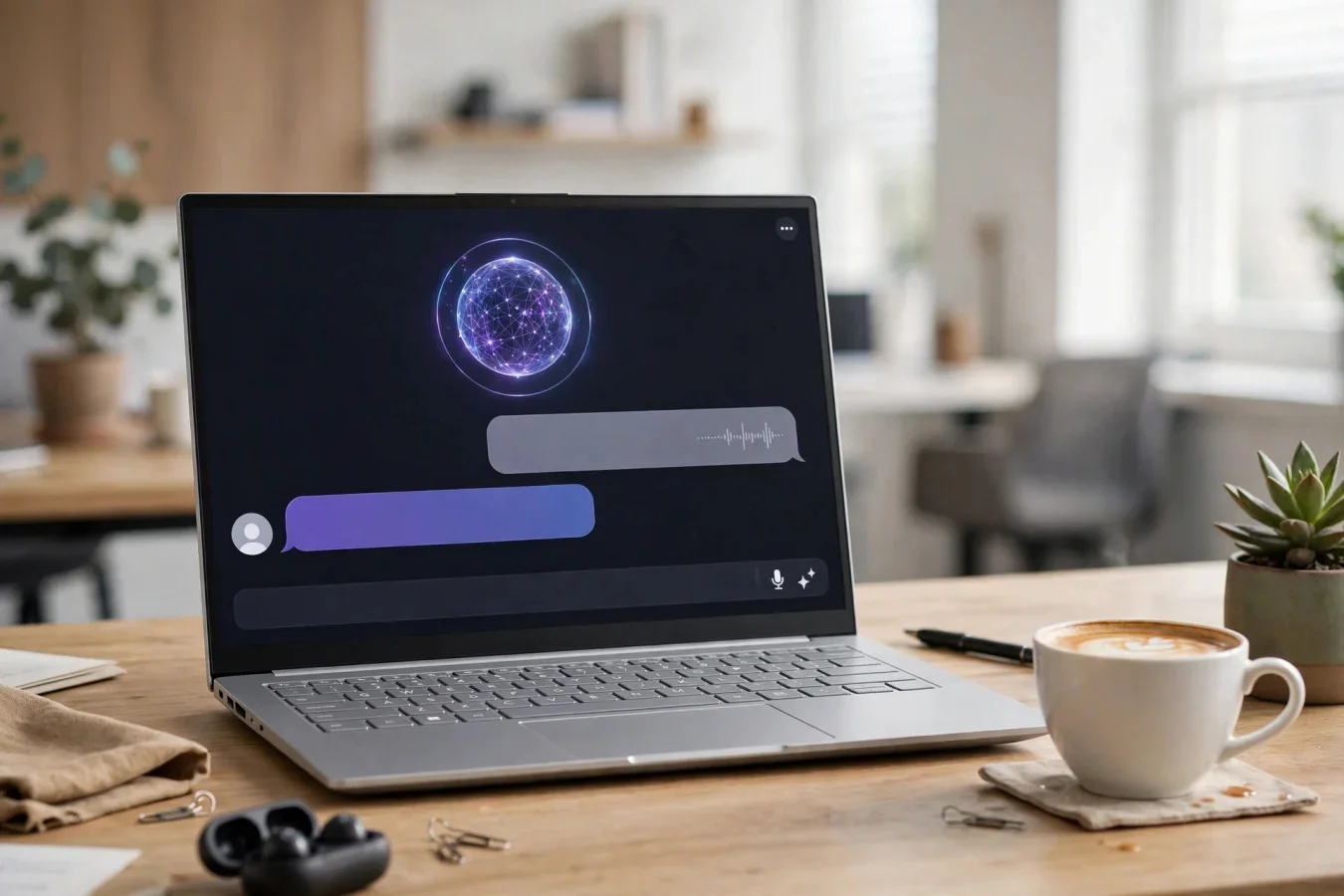
Two years ago, on-device AI was a novelty. Today, it's a class.
One October 2026 roundup, testing 10 contenders across productivity, creative work, and battery drain, found the category has matured faster than expected. Two years ago, on-device AI was a novelty. Today, every machine in that roundup can run Recall, Cocreator, and Live Captions translation without pinging the cloud.
The best Copilot+ PCs in 2026 are no longer just "Windows laptops with an NPU sticker". They're a distinct class with at least 40 TOPS, all-day battery, and ARM or x86 silicon that finally makes local AI useful — but the AI features themselves are not the main reason to buy one. Battery, efficiency, and silence are.
This guide explains what a Copilot+ PC is, which chips qualify, what the AI features do in practice, how battery and compatibility compare, and who should pay the premium.
What is a Copilot+ PC? The 40 TOPS rule
A Copilot+ PC is a Windows laptop with a dedicated Neural Processing Unit (NPU) capable of at least 40 TOPS (trillions of operations per second), according to the October 2026 roundup. That NPU handles AI workloads locally, which means faster responses, better privacy, and the ability to use features like Windows Recall and Cocreator even when you're offline.
Microsoft introduced the Copilot+ label in mid-2024, and by 2026 it's the standard for any Windows laptop promising meaningful on-device AI. The baseline is 40 TOPS NPU, 16GB LPDDR5X RAM, and a modern PCIe 4.0 SSD. That 16GB minimum is a requirement for smooth AI inference, because local models need memory, and 8GB machines can't run them reliably.
Three silicon families dominate in 2026:
- Qualcomm Snapdragon X Elite / X Plus / X2 Elite: ARM-based, X Elite 45 TOPS, X2 Elite 80 TOPS. Best battery and efficiency, and the original Copilot+ silicon.
- AMD Ryzen AI 300-series: x86-based, up to 50 TOPS, with Ryzen AI 7 350 outperforming Snapdragon X Elite in multi-threaded tasks and matching it in single-core. Best for x86 compatibility without giving up AI performance.
- Intel Core Ultra 200V series (Series 2): x86-based, also clearing 40 TOPS. Best for Intel compatibility, Thunderbolt, and a familiar Windows experience.
That choice — ARM versus x86 — is the most important decision in a Copilot+ PC, more important than the AI features themselves, because it determines app compatibility, battery life, and performance in different workloads.
What the AI features actually do
The main Windows 11 AI features that run on the NPU, not in the cloud, are:
- Windows Recall: A searchable timeline of what you've seen and done — documents, websites, apps, images — so you can find something by describing it. Recall was still in preview in some 2026 reports, and many users prefer not to enable it, because it screenshots your activity, even with local processing.
- Cocreator (in Paint): AI image generation and editing inside Paint, locally, without sending your sketch to the cloud. Fun for quick sketches, but not a replacement for a professional editor.
- Live Captions translation: Real-time translation of audio and video captions, on-device, even offline.
- Windows Studio Effects: AI camera effects in Teams — background blur, eye contact, framing, voice focus — running on the NPU, so they don't drain CPU or battery during a call.
- Click to Do: Take action on text or images on screen — copy, search, summarise, edit — by holding Windows and clicking. One user called it probably the strongest feature of them all, more useful daily than Recall.
One X2 Elite owner summarised it honestly: for most users, the NPU sits idle until you kick in something NPU-optimised, like Studio Effects in Teams. What you are buying is efficiency — NPU work pulled away from the CPU returns as longer battery life.
The NPU's main benefit in 2026 is not that you use AI features all day, but that when you do, they don't slow your laptop or drain your battery.
Battery, thermals, and portability: where Copilot+ wins
Battery life is the reason most people consider an ARM laptop. The Surface Laptop 7, with a 54Wh battery and Snapdragon X Elite, is rated by Microsoft for up to 20 hours of video and 13 hours of web use — though those figures were measured on a preproduction X Plus model, so treat them as a ceiling, not a promise.
Trusted Tech Spot's lab testing, using PCMark 10 and a 4K video loop, found:
| Metric | Snapdragon X Elite (Surface Laptop Copilot+) | Intel Core Ultra 7 (Dell XPS 13 Copilot+) | AMD Ryzen AI 9 (Lenovo ThinkPad X1 Copilot+) |
|---|---|---|---|
| PCMark 10 Modern Office (hours) | 15.2 | 11.4 | 12.8 |
| 4K Video Playback (hours) | 13.6 | 9.8 | 11.0 |
| Average CPU temp under load (°C) | 62 | 78 | 70 |
Those figures show the ARM advantage: Snapdragon lasts about 3 to 4 hours longer than Intel in office work, and runs about 16 degrees cooler. AMD sits in the middle on both.
In practice, a Snapdragon Copilot+ PC can go a full working day, often into a second day, cool and silent. An Intel or AMD model will still give you a full day, but you'll notice the fan more and charge sooner.
For portability, Copilot+ PCs are generally thin and light, with 13- to 16-inch displays, touchscreens on many models, and USB4 or Thunderbolt ports. The 2026 Surface Laptop, with Snapdragon X2 Elite, 16GB RAM, 512GB SSD, a 13.8-inch PixelSense touchscreen, two USB4 ports, and a new haptic trackpad, is rated for up to 20 hours of battery life, according to a late-2026 best-laptops guide, and sells for around $1,519 on Amazon — a premium price, but one that reflects a polished, MacBook-like Windows experience, according to that guide.
Compatibility: the ARM caveat you must check
Anyone who depends on software or hardware drivers without Arm64 versions should check compatibility carefully before committing, according to the Surface Laptop 7 review. Anyone who needs serious GPU performance for 3D work, video production at scale, or gaming should look elsewhere entirely, according to the same review.
Windows 11 on ARM now runs x86 and x64 apps through emulation, according to that review, so most everyday apps — browsers, Office, Teams, Zoom, Spotify, and many creative apps — run fine, often with native ARM64 versions available. But older software, specialised drivers, some VPNs, and anti-cheat games may not work, or may work slowly through emulation. The late-2026 best-laptops guide notes the same caveat for the 2026 Surface Laptop: since it is an ARM laptop, most apps run fine now, but check any older software or anti-cheat games first.
If you use a specific professional app — CAD, 3D rendering, video production at scale, or a specialised enterprise tool — check whether it has a native ARM64 version, or whether it runs acceptably through emulation, before you buy a Snapdragon Copilot+ PC. If it doesn't, an AMD Ryzen AI or Intel Core Ultra Copilot+ PC, which are x86 and run all Windows apps natively, is the safer choice, even if battery life is slightly shorter.
For creators who also desire a strong integrated GPU for occasional gaming or GPU-accelerated effects, Trusted Tech Spot suggests considering an ASUS Zenbook S 13 Copilot+ with AMD Ryzen AI 9, or similar AMD models, because AMD's integrated GPU is stronger than Qualcomm's, and Intel's is stronger still for some workloads. Snapdragon's GPU is fine for office, browsing, and light creative work, but it's not a gaming or 3D rendering GPU.
Which Copilot+ PC should you buy in 2026?
If your primary metric is sustained NPU performance coupled with all-day battery life, the Microsoft Surface Laptop Copilot+ stands out as the most balanced option, according to Trusted Tech Spot, with Snapdragon X Elite silicon delivering industry-leading TOPS, a PixelSense Flow display superb for colour-critical work, and a fan-less chassis for silent operation.
More generally, from the roundups:
- Best for battery and silence: Snapdragon X Elite or X2 Elite, especially the Surface Laptop 13.8-inch (2026, Snapdragon X2 Elite, 16GB/512GB, up to 20 hours, around $1,519 on Amazon) or the Surface Laptop 7 (previous model, still sold new on Amazon, rated 4.3 stars from 26 Amazon ratings, according to its review).
- Best for x86 compatibility with AI: AMD Ryzen AI 300-series, especially the HP OmniBook 5 16 OLED (Snapdragon X Plus, 34 hours claimed in one listing — treat that as a best-case figure) or HP OmniBook 5 16 with AMD Ryzen AI 7 350 (50 TOPS NPU, the highest in one roundup, with 7500MHz LPDDR5X RAM and 1TB PCIe Gen4 SSD).
- Best for a larger screen on a budget: Acer Aspire 16 AI (Snapdragon X, 18 hours claimed, 16-inch 120Hz) or HP OmniBook 3 14-inch (Snapdragon X, 8-core, 45 TOPS NPU, 16GB/512GB, qualifies as Copilot+).
- Best for a premium 13-inch: Dell XPS 13 9345 (Snapdragon X Elite, 27 hours claimed in one listing, 13.4-inch FHD+ 120Hz) or Lenovo Yoga Slim 7X (Snapdragon X Elite, 3K OLED, 14.5-inch touch).
A note on claimed battery figures: roundups list figures from 16 hours to 34 hours, depending on model and test method. Treat manufacturer claims as ceilings, and independent PCMark or video playback tests as more realistic — 13 to 15 hours for Snapdragon in office work, 11 to 13 hours for AMD and Intel, according to Trusted Tech Spot's lab testing.
Are Copilot+ PCs worth buying in 2026?
The honest answer, from the evidence above, is: yes, if you buy them for battery life, efficiency, and silence, and you treat the AI features as a bonus, not the main reason. No, if you buy them only for Recall or Cocreator, and you don't use those features, or if you need x86 software that doesn't run well on ARM, and you buy a Snapdragon model without checking compatibility.
What you are buying, as one X2 Elite owner put it, is efficiency. When you do something NPU-specific, you pull that away from the CPU, operate more efficiently, and that returns as longer battery life. For most users, that's a better reason to buy a Copilot+ PC than any single AI feature — because battery life is something you feel every day, while Recall is something you may never enable.
If you need a new Windows laptop in 2026, and your budget allows a Copilot+ model with 16GB RAM and a modern SSD, it's worth buying — especially a Snapdragon model for battery, or an AMD model for x86 compatibility with the highest NPU. If your current laptop still works, and you don't need the battery life, waiting is also fine: Copilot+ is a maturing category, and the AI features that matter — Click to Do, Live Captions, Studio Effects — will only get better, and more widely used, as more apps are optimised for the NPU.
The category has matured faster than expected, as the October roundup put it. Two years ago, on-device AI was a novelty. Today, it's a distinct class of machines with at least 40 TOPS, all-day battery, and silicon that finally makes local AI useful — even if, for most users, the most useful thing about that silicon is that it lets them leave the charger at home.
FAQs
What is a Copilot+ PC?
A Windows laptop with an NPU of at least 40 TOPS, 16GB RAM minimum, and a modern SSD, for on-device AI features like Recall, Cocreator, and Live Captions translation.
Which chips qualify as Copilot+ PCs?
Qualcomm Snapdragon X Elite, X Plus, and X2 Elite, AMD Ryzen AI 300-series, and Intel Core Ultra 200V Series 2, all with at least 40 TOPS NPU performance.
What is Windows Recall on a Copilot+ PC?
A searchable timeline of what you have seen and done on your PC, so you can find documents, websites, and images by describing them. It was still in preview in some 2026 reports, and many users choose not to enable it.
Do Copilot+ PCs have better battery life?
Yes, especially Snapdragon models. Independent lab testing found 15.2 hours in office work for Snapdragon X Elite, versus 12.8 hours for AMD Ryzen AI 9 and 11.4 hours for Intel Core Ultra 7.
Do all Windows apps work on Snapdragon Copilot+ PCs?
Most everyday apps run fine, often natively, and Windows 11 on ARM runs x86 apps through emulation. Older software, specialised drivers, and anti-cheat games may not work, so check compatibility before buying.
Is 16GB RAM enough for a Copilot+ PC?
Yes, 16GB is the minimum for Copilot+ PCs, for smooth AI inference. Local AI models need memory, and 8GB machines cannot run them reliably. Some users note 16GB feels tight when running a local AI model alongside other apps.
Should I buy a Copilot+ PC in 2026?
Yes, if you want all-day battery, efficiency, and silence, and you treat AI features as a bonus. No, if you only want Recall or Cocreator and don't use them, or if you need x86 software that doesn't run well on ARM.
Was this article helpful?

Written By
TechorCoffeeContributing Writer
TechorCoffee is a technology reporter and software creator writing reviews and tutorials for TechOrCoffee.
Comments (0)
Leave a Comment
Read Next

Thu Mar 12 2026
Leaks & Rumors: MacBook Air M4 vs MacBook Neo: Full Comparison
MacBook Air M4 and MacBook Neo target different users in Apple’s lineup. Neo focuses on affordability and everyday tasks, while Air M4 delivers stronger performance, better graphics, and higher memory options for demanding workloads like coding, editing, and multitasking.

Tue Mar 03 2026
MacBook Air M5: Apple's Game-Changing 2026 Launch Review
Apple unveils the MacBook Air M5 with revolutionary 3nm chip technology, enhanced AI capabilities, improved battery life, and stunning display upgrades. This comprehensive analysis covers specifications, performance benchmarks, pricing, and this new release justifies upgrading from previous models.

Thu Mar 12 2026
Leaks & Rumors: MacBook Neo vs MacBook Air M1: Full Performance Comparison
MacBook Neo powered by the A18 Pro chip introduces a new direction for Apple laptops, competing directly with the classic MacBook Air M1. This detailed comparison explores performance benchmarks, display quality, and battery life to help buyers decide which Apple laptop delivers the best value.