Google AI Pro Features: Is the Upgrade Worth the Cost?

Published (Updated )
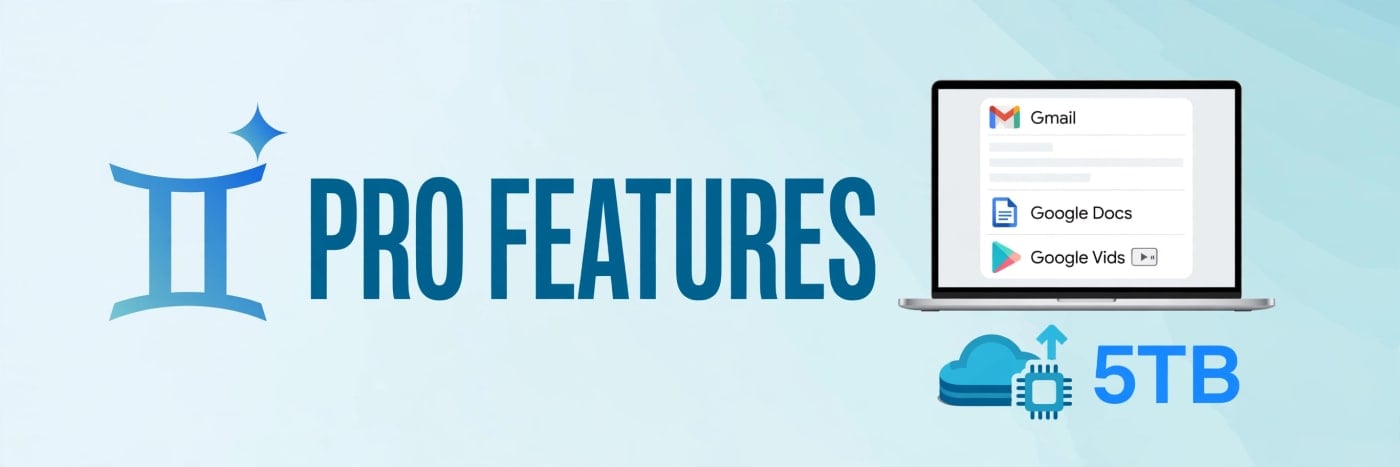
Google AI Pro Features: Is the Upgrade Worth the Cost?
Looking for an affordable Gemini AI Pro subscription? Contact TechOrCoffee to learn about available Google AI Pro and Google AI Plus options.
| Plan | TechOrCoffee Offer |
|---|---|
| Google AI Pro | $50 for 18 months |
| Google AI Plus | $12 for 12 months |
Need help setting it up on your account? Email us at techorffee@gmail.com.
What Google AI Pro Actually Gives You
Google AI Pro is the middle tier of Google's AI subscription family, sitting between the budget-friendly AI Plus plan and the high-end AI Ultra plan. It replaced what many readers will remember as Gemini Advanced and Google One AI Premium, and it bundles a set of AI tools, storage and credits into a single monthly subscription. The plan costs $19.99 per month in the United States, and €21.99 per month in Germany, with prices varying by country — always check the price shown at checkout before subscribing, because Google adjusts local pricing and runs occasional introductory offers.
What makes Pro different from the free version of Gemini is not one single feature. It is a bundle: access to Google's more capable Pro-tier models, higher usage limits, Gemini built into the Workspace apps most people already use every day, a large storage allowance, and credits for Google's newer creative tools. Whether that bundle is worth roughly twenty dollars a month depends almost entirely on how you work, which is why this article goes through the features one by one rather than simply repeating the price. The offers in the table at the top of this article are TechOrCoffee's own offers — email us at techorffee@gmail.com for details. TechOrCoffee is not Google, and this article is not affiliated with, endorsed by, or sponsored by Google. Prices and plan details vary by country and can change; always verify the current price and included features at checkout before subscribing.
The Pro Models: More Capable Gemini, Higher Limits
The heart of the subscription is access to Google's Pro models. Free Gemini users get a capable model for everyday questions, drafting and brainstorming, but Pro subscribers get the more powerful tier — the models Google reserves for heavier reasoning, longer documents, complex coding tasks and nuanced analysis. In practice, this is the difference between an assistant that gives you a decent first draft and one that can work through a multi-step problem, keep track of a long brief, and produce a result that needs far less editing.
Google updates its model line-up regularly, so the exact model names available to Pro subscribers change over time. Recent coverage has referred to the newest Pro-tier models under the Gemini 4 family, including a variant reported as Gemini 4 Argon in October 2026 reporting. Because Google can rename or replace models without much warning, the practical advice is simple: check the current model list on Google's subscription page before you pay, and judge the plan by the capabilities on offer at that moment rather than by a model name you read in an article.
The other half of the model story is limits. Pro subscribers get roughly four times the usage limits of the free tier on the most capable models, which matters more than it sounds. Free users hit caps quickly when they are deep in a long project — the model stops, or drops back to a lighter version, right when the work is getting interesting. Four times the headroom means you can run long research sessions, iterate on a document for an afternoon, or debug a chunk of code without the plan cutting you off. If you only ask Gemini a handful of questions a day, that headroom is invisible. If you use it as a working tool for hours at a time, it is the single most valuable part of the subscription.
Deep Research and Long Context
Pro also unlocks deeper research features, including the ability to run extended research tasks that pull together sources and produce structured reports, and to work with much longer documents. Uploading a long PDF, a set of meeting notes or a research paper and asking detailed questions about it is exactly the kind of task where the Pro models earn their keep. Free-tier users can do a version of this, but with tighter limits and less capable models, the answers tend to be shallower and the sessions shorter.
Gemini Inside Gmail, Docs and Vids
For many subscribers, the most quietly useful part of Pro is that Gemini stops being a separate website and starts living inside the apps they already use. In Gmail, Gemini can summarise long email threads, draft replies in your tone, and help you find information buried in your inbox. Anyone who has ever opened a forty-message thread and wondered what was actually decided will understand the appeal immediately.
In Google Docs, Gemini works as a writing and editing partner: it can draft a section from a short prompt, rewrite a paragraph to be clearer or shorter, summarise a long document, and help structure a report. It is not a replacement for thinking, and its drafts still need a human eye, but it removes a large share of the blank-page work that slows people down. In Google Sheets, it can help build formulas and analyse data, and in Google Slides it can generate images and help structure presentations.
Google Vids, Google's video creation app, is where the Workspace integration gets more creative. Pro subscribers can use Gemini to draft video scripts, generate voiceovers and build short videos for work — product explainers, training clips, team updates — without opening a separate editing suite. For small teams and solo professionals, that is a genuine time saver, even if it will not replace a professional video editor for polished marketing work.
NotebookLM and the Research Toolkit
Pro also includes higher limits in NotebookLM, Google's research and note-taking tool that lets you build a personal knowledge base from your own documents and ask questions about them, with answers grounded in your sources. NotebookLM's audio overviews — which turn your documents into a podcast-style conversation — are one of the most talked-about AI features of the last two years, and Pro gives you more of them. If your work involves reading, synthesising and citing sources, NotebookLM alone can justify a closer look at the plan.
5TB of Storage: The Practical, Unflashy Benefit
Every Google AI Pro subscription includes 5TB of pooled storage shared across Google Drive, Gmail and Google Photos. That is an enormous amount of space — enough for years of photos, videos and documents for most people — and it is easy to undervalue because storage is not exciting. But consider what it replaces: a separate cloud storage subscription, the constant "storage almost full" warnings, and the chore of deciding which photos to delete.
For families or small teams, the storage can be shared with up to five other people, which spreads the value further. And because the storage is bundled with the AI features, the effective cost of the AI tools drops if you were already paying for a Google One storage plan. A 2TB Google One plan alone costs a meaningful share of the Pro price, so if you need storage anyway, the jump to Pro is much smaller than the headline price suggests. If you have no storage needs at all — everything lives on a local drive, or your employer provides storage — then this benefit is worth close to nothing to you, and you should value the plan on its AI features alone.
Flow Credits: Google's AI Film-Making Tool
One of the more distinctive Pro features is access to Flow, Google's AI film-making tool, which lets you create video clips from text prompts and images using Google's video generation models. Pro subscribers receive a monthly allowance of credits for Flow — 1,000 credits per month as reported in October 2026 — which covers a reasonable amount of short-form video generation each month.
Flow is a genuinely fun and useful tool for marketers, content creators, educators and anyone who needs short video clips without a camera crew. The credits reset monthly, so they reward regular use rather than hoarding. That said, video generation is still a fast-moving and expensive technology, and 1,000 credits will not cover a heavy production schedule. Treat Flow as a creative bonus that adds real value if you make videos, and as a curiosity if you do not. It is not a reason on its own to subscribe, but it is a meaningful part of the bundle for creators.
Google Cloud Credits and the Wider Ecosystem
Pro also comes with credits for Google Cloud, aimed at users who want to experiment with Google's cloud platform — running workloads, trying out AI APIs, or building small projects. The exact amount and terms vary, and cloud credits are a use-it-or-lose-it benefit that only matters if you actually use Google Cloud. For developers and students learning cloud skills, this is a nice extra that lowers the cost of experimentation. For everyone else, it is a line item you can safely ignore when judging the plan.
There are smaller perks too, such as access to new experimental features before they reach free users, and priority access to new capabilities as Google rolls them out. Early access is a genuine, if modest, benefit for enthusiasts who like trying new tools first, but it should never be the deciding factor — features that are experimental today may change, disappear, or arrive on the free tier later.
Google AI Pro Pricing Compared
The honest way to judge Pro is to put it beside its siblings. The free tier costs nothing and covers casual use. AI Plus costs $4.99 per month in the US (€4.99 in Germany) and adds some extra limits and storage, but — importantly — Plus loses access to the Pro models from 13 November 2026, which narrows the gap between Plus and free considerably for anyone who wants the capable models. AI Pro costs $19.99 per month in the US (€21.99 in Germany) and is the first tier that includes the full Pro model access, 5TB of storage, the higher limits and the Flow credits. AI Ultra costs $99.99 per month in the US, with some reports putting it at $199.99 per month in October 2026, and is aimed at power users who need the very highest limits and earliest access to new models.
An annual Pro subscription at $199.99 per year has been reported — this figure is reported only and not confirmed by Google's own pages at the time of writing, so treat it as a rumour to verify at checkout rather than a fact. If it is accurate, it would work out to roughly two months free compared with paying monthly, which is worth checking if you decide to commit for a year.
| Plan | US price (per month) | Pro models | Storage | Best for |
|---|---|---|---|---|
| Free | $0 | No | 15GB | Occasional questions |
| AI Plus | $4.99 | No (from 13 Nov 2026) | 200GB | Light, regular use |
| AI Pro | $19.99 | Yes | 5TB | Daily professional use |
| AI Ultra | $99.99 (some reports $199.99) | Yes, highest limits | 30TB | Heavy power users |
Prices vary by country and change over time. Verify the price for your country at checkout before subscribing, and remember that Google occasionally offers free trials or introductory pricing — a trial is the best way to test whether the features fit your workflow before committing.
The Worth-It Test: When Pro Pays and When It Does Not
Here is a practical test. Add up the value of the parts you would genuinely use every week. If you use Gemini daily for work — drafting, research, analysis, coding help — the Pro models and the higher limits alone are worth the price, because the time saved on a single project can exceed a month's subscription. If you already pay for cloud storage, subtract that cost from the Pro price, because you would be replacing it. If you create videos, add the value of the Flow credits. If the total is comfortably above $19.99 a month, Pro pays for itself.
Pro is worth it when you write, research or analyse for a living; when you manage a busy inbox and long documents; when you need 5TB of storage anyway; when you use NotebookLM for study or research; or when you create short videos regularly. It is a productivity subscription, and like any productivity tool, its value is measured in hours saved.
Pro is not worth it when you ask Gemini a few questions a week; when your employer already provides AI tools; when you have no storage needs; when you only want the free model's capabilities; or when you would be subscribing mainly out of curiosity. In those cases, the free tier — or AI Plus, if you want a little more storage and slightly higher limits — is the smarter choice. There is no shame in that: a subscription you barely use is the most expensive kind.
One more consideration: subscriptions creep. Before signing up, check whether you are already paying for another AI tool that does the same job. Two overlapping AI subscriptions are rarely better than one, and the money is better spent on the tool you actually open every day.
How to Decide Before You Pay
The safest way to decide is to try before you buy. If a free trial is available in your country, use it properly: spend a week doing your real work in it — your actual inbox, your actual documents, a real project — and note how often you hit the free tier's limits versus how often Pro saved you time. A trial used on real work tells you more than any review, including this one.
Also check the cancellation terms. Google AI Pro is a monthly subscription you can cancel, so the risk of trying it is one month's fee, not a long-term commitment. Set a reminder to review the subscription after a month: if you cannot point to specific hours saved or work improved, cancel it. The best subscriptions are the ones you would miss if they disappeared — and after a month of honest use, you will know whether Pro is one of them.
Google AI Pro is a strong bundle for people who work in Google's apps every day and lean on AI as a genuine productivity tool — but it is not a must-have for everyone. The Pro models, the higher limits and the 5TB of storage are the features that carry the price; the rest is a bonus. Try it on real work, count the hours it saves, and keep it only if the answer is clear. If you have questions about this guide or want us to cover another AI subscription in the same detail, email us at techorffee@gmail.com — we read every message.
Sources: Google Gemini subscriptions page (https://gemini.google/subscriptions/); Google One AI plans page (https://one.google.com/about/google-ai-plans/); Google AI Pro $19.99/month, AI Plus $4.99/month, Ultra $99.99/$199.99/month, checked 20 October 2026 (https://thegenaimagazine.com/google-flow-pricing-2026-credits-cost-per-video); Google AI Pro $19.99/month US, €21.99/month Germany, student free year and bundle offers (https://blog.laozhang.ai/en/posts/stable-cheap-gemini-pro-upgrade); Google AI Plus losing Pro models from 13 November 2026 (https://www.ghacks.net/2026/10/16/google-removes-gemini-pro-models-from-the-4-99-ai-plus-plan-starting-november-13/); Google support on subscription transfer (https://support.google.com/gemini/thread/382009372?hl=en).
FAQs
Is Google AI Pro worth $19.99 a month?
It depends on how much you use it. If you use Gemini daily for work, need 5TB of storage, or create videos with Flow, the bundle usually pays for itself in time saved. If you only ask a few questions a week, the free tier is enough and Pro is not worth the cost.
What is the difference between Google AI Pro and AI Plus?
AI Plus costs $4.99 a month in the US and offers more storage and slightly higher limits than the free tier, but it loses access to the Pro models from 13 November 2026. AI Pro costs $19.99 a month and includes the Pro models, four times the usage limits, 5TB of storage, Gemini in Gmail and Docs, and Flow credits.
Does Google AI Pro include Gemini in Gmail and Google Docs?
Yes. Pro subscribers get Gemini built into Gmail, Docs, Sheets, Slides and Vids, where it can draft, summarise, rewrite and help analyse your work without leaving the app.
How much storage do you get with Google AI Pro?
Google AI Pro includes 5TB of pooled storage shared across Google Drive, Gmail and Google Photos, which can be shared with up to five other people.
What are Flow credits in Google AI Pro?
Flow is Google's AI film-making tool for creating video clips from text prompts and images. Pro subscribers receive a monthly credit allowance — 1,000 credits per month as reported in October 2026 — to use for video generation.
Can I cancel Google AI Pro at any time?
Yes. It is a monthly subscription, so you can cancel and keep the benefits until the end of your current billing period. Check the terms shown at checkout in your country for the exact details.
Is there an annual Google AI Pro plan?
An annual price of $199.99 has been reported, but it is not confirmed on Google's own subscription pages at the time of writing. Check the price shown at checkout, where any annual option and its exact cost will be listed.
Was this article helpful?

Written By
TechorCoffeeContributing Writer
TechorCoffee is a technology reporter and software creator writing reviews and tutorials for TechOrCoffee.
Comments (0)
Leave a Comment
Read Next

Thu Mar 12 2026
Leaks & Rumors: MacBook Air M4 vs MacBook Neo: Full Comparison
MacBook Air M4 and MacBook Neo target different users in Apple’s lineup. Neo focuses on affordability and everyday tasks, while Air M4 delivers stronger performance, better graphics, and higher memory options for demanding workloads like coding, editing, and multitasking.

Tue Mar 03 2026
MacBook Air M5: Apple's Game-Changing 2026 Launch Review
Apple unveils the MacBook Air M5 with revolutionary 3nm chip technology, enhanced AI capabilities, improved battery life, and stunning display upgrades. This comprehensive analysis covers specifications, performance benchmarks, pricing, and this new release justifies upgrading from previous models.

Thu Mar 12 2026
Leaks & Rumors: MacBook Neo vs MacBook Air M1: Full Performance Comparison
MacBook Neo powered by the A18 Pro chip introduces a new direction for Apple laptops, competing directly with the classic MacBook Air M1. This detailed comparison explores performance benchmarks, display quality, and battery life to help buyers decide which Apple laptop delivers the best value.