iPad Air M4 vs Pro M5: Which iPad to Buy?

Published
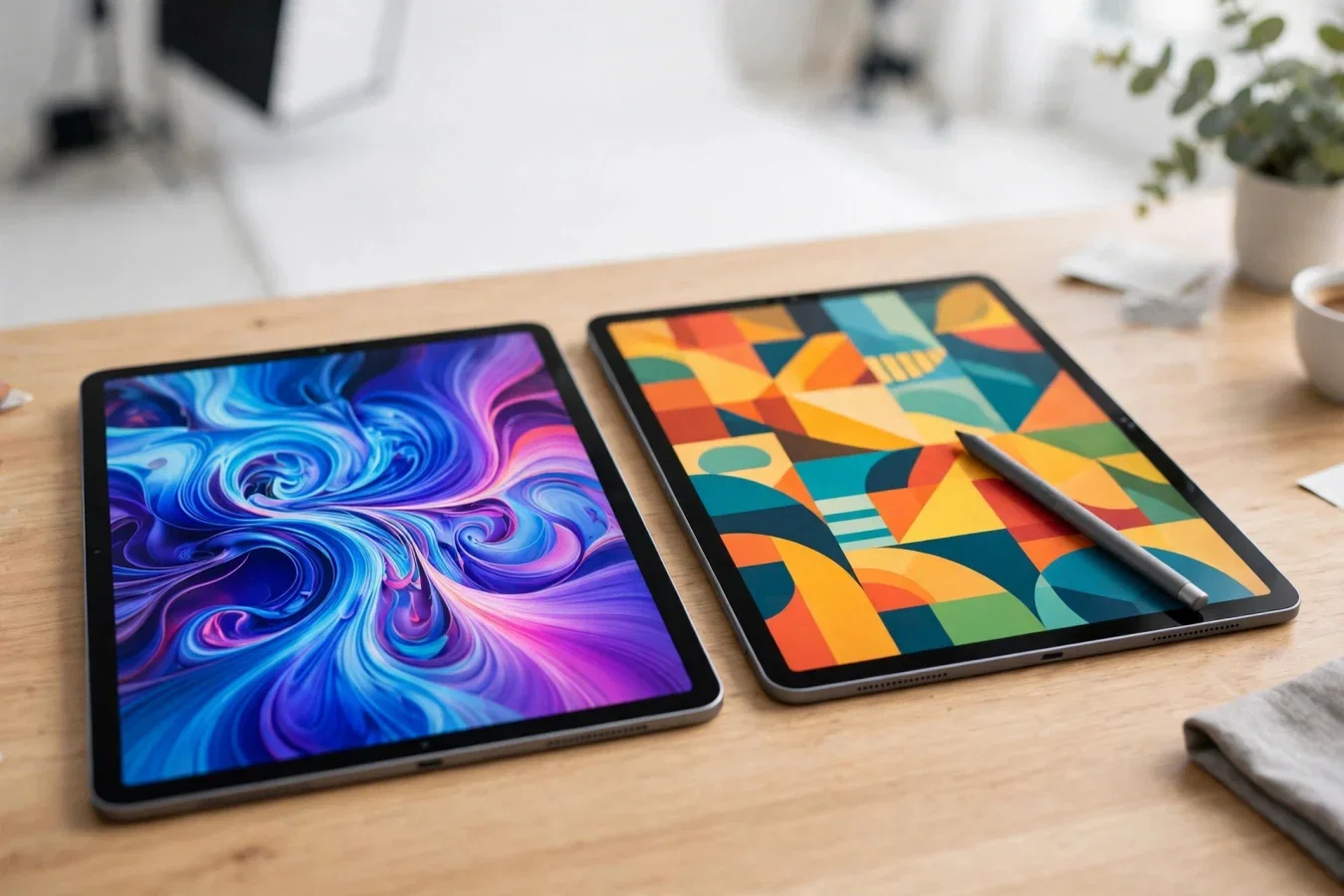
The extra money mostly buys a screen
The M4 iPad Air shares the Pro's Apple Pencil Pro support, front camera, and base memory for $350 less at the same storage, according to an October 2026 buyer's guide. For most people the iPad Air (M4) is the better buy: from $749 on Apple's US store, it takes the same Apple Pencil Pro, has the same front camera, and starts with the same 12GB of memory as the iPad Pro (M5), which starts at $1,199.
The Pro earns its price for people who draw for hours, or want an iPad to stand in for a laptop, and the reason is mostly its screen. That's the short version. The long version matters, because both iPads come in 11-inch and 13-inch sizes, both support Magic Keyboards, and both run iPadOS with Apple Intelligence — so the decision is not about "good versus bad", but about which trade-offs you're willing to pay for.
Both cost more than they did at launch. On 25 June 2026, Apple raised the Air's starting price by $150 and the Pro's by $200, as part of the memory-driven rises across its Macs and iPads, according to the same guide. Treat the prices below as October 2026 Apple US starting prices, and check Apple's site at purchase, because memory-driven price changes have continued through 2026.
At a glance: specs compared
The table below comes from Apple's Compare page and both models' technical specifications, as read on 25 October 2026, according to the buyer's guide. Where sizes differ, the 11-inch figure is first.
| Feature | iPad Air (M4) | iPad Pro (M5) |
|---|---|---|
| Chip | M4, 8-core CPU, 9-core GPU | M5, 9-core CPU (10-core from 1TB), 10-core GPU |
| Memory | 12GB | 12GB, or 16GB on 1TB and 2TB |
| Display | Liquid Retina, LED-backlit LCD, 60Hz | Ultra Retina XDR, tandem OLED, ProMotion 10Hz to 120Hz |
| Brightness | 500 nits (11-inch) or 600 nits (13-inch) | 1,000 nits, 1,600 nits peak for HDR |
| Nano-texture glass | Not offered | Option on 1TB and 2TB |
| Rear camera | 12MP Wide | 12MP Wide, flash, LiDAR Scanner |
| Front camera | 12MP landscape, Center Stage | 12MP landscape, Center Stage |
| Storage | 128GB, 256GB, 512GB, 1TB | 256GB, 512GB, 1TB, 2TB |
| Colours | Space Gray, Starlight, Purple, Blue | Space Black, Silver |
The Air, in other words, is not a cut-down iPad in the way older Airs were. It has the same Pencil, the same front camera, the same base memory, and a chip that's only one generation behind. The Pro's advantages are concentrated: a far better display, a faster chip with more GPU and AI acceleration, LiDAR and flash, Thunderbolt/USB 4 connectivity, up to 2TB storage, and up to 2 times faster SSD read and write speeds, according to MacRumors' buyer's guide comparison.
Display: LCD versus tandem OLED, and why it matters
Display is where the Pro justifies itself, and where the Air shows its price.
The Air uses a Liquid Retina LED-backlit LCD panel at 60Hz, 500 nits on the 11-inch model and 600 nits on the 13-inch. That's bright enough for indoor use, for reading, for notes, and for streaming, and most buyers will find it perfectly good. It's not, however, an OLED panel: blacks are grey in a dark room, contrast is lower, and 60Hz means scrolling and Pencil strokes feel less smooth than on a 120Hz panel.
The Pro uses an Ultra Retina XDR tandem OLED panel, with ProMotion from 10Hz to 120Hz, 1,000 nits full-screen, and 1,600 nits peak for HDR content. Tandem OLED — two OLED layers stacked — gives deeper blacks, higher contrast, and better HDR than a single OLED layer, let alone an LCD. For photo editing, video editing, HDR video, and digital art, the difference is not subtle: colours are richer, shadows hold detail, and highlights don't blow out as easily. ProMotion also makes the Pencil feel more responsive, because the display updates up to 120 times per second, and drops to 10Hz when static to save battery.
Nano-texture glass, an option on 1TB and 2TB Pro models, reduces glare for artists and outdoor users, at the cost of slightly softer image sharpness. It's not offered on the Air at any price, so if glare is a daily problem for you — you draw outdoors, or under harsh office lighting — the Pro is the only iPad with that option.
For students, office workers, and casual artists, the Air's LCD is fine, and $450 saved (at 11-inch, comparing $749 Air to $1,199 Pro) buys a Pencil Pro and a keyboard case with change. For professional artists, photographers, and video editors who stare at the display for hours, the Pro's OLED is not a luxury — it's the tool that lets you judge colour accurately, and it's the main reason to pay the premium.
Chip, memory, and performance: M4 versus M5
The M4 chip in the Air is an 8-core CPU (3 performance + 5 efficiency cores) with a 9-core GPU, made using TSMC's enhanced 3nm process (N3E), and based on the iPhone 16's A18 chip architecture, according to MacRumors' comparison. The M5 chip in the Pro is up to 10 CPU cores (4 performance + 6 efficiency on 1TB models, 9 cores otherwise), with a 10-core GPU with Neural Accelerators, made using TSMC's third-generation 3nm process (N3P), and based on the A19 Pro chip from the iPhone 17 Pro.
In practice, both chips handle iPadOS, Apple Intelligence, multitasking with Stage Manager, and demanding apps like Procreate, Lightroom, and DaVinci Resolve. The M5's advantages are in sustained, heavy work: larger video renders, complex 3D scenes, local AI models, and multi-layer Photoshop files with dozens of layers. For everyday work — notes, browsing, documents, streaming, light photo editing — the M4 is more than enough, and you won't notice the M5's extra cores.
Memory is 12GB on both at base, with the Pro offering 16GB on 1TB and 2TB models. That's important for heavy multitasking and for large AI models, but for most users, 12GB is comfortable in 2026. Storage differs more: the Air starts at 128GB, the Pro at 256GB, and the Pro goes to 2TB, while the Air tops out at 1TB. If you shoot a lot of 4K video, or store large photo libraries locally, the Pro's 2TB option matters — but most users are better served by 256GB or 512GB plus iCloud, than by paying for 2TB they'll never fill.
One warning from the buyer's guide is worth repeating: an 11-inch Pro at 512GB is $1,399 before its keyboard, with 12GB of memory, while Apple's 13-inch MacBook Air (M5) starts with 16GB and the same 512GB, keyboard included, for less. If you want an iPad to stand in for a laptop, and you don't specifically need the Pro's OLED display or Pencil, a MacBook Air may be a better laptop replacement than a Pro plus keyboard — cheaper, with a full keyboard, trackpad, and macOS apps. Buy the Pro for its display and Pencil, not as a cheap laptop, because with a keyboard, it isn't cheap.
Pencil, keyboards, cameras, and connectivity
Both iPads support Apple Pencil Pro, with barrel roll, squeeze, and haptic feedback, and both have the same 12MP landscape front camera with Center Stage, for video calls in landscape orientation — the orientation you actually use an iPad in with a keyboard. That's a major narrowing of the gap versus older generations, where the Air had a lesser Pencil or camera.
Keyboards differ in detail, not in kind. Both support Magic Keyboard accessories with physical function keys and glass trackpads, according to comparisons, but the Pro's Magic Keyboard is thinner, lighter, and has a larger trackpad and a function row, while the Air's keyboard is a separate accessory with its own pricing. Check the exact keyboard for your size and model, because keyboard pricing and features vary, and a keyboard can add $300 or more to either iPad's total cost.
Rear cameras: Air has a 12MP Wide camera, Pro adds a flash and a LiDAR Scanner, for better low-light photos, faster autofocus in the dark, and AR measurements. For most iPad users, who rarely use the rear camera for serious photography, that's a minor difference — but for AR developers, interior designers, and anyone who scans rooms, LiDAR is a real tool, not a gimmick.
Connectivity: the Pro has Thunderbolt/USB 4, with faster data transfer and support for external displays at up to 120Hz, while the Air drives external displays at 60Hz, according to MacRumors' comparison. If you dock your iPad to a high-refresh external monitor, or transfer large video files regularly, the Pro's Thunderbolt matters. If you charge via USB-C and use Wi-Fi for everything else, it doesn't.
Battery, size, and colours
Both iPads give a full day of typical use, with up to 10 hours of web browsing or video, according to Apple's specs — the exact figure varies by size and use, but neither iPad is a battery anxiety device. The Pro is thinner and lighter for its size, thanks to its 2024 redesign, while the Air is slightly thicker and heavier, though both are easily portable in a bag.
Colours are a small but real difference: Air in Space Gray, Starlight, Purple, and Blue — playful, student-friendly colours — versus Pro in Space Black and Silver, professional and understated. If colour matters to you, the Air wins on choice, the Pro wins on sobriety.
Which iPad should you buy?
Buy the iPad Air (M4) if:
- You're a student, office worker, or casual artist, doing notes, documents, browsing, streaming, and light photo editing. The Air handles all of it, with the same Pencil Pro and front camera as the Pro, for $350 less at the same storage, according to the buyer's guide.
- You want a large canvas without Pro prices. The 13-inch Air gives you a big screen for drawing and multitasking, without the Pro's OLED premium.
- You don't know why you need the Pro. As one Canadian guide put it, skip the Pro if you don't know why you need it, because the Air is considerably cheaper — and for most buyers, that's the right advice.
Buy the iPad Pro (M5) if:
- You're a professional artist, photographer, or video editor, who draws for hours, judges colour on screen, or edits HDR video. The tandem OLED display, ProMotion, and nano-texture option are the reason to pay, and they're worth it for that work.
- You want an iPad to stand in for a laptop for demanding work, with Thunderbolt, up to 120Hz external displays, up to 2TB storage, and 16GB memory on higher models.
- You need LiDAR for AR, scanning, or measurements, or you want the thinnest, lightest iPad with the best display Apple makes.
A final note on timing: Apple's 28 October event was expected to bring new Macs and an OLED iPad mini, and none of the reports ahead of it mentioned a new Air or Pro, according to the October 2026 buyer's guide, which also noted Apple announced the M5 Pro in October 2025 and the M4 Air in March 2026, so there was no reason for either buyer to hold off at that time. That logic still holds for the current models: the M4 Air and M5 Pro are the current generations, and waiting for a next generation that hasn't been announced is rarely worth it, unless you have a specific reason to wait.
For most people, the Air is the better buy. For professionals who live on the display, the Pro earns its price — mostly, as the guide said, because of its screen.
FAQs
What is the difference between iPad Air M4 and iPad Pro M5?
The Pro has a tandem OLED XDR display with 120Hz ProMotion, a faster M5 chip, LiDAR and flash, Thunderbolt, and up to 2TB storage. The Air has an LCD display at 60Hz, an M4 chip, and starts at $749 versus $1,199 for the Pro.
How much does the iPad Air M4 cost in 2026?
From $749 on Apple's US store in October 2026, after a $150 price rise on 25 June 2026. The 13-inch Air starts higher. Check Apple's site at purchase.
How much does the iPad Pro M5 cost in 2026?
From $1,199 on Apple's US store in October 2026, after a $200 price rise on 25 June 2026. An 11-inch Pro at 512GB is $1,399 before its keyboard.
Does the iPad Air M4 support Apple Pencil Pro?
Yes, the Air and Pro both support Apple Pencil Pro, with barrel roll, squeeze, and haptic feedback, and both have the same 12MP landscape front camera.
Is the iPad Pro display better than the Air?
Yes, significantly for creative work. The Pro has tandem OLED, 1,000 nits full-screen, 1,600 nits peak HDR, and 120Hz ProMotion. The Air has LCD at 500-600 nits and 60Hz.
Can an iPad Pro replace a laptop?
For some professionals, yes, with a Magic Keyboard, but a MacBook Air M5 may be cheaper and better as a laptop, with keyboard included and macOS apps. Buy the Pro for its display and Pencil, not as a cheap laptop.
Should I buy iPad Air or Pro in 2026?
Buy the Air for most uses: students, office, casual art, and large-screen value. Buy the Pro for professional art, photo and video work, where the OLED display, Thunderbolt, and higher storage matter daily.
Was this article helpful?

Written By
TechorCoffeeContributing Writer
TechorCoffee is a technology reporter and software creator writing reviews and tutorials for TechOrCoffee.
Comments (0)
Leave a Comment
Read Next

Thu Apr 09 2026
Leaks & Rumors: iPhone 18 Pro Max vs iPhone 17 Pro Max: Full Comparison
The iPhone 17 Pro Max is already a fully matured flagship—top camera, insane battery life, and stable performance. The iPhone 18 Pro Max is expected to refine the experience further, not revolutionize it.
Tue Jun 16 2026
Samsung Galaxy Z Fold 8 vs Galaxy Z Fold 7:Worth to Upgrade?
Samsung Galaxy Z Fold 8 vs Galaxy Z Fold 7: Is it worth the upgrade? Compare specs, battery upgrades, 45W charging, and camera leaks before you buy.

Wed Apr 08 2026
Leaks & Rumors: iPhone 18 Pro Max: Every Leak, Spec and Upgrade Confirmed
The iPhone 18 Pro Max is expected in September 2026 as Apple’s most powerful iPhone yet. It features a 6.9-inch LTPO OLED display, A20 Pro chip, 48MP camera with variable aperture, 5,100–5,200mAh battery, C2 modem with satellite support, and a starting price of $1,199.