Before Buying Gemini AI: Check Access and Renewal Terms

Published
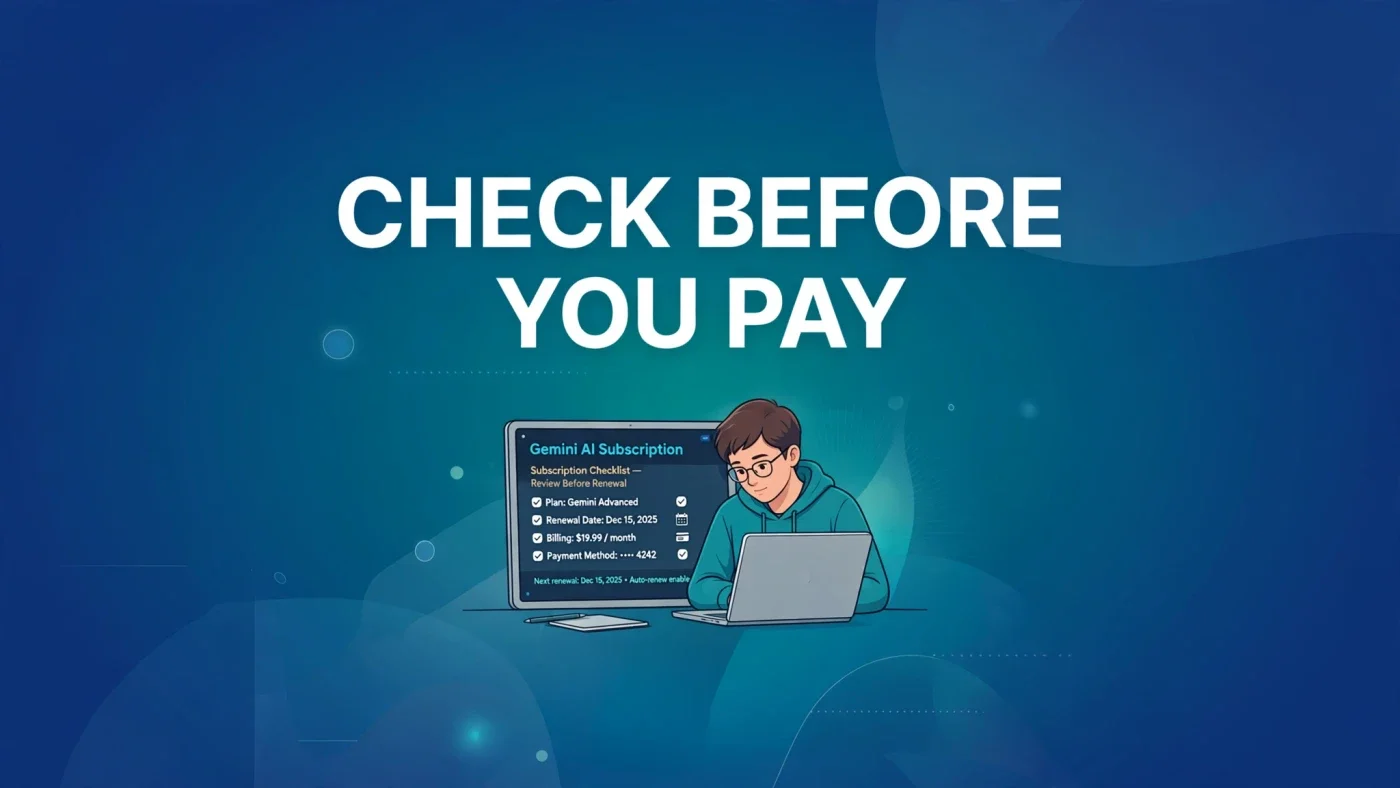
Before You Pay, Pause for Ten Minutes
Looking for an affordable Gemini AI Pro subscription? Contact TechOrCoffee to learn about available Google AI Pro and Google AI Plus options.
| Plan | TechOrCoffee Offer |
|---|---|
| Google AI Pro | $50 for 18 months |
| Google AI Plus | $12 for 12 months |
Need help setting it up on your account? Email us at techorffee@gmail.com.
The offers in the table at the top of this article are TechOrCoffee's own offers — email us at techorffee@gmail.com for details.
A subscription is easy to start and surprisingly easy to misunderstand. You tap a button, enter a payment method, and suddenly you have access to a set of tools — but also a renewal date, a set of limits, and a set of rules about what happens if you stop paying. That is why a Gemini AI Pro Subscription deserves a short pause before purchase, not after it.
This article is a pre-purchase checklist, not a sales pitch. It walks through ten points worth checking in your own Google account and at checkout, in plain language, so you can decide whether a paid plan fits how you actually work. Prices, models and features change, and they vary by country, so treat the figures here as a starting point and verify the exact terms shown to you before you confirm payment. TechOrCoffee is not Google, and this article is not an offer from Google.
The most common disappointment with an AI subscription is not that the tool is poor. It is that the buyer expected one thing — a particular model, unlimited use, a certain amount of storage, or a price that stays the same — and received something slightly different.
1. Check Which Models and Features You Actually Get
Models are not the same across plans
The first question is simple: which Gemini models will you be able to use after you pay? Paid plans generally unlock more capable models and features than the free version, but the details matter. A plan may give you access to a Pro model for everyday work, a more advanced model for complex reasoning, and tools for video, image generation or deep research. Another plan may include only some of those.
Read the plan description line by line. Look for the names of the models included, whether access is described as standard or priority, and whether any feature is labelled as experimental, limited, or available only in certain countries. If a feature matters to you — for example, a particular video-generation tool, a research mode, or a higher-quality image model — confirm that it is included in the tier you are about to buy, not merely in a higher tier.
The change to watch from 13 November 2026
One change illustrates why this check matters. From 13 November 2026, the $4.99 AI Plus plan loses access to Gemini Pro models. That does not mean the plan becomes useless, but it does mean that a buyer who chooses Plus mainly for Pro-model access would be disappointed after that date. If Pro-model access is central to your work, that date should influence which tier you choose — or whether you wait and compare again.
Do not rely on memory, screenshots from months ago, or a friend's experience on a different plan. Open the current plan page, select your country, and read what is listed for the tier in front of you.
2. Check Usage Limits Before You Rely on the Plan
"Access" and "unlimited access" are different things
Many AI plans include usage limits, even paid ones. You may be able to use a powerful model a certain number of times per day or month, generate a limited number of videos, or run a limited number of deep research tasks. Once you reach a limit, you may be switched to a lighter model, asked to wait, or blocked until the limit resets.
This matters most if you plan to use Gemini heavily — for long documents, regular coding help, daily content work, or frequent video generation. A limit that is generous for occasional use can feel tight for professional use. Before paying, look for any mention of monthly, daily or per-task limits, and check whether limits are described separately for each model or feature.
Ask how limits are explained in your account
Google usually shows usage information inside the product or account settings, but the exact wording varies. Check whether there is a clear place to see how much you have used and when a limit resets. If you cannot find that information before buying, treat it as a reason to start cautiously — perhaps with a shorter commitment, if one is available — rather than assuming use will be unrestricted.
A practical test is to write down your expected weekly use: how many long chats, how many images or videos, how many research tasks. Then compare that rough picture with the limits listed for the plan.
3. Check Storage, and What Counts Towards It
Storage is shared, not separate
Paid Google AI plans are often bundled with Google One storage, which is shared across Google Drive, Gmail and Google Photos. That shared storage is one of the most useful parts of a subscription — and one of the easiest to misunderstand.
Before buying, check how much storage the plan includes, and how much you already use. If you are close to your current limit, extra storage will help. If you already have plenty of space, storage may not be a reason to pay more. Also check whether the storage figure is total storage for the account, whether it applies to a family group, and whether any files or backups are excluded.
Storage does not solve every problem
Extra storage will not speed up a slow connection, fix a full phone, or organise a messy Drive. It simply gives you more room. Check your current usage in your Google account before you buy, and note the figure.
4. Check Country Availability and Language Support
Not every feature is available everywhere
Gemini AI features roll out at different times in different countries. A model, tool or language that is available in the United States may not yet be available where you live, or may work differently there. Pricing also varies by country, as the comparison section below shows.
Before paying, confirm that the features you want are available in your country. Check the language support too, especially if you work in a language other than English. Some features work well in English first and improve in other languages later. If you plan to use Gemini mainly in another language, test the free version in that language first and judge the quality for yourself.
Currency, tax and payment country matter
Your checkout price may be shown in your local currency, and tax may be added depending on where you live. Check the final amount at checkout, not just the headline monthly figure on a marketing page. Also check whether your payment method must be issued in the same country as your Google account. A mismatch can cause a payment to fail, or a subscription to be offered at a different price.
5. Check the Renewal Date, Renewal Price and Billing Cycle
The first month is not the whole story
This is the check most people skip, and the one that causes the most frustration later. A subscription renews automatically unless you cancel it. That means you need to know three things before you pay: when it renews, how much it will charge on renewal, and whether the price you see today is an introductory price.
Look for the renewal date in your account after purchase, and set a reminder for a few days before it. That reminder gives you time to decide whether to continue, change plan, or cancel — rather than discovering a charge after it has happened.
Monthly and annual billing are different commitments
Some plans offer a lower effective monthly cost if you pay annually, but annual billing means paying a larger sum upfront and committing for a longer period. Before choosing annual billing, check the cancellation and refund terms for that billing cycle specifically, because they may differ from monthly billing.
Do not assume the renewal price will be the same as the price you pay today. Prices can change, and a plan bought at a discount may renew at the standard price. Check the terms shown at checkout for any statement about renewal pricing, and keep a note or screenshot of what was shown to you.
6. Check the Trial, the Payment Method and the Cancellation Steps
Trials end — mark the date
If you start with a free trial, find out exactly when it ends and what happens on that date. A trial usually converts to a paid subscription automatically unless you cancel before it ends. Put the end date in your calendar on the day you start the trial, with a reminder at least two days earlier. That small habit prevents the most common trial surprise: a charge for a plan you meant to cancel but forgot.
Also check what you can do during the trial. Some trials include full access, while others include limited features. If the trial does not include the feature you most want to test, it will not tell you whether the paid plan is worth it.
Payment method and cancellation should be easy to find
Before paying, check which payment methods are accepted in your country and whether your card or payment method will work for recurring billing. Check the expiry date on your card, and consider what will happen if the payment fails — whether you lose access immediately, get a grace period, or are asked to update your details.
Just as important, check how to cancel. The cancellation steps should be visible in your Google account settings, without needing to contact support or navigate a maze of pages. Look for the subscription management page, note where it is, and confirm whether cancellation takes effect immediately or at the end of the current billing period. Do not invent or assume refund terms: check Google's refund and cancellation terms in your own account and at checkout, because they can vary by plan, country and billing cycle.
7. Check Family Sharing, and What Happens When You Cancel or Step Down
Family sharing has rules
Some Google One and AI plans allow sharing with family members, but sharing is not automatic and not every benefit is shared. Check who can be added to a family group, whether there is an age or country restriction, and which benefits — storage, models, features — are actually shared with family members.
If you are buying mainly to share with family, confirm the sharing rules before you pay. A plan that works well for one person may not deliver the same value to everyone in the group, and a family member in a different country may not be eligible to join.
Stepping down is not the same as cancelling
Finally, check what happens when you cancel or move to a cheaper plan. You may keep access until the end of the current billing period, then lose access to paid models and features. Files stored in Google Drive generally remain, but you may lose the extra storage allowance, which can leave your account over its new limit. Check what happens to your stored files, your Gemini history, and any content created with paid features.
If you step down from Pro to Plus, for example, check which models you will lose — particularly after 13 November 2026, when Plus no longer includes Pro models. Knowing this in advance helps you export or finish important work before a change takes effect, rather than discovering a missing model in the middle of a project.
Pricing at a Glance: Verified Figures Only
The figures below are the verified prices available at the time of writing. They are not a promise that these prices will apply to you. Prices vary by country, and the price shown at checkout in your own account is the price that matters.
| Plan | United States | Germany |
|---|---|---|
| Google AI Plus | $4.99 per month | €4.99 per month |
| Google AI Pro | $19.99 per month | €21.99 per month |
| Google AI Ultra | $99.99 / $199.99 per month (October 2026) | Price varies by country — verify at checkout |
A note on annual pricing: an annual Pro price of $199.99 has been reported, but it is reported only and not confirmed here. Do not treat it as a confirmed price. If annual billing is offered to you, check the exact annual figure, the renewal terms, and the cancellation terms shown at checkout before you choose it.
The Ultra range above reflects different Ultra options reported in October 2026. If Ultra interests you, check which Ultra tier is offered in your country and whether the extra cost matches your actual use. For most individual users, the practical choice is between Plus and Pro — and after 13 November 2026, the loss of Pro models from Plus makes that choice clearer for anyone who needs Pro-model access.
Use the table as a comparison aid, not as a checkout price. Always verify the final price, currency, tax and renewal terms in your own account before paying.
Your Printable Checklist: Ten Points Before You Pay
Copy this list, print it, or save it on your phone. Tick each point only after you have checked it in your own account or at checkout.
- Models and access: Which Gemini models and features are included in this exact tier, in my country?
- Usage limits: Are there daily or monthly limits on models, video, image or research use, and when do they reset?
- Storage: How much shared Google storage is included, how much do I already use, and is it shared with family?
- Country availability: Are the features I want available in my country and language?
- Renewal date: When does this subscription renew, and have I set a reminder before that date?
- Renewal price: Will it renew at the same price, or at a standard price after an introductory offer?
- Trial end date: If I start a trial, when does it end, and will it convert to paid automatically?
- Payment method: Is my payment method accepted for recurring billing in my country, and is it in date?
- Family sharing: Who can share this plan, and which benefits are actually shared?
- Cancellation and stepping down: How do I cancel, when does access end, what happens to my files and history, and what do I lose if I step down?
If you can answer all ten, you are buying with your eyes open. If several answers are unclear, pause, check them in your account, and only then decide. A good subscription should feel like a deliberate choice, not a surprise on a bank statement.
Still weighing up whether a paid Gemini plan fits the way you work? Send your question to TechOrCoffee at techorffee@gmail.com and tell us which plan you are considering, which features matter most to you, and which country you are buying from. We can help you work through this checklist and point you to the official plan pages to verify the current price and terms for yourself. TechOrCoffee is not Google, and we cannot change Google's prices or terms — but we can help you check them carefully before you pay.
FAQs
Should I buy Google AI Plus or Google AI Pro?
It depends on which models and features you need. Pro generally includes more capable models and higher limits than Plus, and from 13 November 2026 Plus loses access to Gemini Pro models. If Pro-model access matters to you, Pro is the more suitable tier. If you mainly want extra storage and basic AI help, Plus may be enough. Compare the current plan pages for your country before deciding.
How do I check my Gemini AI renewal date?
Open your Google account subscription settings and look for the Gemini or Google AI plan entry. It should show the next billing or renewal date, the amount, and the billing cycle. Set a reminder a few days before that date so you can review, change or cancel in time.
Can I cancel a Gemini AI subscription and get a refund?
Cancellation steps are managed in your Google account, and access usually continues until the end of the current billing period. Refund terms vary by plan, country and billing cycle, so check Google's refund and cancellation terms in your own account and at checkout rather than assuming a refund is available.
Does Google AI Plus still include Gemini Pro models?
From 13 November 2026, the $4.99 AI Plus plan loses access to Gemini Pro models. Before that date, check the current plan description for your country. After that date, Pro-model access is a reason to consider the Pro tier if you need it.
Is Gemini AI available in my country?
Availability varies by country, and some features roll out later in certain regions. Check the plan page with your country selected, and test the free version first to confirm that the features and language support you need are available where you live.
What happens to my files if I cancel Google AI Pro?
Your files in Google Drive generally remain, but you may lose the extra storage allowance that came with the paid plan. If your stored files then exceed the storage limit of your new plan, check Google's guidance in your account on what happens next and whether you need to free up space or export files.
Can I share a Gemini AI subscription with my family?
Some plans allow sharing through a Google family group, but not every benefit is shared and eligibility rules apply. Check the family-sharing terms for the exact plan and country before buying, especially if sharing is a main reason for the purchase.
Was this article helpful?

Written By
TechorCoffeeContributing Writer
TechorCoffee is a technology reporter and software creator writing reviews and tutorials for TechOrCoffee.
Comments (0)
Leave a Comment
Read Next

Thu Mar 12 2026
Leaks & Rumors: MacBook Air M4 vs MacBook Neo: Full Comparison
MacBook Air M4 and MacBook Neo target different users in Apple’s lineup. Neo focuses on affordability and everyday tasks, while Air M4 delivers stronger performance, better graphics, and higher memory options for demanding workloads like coding, editing, and multitasking.

Tue Mar 03 2026
MacBook Air M5: Apple's Game-Changing 2026 Launch Review
Apple unveils the MacBook Air M5 with revolutionary 3nm chip technology, enhanced AI capabilities, improved battery life, and stunning display upgrades. This comprehensive analysis covers specifications, performance benchmarks, pricing, and this new release justifies upgrading from previous models.
Tue Jun 16 2026
Apple Intelligence 2.0: Siri AI & iOS 27 at WWDC 2026
Apple Intelligence 2.0 is here. I cover Siri AI, iOS 27 release dates, supported devices, and how Apple's new AI really compares to ChatGPT and Gemini.