Mac Studio M5 Ultra vs MacBook Pro M5 Max: Which Is Better?

Published
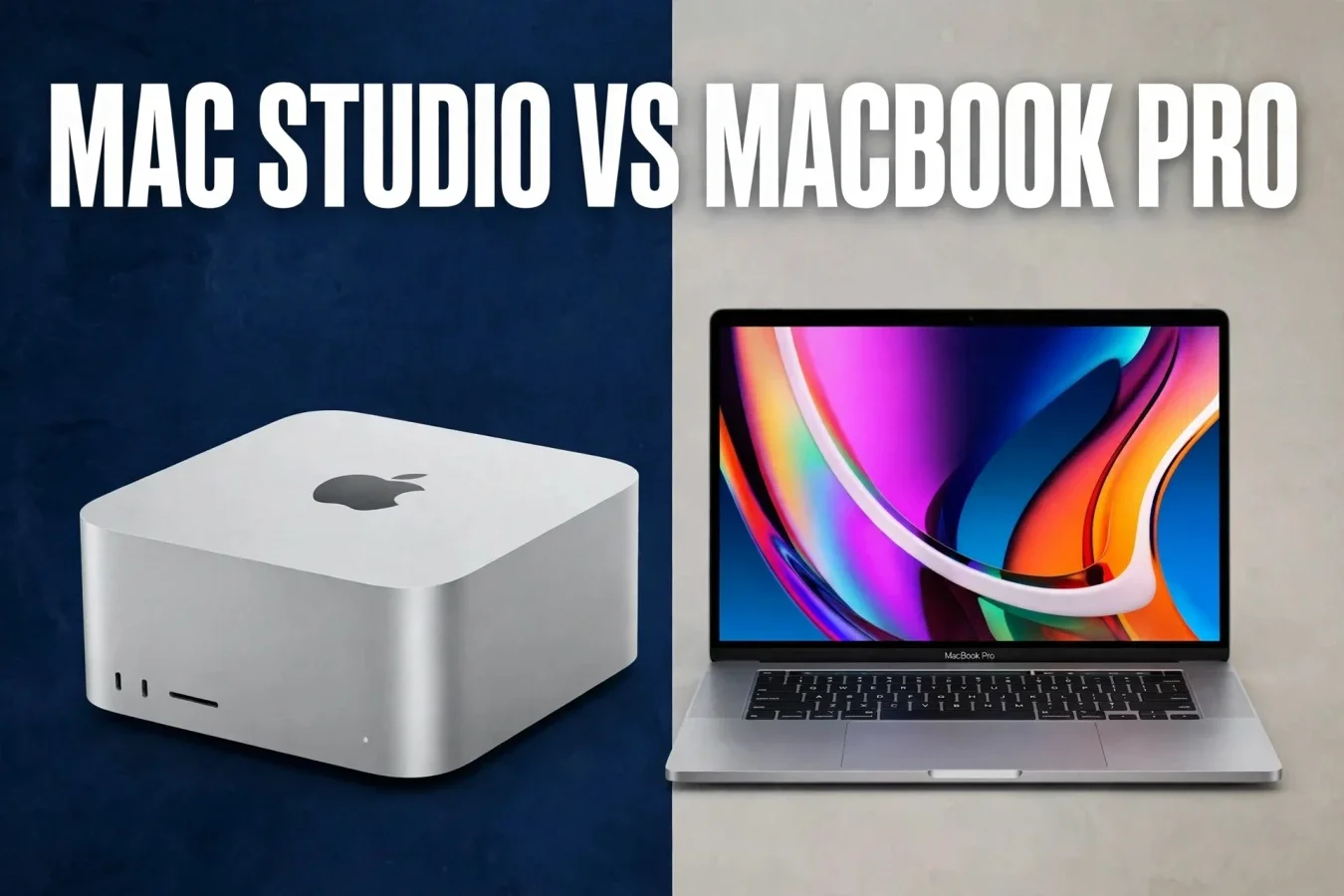
Two M5 flagships — one desktop monster, one portable pro
Mac Studio M5 Ultra vs MacBook Pro M5 Max compares Apple's most powerful desktop chip against its most powerful laptop chip, both from the M5 family. On paper, Mac Studio M5 Ultra has twice the CPU cores, twice the GPU cores and four times the memory of MacBook Pro M5 Max, but it is a desktop that never leaves your desk, while MacBook Pro is a laptop you can carry anywhere. For most buyers, the choice is desktop versus laptop first, and chip versus chip second.
| Mac | Chip | CPU / GPU | Memory / bandwidth | Displays | Form |
|---|---|---|---|---|---|
| Mac Studio, M5 Ultra | M5 Ultra, quad-die UltraFusion | Up to 36-core CPU / 80-core GPU | Up to 512GB / 1.2TB/s | Up to 8 displays | Desktop, needs external display |
| MacBook Pro, M5 Max | M5 Max | 18-core CPU / up to 40-core GPU | Up to 128GB / 614GB/s | Up to 4 external displays | Laptop, built-in display and battery |
Specifications
Mac Studio M5 Ultra uses a quad-die UltraFusion design, combining two dual-die M5 Max chips, with up to a 36-core CPU (12 super cores plus 24 performance cores), an up-to-80-core GPU with Neural Accelerators in every core, and up to 512GB of unified memory at 1.2TB/s of bandwidth. The base M5 Ultra configuration has a 30-core CPU and 64-core GPU, while the higher-end configuration has the full 36-core CPU and 80-core GPU. MacBook Pro M5 Max uses a single M5 Max chip, with an 18-core CPU, up to a 40-core GPU with Neural Accelerators in every core, and up to 128GB of unified memory at 614GB/s of bandwidth.
For everyday work, both Macs are fast. For multitasking, Mac Studio's 36 cores should help more in heavily threaded tasks, while MacBook Pro's 18 cores should handle most pro work well. For memory, Mac Studio's 512GB is the bigger advantage, because larger AI models and video projects fit on it. For connectivity, Mac Studio has up to six Thunderbolt 5 ports at up to 120Gb/s, while MacBook Pro has Thunderbolt 5 ports in a portable chassis.
Performance
No controlled side-by-side test between Mac Studio M5 Ultra and MacBook Pro M5 Max was reviewed for every workload, so this article uses published Geekbench 7 summaries with their sources named. Mac Studio M5 Ultra with a 36-core CPU scored 3,774 single-core and 52,516 multi-core in Geekbench 7, per MacRumors, against MacBook Pro M5 Max at about 3,769 single-core and 35,656 multi-core, per Cult of Mac, or 35,119 multi-core, per MacRumors' list. That means single-core performance is nearly tied, while multi-core performance is about 47% to 50% higher for Mac Studio M5 Ultra, because it has twice the CPU cores.
For students, both Macs should handle notes, browsing, documents and light coding easily. For creators, Mac Studio should help more in rendering and encoding, while MacBook Pro should handle photo and light video work well. For developers, Mac Studio's core count should help more in parallel builds, while MacBook Pro's portability should help more on the go. For heavy rendering, Mac Studio wins clearly; for portable work, MacBook Pro wins clearly.
Gaming
For gaming, neither Mac is a gaming PC, because both use integrated Apple GPUs, not dedicated NVIDIA or AMD GPUs. Mac Studio M5 Ultra has up to an 80-core GPU, with a Geekbench 7 Metal score of about 366,744, per MacRumors, against MacBook Pro M5 Max at about 225,606 Metal, per the same list, or 239,593 Metal for the 16-inch model, per Onur Ilgaz's ladder. No controlled side-by-side gaming test between these exact two Macs was reviewed, so no FPS winner is claimed beyond the GPU gap. Mac Studio should play casual and indie games better, with higher Metal scores, but Windows gaming laptops remain the stronger gaming choice.
For creators who also game, Mac Studio's GPU should help more, but neither Mac replaces a Windows gaming PC. For students who do not game, gaming should not decide the purchase. For light gaming, both Macs are fine, with Mac Studio's GPU likely ahead on paper.
AI performance
Mac Studio M5 Ultra has up to 512GB of unified memory at 1.2TB/s, with Apple claiming up to 4.3x faster AI performance than M3 Ultra, and up to 33 simultaneous streams of 8K ProRes 422 video at 30 FPS. MacBook Pro M5 Max has up to 128GB of unified memory at 614GB/s, with dual video encode and dual ProRes engines. For local AI models, Mac Studio's 512GB is the bigger advantage, because much larger models fit on it than on MacBook Pro's 128GB. For everyday AI features, both Macs are fast, with Mac Studio helping more in heavy workloads.
For local LLM research, Mac Studio is the better choice, because 512GB fits larger models. For photo and video AI features, both Macs should handle them, with Mac Studio helping more in heavy tasks. For Apple Intelligence tasks, both Macs support them, because both are Apple Silicon Macs.
Display
Mac Studio has no built-in display, so display size, resolution and refresh rate depend on the external monitor, with support for up to eight displays. MacBook Pro M5 Max has a built-in display, with the PROLED model offering a 14.2-inch display at 3024 x 1986 or a 16.3-inch display at 3472 x 2266, with 254ppi, 2,000 nits HDR and SDR brightness, 10,000,000:1 contrast, P3 plus Adobe RGB colour, and 10Hz to 120Hz ProMotion, plus a Dynamic Island. The standard MacBook Pro M5 Max model uses a mini-LED display at 1,600 nits HDR and 1,000 nits SDR, with 1,000,000:1 contrast and P3 colour.
For colour work, MacBook Pro's built-in PROLED display is excellent, while Mac Studio needs a good external display to match it. For multi-monitor work, Mac Studio wins, with up to eight displays against MacBook Pro's up to four external displays. For portability, MacBook Pro wins clearly, because it has a built-in display.
Battery
Mac Studio has no battery, because it is a desktop that stays plugged in, so battery life does not apply to it. MacBook Pro M5 Max has a battery, with Apple video-streaming ratings of 20 hours for the 14-inch model and 22 hours for the 16-inch model, per the Lap 2 research. No controlled side-by-side battery test was reviewed, because Mac Studio has no battery to test. For travel, MacBook Pro wins clearly; for desk work, battery matters less.
Thermals
Mac Studio's larger desktop chassis should cool better under sustained loads than MacBook Pro's thin laptop chassis, because it has more room for fans and heatsinks. No controlled thermal or fan-noise test between these exact two Macs was reviewed, so no temperature or noise winner is claimed beyond the chassis sizes. For sustained rendering, Mac Studio's cooling should help more. For silent work, MacBook Pro should be quieter for light work, while Mac Studio's larger fans should stay quiet under load. For desk work, thermals matter less than CPU cores and memory.
Price
Mac Studio M5 Ultra starts at $5,499 in the US and ₹6,29,900 in India, for the base 30-core CPU and 64-core GPU configuration, with education prices of $5,499 US and ₹5,84,900 India, per Smartprix. The higher-end 36-core CPU and 80-core GPU configuration starts at $6,799 in the US, per Letemsvetemapplem, and costs ₹1,56,000 more than the base Ultra in India, per Business Standard, which works out to ₹7,85,900. MacBook Pro M5 Max PROLED models start at $4,499 in the US and ₹5,49,900 in India for the 14-inch model, and $4,799 in the US and ₹5,89,900 in India for the 16-inch model, per the Lap 2 research. US prices exclude sales tax, while India prices include GST, so headline numbers are not directly comparable.
| Mac | US | India | Notes |
|---|---|---|---|
| Mac Studio, M5 Ultra base, 30-core CPU, 64-core GPU | $5,499 | ₹6,29,900 | Needs external display |
| Mac Studio, M5 Ultra high-end, 36-core CPU, 80-core GPU | $6,799 | ₹7,85,900, derived from ₹1,56,000 premium | Needs external display |
| MacBook Pro 14, M5 Max, PROLED | $4,499 | ₹5,49,900 | Built-in display and battery |
| MacBook Pro 16, M5 Max, PROLED | $4,799 | ₹5,89,900 | Built-in display and battery |
For a like-for-like desk setup, add an external display, keyboard and mouse to Mac Studio's price, because MacBook Pro includes them. For portable work, MacBook Pro's price includes everything; for desk work, Mac Studio's price plus a display may still be higher, but it offers far more cores and memory.
Verdict
Buy Mac Studio M5 Ultra if you need the most cores and memory for desk work, from $5,499 in the US or ₹6,29,900 in India. Buy MacBook Pro M5 Max if you need a portable pro laptop, from $4,499 in the US or ₹5,49,900 in India for the 14-inch PROLED model. For most creators, the choice is desktop versus laptop first, and chip versus chip second.
FAQs
Which is faster, Studio Ultra or Book Max?
Studio Ultra, by about 47% to 50% in multi-core, with single-core nearly tied.
Which has more memory?
Studio Ultra, up to 512GB, against Book Max's 128GB.
Which is portable?
Book Max only; Studio is a desktop with no battery or display.
Which is better for AI?
Studio Ultra, with 512GB for larger local models.
Which has better display?
Book Max has a built-in PROLED display; Studio needs an external display.
What is the Studio Ultra price?
From $5,499 US and ₹6,29,900 India, base Ultra.
What is the Book Max price?
From $4,499 US and ₹5,49,900 India, 14-inch PROLED.
Was this article helpful?

Written By
TechorCoffeeContributing Writer
TechorCoffee is a technology reporter and software creator writing reviews and tutorials for TechOrCoffee.
Comments (0)
Leave a Comment
Read Next

Tue Apr 21 2026
Leaks & Rumors: Apple MacBook M6 with Touch Screen: My 2026 Leaks Expectations
As a tech journalist with 15+ years testing Apple gear, I break down the buzz around the Apple MacBook M6 with touch screen. Expect OLED touch displays, M6 chip leaps in AI tasks, and pricing from $1,099. I compare it to MacBook Air M6 and Pro M6, share my insights on battery life and workflows

Tue Mar 03 2026
MacBook Air M5: Apple's Game-Changing 2026 Launch Review
Apple unveils the MacBook Air M5 with revolutionary 3nm chip technology, enhanced AI capabilities, improved battery life, and stunning display upgrades. This comprehensive analysis covers specifications, performance benchmarks, pricing, and this new release justifies upgrading from previous models.
Fri Jun 05 2026
MacBook Pro M6 & OLED Screen: Full 2026 Guide (WWDC 26)
Everything you need to know about the MacBook Pro M6 in 2026 — OLED display, touchscreen, M6 chip specs, release date, and whether it's worth the wait.