Apple Touchscreen MacBook Pro: M5 Pro, PROLED, Price

Published
Introduction: Apple finally puts touch on the MacBook Pro
For years, Apple drew a clear line between its products. The iPad was for touch. The Mac was for keyboard and trackpad. That line has now blurred in the most significant way possible, because Apple has launched its first touchscreen MacBook Pro.
Announced on 28 October 2026, the new MacBook Pro is not a small experiment or a single niche configuration. It is a full Pro lineup, in 14-inch and 16-inch sizes, powered by M5 Pro and M5 Max chips, with a new tandem OLED display Apple calls PROLED XDR, a Dynamic Island in place of the notch, and a starting price that makes it clear this is a premium machine for demanding users.
Pre-orders opened on 28 October, with general availability in the United States from 6 November 2026. Reports for India put availability from 9 November 2026. That timing matters, because it places the touchscreen model right at the start of the holiday buying season, and right alongside another new MacBook Pro that Apple unveiled the day before.
This article explains what Apple actually announced, what is confirmed and what is still a matter of interpretation, how the display and touch system work in practice, how the machine compares with the previous MacBook Pro and with touchscreen Windows laptops, and who should — and should not — buy it at these prices.
Background: why this launch took so long
Apple resisted a touchscreen Mac for a long time, and its reasons were not only technical. Executives argued that a vertical touchscreen causes arm fatigue, that macOS was not designed for finger input, and that the trackpad was already a precise pointing device. At the same time, Apple sold iPad Pro models with keyboards, trackpads and Apple Pencil support, which covered many touch-first workflows.
Three things changed that calculation. First, display technology matured. Tandem OLED, first used in iPad Pro, can now deliver the brightness, contrast and efficiency a Pro laptop needs without the compromises of earlier OLED panels. Second, Apple Silicon changed the power equation. M-series chips run cool and efficient enough that a brighter, touch-enabled display does not have to destroy battery life. Third, creative work itself changed. Video editors scrub timelines, musicians play virtual instruments, photographers pinch to inspect detail, and 3D artists rotate models. Those are all tasks where a direct touch can be faster than a cursor, even if typing and precise selection still belong to the keyboard and trackpad.
The result is not a Mac that replaces the trackpad. Apple is positioning touch as an additional input, not a replacement. You can scroll a webpage, zoom into a photograph, move a slide, or arrange windows with your fingers, and then return to the keyboard for everything else. That framing is important for understanding both the strengths and the limits of this machine.
What Apple announced
The headline facts, as reported from Apple's announcement and covered by TechCrunch, Moneycontrol, Digital Trends and NDTV Profit, are consistent across the major reports:
- Two sizes: 14-inch and 16-inch MacBook Pro models with touch support.
- Two chip options: M5 Pro and M5 Max.
- A new display: PROLED XDR, using tandem OLED technology.
- A new interface element: Dynamic Island on Mac, replacing the notch.
- A redesigned hinge, intended to stabilise the screen when touched.
- An updated six-speaker system, with Apple claiming 50 percent deeper bass.
- Up to 128GB of unified memory and up to 16TB of storage.
- Up to 24 hours of battery life, according to Apple.
- Three Thunderbolt 5 ports, HDMI, an SDXC card slot, MagSafe charging and a headphone jack.
- Wi-Fi 7 and Bluetooth 6, via Apple's N1 wireless chip, as listed in detailed specifications.
- A 12MP Center Stage camera, studio-quality microphones and Spatial Audio with Dolby Atmos.
There is also a detail that will delight long-time Apple fans: Digital Trends reports that the touchscreen MacBook Pro revives the glowing logo on the lid. It is a small, nostalgic touch, but it signals how Apple wants this machine to be seen — not as a quiet spec bump, but as a new chapter for the Pro line.
It is worth separating this model from the other MacBook Pro Apple announced around the same time. TechCrunch notes that the touchscreen launch followed the unveiling, the previous day, of a standard MacBook Pro with the M6 chip in a 14-inch size starting at $1,999. The touchscreen model is a different, higher-priced tier. It uses M5 Pro and M5 Max, not the standard M6, and its premium is for the display, touch system and Pro-class configuration, not simply for having the newest base chip. Buyers who confuse the two models could easily overpay, or buy the wrong machine for their needs.
The PROLED XDR display, explained
The display is the centrepiece of this launch, and it deserves more attention than a single spec line.
PROLED XDR is Apple's name for a tandem OLED display. Tandem OLED stacks two OLED layers, which helps deliver higher brightness and longer life than a single-layer OLED panel, while keeping the deep blacks and precise contrast that OLED is known for. Apple rates the new display at 2,000 nits of peak brightness for both HDR and SDR content, with a 10,000,000:1 contrast ratio and an adaptive refresh rate up to 120Hz through ProMotion.
For photographers and video editors, the colour specifications are just as important as brightness. The display supports both P3 and Adobe RGB colour spaces, with more than 80 percent Rec. 2020 coverage for HDR video editing and colour grading, according to Moneycontrol's report of the announcement. In practical terms, that means a wider, more accurate colour range for grading, print preparation and HDR delivery, on the laptop itself, without always needing an external reference monitor.
Touch is integrated directly into that panel. Apple says users can scroll, zoom, move presentation slides and interact directly with content. The interface has been adapted in places for touch, but macOS remains a desktop operating system. That means touch will feel most natural for direct manipulation — scrubbing, rotating, pinching, dragging — and less natural for the small, dense controls that were designed for a precise cursor. Expect a learning period, and expect some apps to feel more touch-friendly than others in the first months.
The hinge is a quieter but crucial part of the design. A laptop screen that wobbles every time you tap it would quickly become annoying, and it would also make video calls shaky. Apple designed a hinge that stabilises the screen during touch input, which also helps keep the camera steady during calls. The 14-inch model weighs 3.0 pounds (1.38 kg) and the 16-inch model weighs 4.0 pounds (1.82 kg), according to TechCrunch — lighter than their non-touch predecessors, which is a welcome surprise given that touch layers and stronger hinges usually add weight.
Dynamic Island comes to the Mac
The notch is gone from this Pro line, replaced by a Dynamic Island-style cutout. On iPhone, Dynamic Island is a pill-shaped area that expands to show Live Activities, timers, music playback, calls and other live information. On Mac, Apple is bringing a similar idea: a single interface point for Spotlight, Live Activities and Siri AI, alongside the camera.
For everyday use, the benefit is practical. Instead of a dead notch that only hides a camera, the cutout becomes a live, useful part of the interface. For video calls, the 12MP Center Stage camera sits in that area, with support for Desk View and computational video features. Center Stage keeps you framed as you move, which is genuinely useful for presentations and teaching, not just for casual calls.
There is a trade-off to watch. Dynamic Island works best when apps and the system use it consistently. In the early days, some third-party apps may not take full advantage of it, and users coming from a notch MacBook will need to adjust to where menus and full-screen content sit. That is a minor adjustment, not a reason to avoid the machine, but it is worth knowing before you buy.
M5 Pro and M5 Max: performance in context
Apple positions M5 Pro and M5 Max as chips for demanding work: software development, video editing, 3D rendering and on-device AI processing. Both feature updated GPU architecture, enhanced shader cores and a third-generation ray-tracing engine, according to reports of the announcement. M5 Max, in particular, is described as capable of running large language models with hundreds of billions of parameters locally, when configured with enough unified memory.
That last point connects directly to Apple Intelligence and to the wider shift toward local AI. A machine with up to 128GB of unified memory can hold large models in memory without constantly swapping to storage, which makes local inference faster and more private. For developers, researchers and creative professionals who want to experiment with local models, that is a real advantage over a machine with a fixed, smaller memory ceiling.
External display support also differs by chip, and buyers should check this before ordering. The M5 Pro variant supports up to three external displays, while the M5 Max variant supports up to four, in addition to the built-in display, according to detailed specifications published by Digital Trends. If your desk setup depends on multiple high-resolution monitors, that difference alone could justify the Max upgrade.
Battery life is another headline claim. Apple claims up to 24 hours, which would put this among the longest-lasting Pro laptops available. As with every battery claim, real-world life will depend on brightness, workload, network use and whether you are running sustained GPU or AI tasks. A video editor rendering 4K footage will not see 24 hours. A writer working in a browser and a word processor, with moderate brightness, is much more likely to get through a full working day and beyond. Treat 24 hours as a best-case figure for light to moderate use, not as a guarantee for heavy Pro workloads.
Specifications at a glance
| Feature | 14-inch touchscreen MacBook Pro | 16-inch touchscreen MacBook Pro |
|---|---|---|
| Display | PROLED XDR, tandem OLED, up to 120Hz | PROLED XDR, tandem OLED, up to 120Hz |
| Peak brightness | 2,000 nits, HDR and SDR | 2,000 nits, HDR and SDR |
| Contrast ratio | 10,000,000:1 | 10,000,000:1 |
| Chips | M5 Pro or M5 Max | M5 Pro or M5 Max |
| Unified memory | Up to 128GB | Up to 128GB |
| Storage | Up to 16TB | Up to 16TB |
| Weight | 3.0 pounds (1.38 kg) | 4.0 pounds (1.82 kg) |
| Camera | 12MP Center Stage | 12MP Center Stage |
| Audio | Six-speaker system, 50% deeper bass claimed | Six-speaker system, 50% deeper bass claimed |
| Ports | 3x Thunderbolt 5, HDMI, SDXC, MagSafe, headphone jack | 3x Thunderbolt 5, HDMI, SDXC, MagSafe, headphone jack |
| Wireless | Wi-Fi 7, Bluetooth 6 | Wi-Fi 7, Bluetooth 6 |
| External displays | M5 Pro: up to 3; M5 Max: up to 4 | M5 Pro: up to 3; M5 Max: up to 4 |
| Battery claim | Up to 24 hours | Up to 24 hours |
| Colours | Space Black, Silver | Space Black, Silver |
These specifications are drawn from Apple's announcement as reported by multiple technology publications. Final configuration details, including exact storage and memory pricing for each tier, should be confirmed on Apple's official product page at the time of ordering, because regional configurations can differ.
Pricing and availability
Pricing is where enthusiasm meets reality. In the United States, the touchscreen MacBook Pro starts at $2,899 for the 14-inch M5 Pro model and $3,399 for the 16-inch M5 Pro model. M5 Max variants start higher, at $4,499 for 14-inch and $4,799 for 16-inch, according to Digital Trends and TechCrunch.
In India, reported pricing is:
- 14-inch MacBook Pro with M5 Pro: Rs 3,49,900 (education price Rs 3,31,900)
- 16-inch MacBook Pro with M5 Pro: Rs 4,09,900 (education price Rs 3,85,900)
- 14-inch MacBook Pro with M5 Max: Rs 5,49,900 (education price Rs 5,12,900)
- 16-inch MacBook Pro with M5 Max: Rs 5,89,900 (education price Rs 5,52,900)
Those Indian prices are as reported by Moneycontrol and NDTV Profit from the launch. Education pricing, where available, reduces the cost meaningfully, so students and teachers should check eligibility before paying full price.
Availability is staggered by region. Pre-orders opened on 28 October 2026, with United States availability from 6 November 2026. India availability is reported from 9 November 2026. If you are ordering in another country, check Apple's local store for the exact date, because launch waves can differ by a few days.
The honest pricing question is whether touch and PROLED are worth roughly $900 more than the standard 14-inch MacBook Pro starting at $1,999. For a general user who mainly types, browses and streams, the answer is probably no. For a creative professional who grades HDR video, edits photographs, or works with 3D models every day, the display alone can justify a large part of that premium, and touch becomes a useful bonus rather than the sole reason to buy.
Touch on macOS: what will actually feel different
It helps to be specific about where touch helps, and where it does not.
Touch is likely to help most with:
- Scrubbing video and audio timelines, and jumping to a precise point in a clip.
- Zooming into photographs to check focus, and rotating images for inspection.
- Manipulating 3D models, maps and spatial content with direct gestures.
- Playing virtual instruments and using music production tools that benefit from direct control.
- Presenting slides, annotating documents, and navigating large canvases in design apps.
- Quick scrolling and window arrangement when you are already standing or leaning over the machine.
Touch is unlikely to replace:
- Long typing sessions, where the keyboard remains far faster and more comfortable.
- Precise text selection, code editing, and spreadsheet work, where the trackpad and keyboard shortcuts are more accurate.
- Fine-grained design work that needs pixel-level precision, where a mouse, trackpad or stylus is still better.
- Extended use with the screen upright, where reaching up to touch repeatedly can cause fatigue — the classic "gorilla arm" problem Apple itself warned about for years.
The best way to think about this MacBook Pro is as a machine with three inputs that complement each other, not as a tablet with a keyboard attached. Use touch when it is the fastest way to manipulate something directly. Use the trackpad when you need precision. Use the keyboard when you need speed. Users who adopt that mindset are likely to enjoy the machine. Users who expect a full iPad experience on macOS will be disappointed, because macOS apps were not redesigned overnight for finger-first use.
Comparison: touchscreen MacBook Pro vs previous MacBook Pro
Compared with the previous non-touch MacBook Pro, the new model offers three clear upgrades: the PROLED XDR display, touch input, and Dynamic Island. It also offers the newer M5 Pro and M5 Max chips, updated audio, and a stabilising hinge.
What has not changed is equally important. The core Pro formula remains: a high-performance Apple Silicon laptop, with excellent speakers, a strong camera and microphone system, a wide range of ports, and long battery life. If you already own a recent M-series MacBook Pro and you are happy with its display, this is not a must-upgrade machine unless touch or tandem OLED specifically solves a problem in your workflow.
For buyers upgrading from an Intel Mac, or from an older M1 or M2 machine, the jump is much larger. You gain Apple Silicon performance and efficiency, a far better display, modern wireless, Thunderbolt 5, and a camera system that is dramatically better for video calls. In that case, the touchscreen model is worth considering alongside the standard model, with the decision coming down to budget and whether the display and touch features matter to your daily work.
Comparison: touchscreen MacBook Pro vs touchscreen Windows laptops
Windows laptops have offered touchscreens for years, from convertible 2-in-1s to traditional clamshells with touch panels. Apple is late to this category, but it arrives with advantages and disadvantages.
Windows advantages include a longer history of touch-optimised apps, a wider range of form factors including 360-degree hinges and detachable keyboards, and often lower prices for touch at the mid-range. If you need a laptop that folds flat into a tablet, Apple still does not offer that, and Windows remains the better choice for that form factor.
Apple's advantages are different. The PROLED XDR display, with its brightness, contrast and colour coverage, is aimed at professional colour work in a way most Windows touch panels are not. The M5 Pro and M5 Max chips offer strong performance per watt, which helps battery life. The integration with iPhone, iPad, AirPods and the wider Apple ecosystem remains a reason many users stay with Mac, and Apple Intelligence features are built into the system rather than added as a separate layer.
In short, Windows wins on form-factor flexibility and touch history. Apple wins on display quality for professional work, efficiency, and ecosystem integration. Neither is universally better; the right choice depends on which of those factors matters most to you.
Comparison: touchscreen MacBook Pro vs iPad Pro
The iPad Pro, with its tandem OLED display, Apple Pencil support and touch-first interface, might seem like the obvious alternative. The difference is the operating system and the workflow it enables.
iPad Pro excels at drawing, handwriting, touch-first creative apps, and portable consumption. It is lighter, it supports Apple Pencil directly on the screen, and its apps are designed from the ground up for touch.
MacBook Pro excels at full desktop software: professional video editors, 3D tools, development environments, virtual machines, and complex multitasking across many windows and external displays. Touch on Mac adds direct manipulation to that desktop workflow, but it does not turn the Mac into an iPad, and it does not add Apple Pencil support in the same way.
If your primary tool is a stylus, or you need a tablet form factor, iPad Pro remains the better device. If your primary tools are desktop applications, and you want touch as an occasional accelerator, the touchscreen MacBook Pro is the more capable machine.
Advantages and disadvantages
Advantages:
- First touchscreen MacBook Pro, with touch integrated into a Pro display.
- PROLED XDR tandem OLED display with 2,000 nits peak brightness, 10,000,000:1 contrast, 120Hz ProMotion, and wide colour support.
- M5 Pro and M5 Max performance for video, 3D, development and local AI work.
- Up to 128GB unified memory and up to 16TB storage for demanding projects.
- Dynamic Island replaces the notch and adds a live interface element.
- Stabilising hinge designed for touch use and steadier video calls.
- Improved six-speaker audio, 12MP Center Stage camera, and strong port selection including Thunderbolt 5.
- Up to 24 hours of battery life claimed by Apple, with lighter weights than predecessors.
Disadvantages:
- High starting price, at $2,899 for 14-inch and $3,399 for 16-inch in the US, before upgrades.
- Touch on macOS will feel uneven across apps at launch, because desktop software was not designed finger-first.
- No convertible or tablet mode, unlike many Windows touch laptops, and no Apple Pencil experience comparable to iPad Pro.
- Arm fatigue remains a real consideration for extended touch use on a vertical screen.
- The standard M6 MacBook Pro starting at $1,999 may be better value for users who do not need touch or PROLED.
- Regional pricing, especially in India, pushes M5 Max configurations well above Rs 5 lakh, which limits the audience.
Who should buy it, and who should wait
Buy the touchscreen MacBook Pro if:
- You grade HDR video, edit photographs, or do colour-critical work, and the PROLED display will improve your daily output.
- You regularly scrub timelines, rotate 3D models, or use touch-friendly creative tools, and direct manipulation will save you time.
- You need up to 128GB of unified memory, multiple external displays, and strong local AI capability in a portable machine.
- You are upgrading from an older Intel or early Apple Silicon Mac, and you want the best display Apple currently offers in a laptop.
Consider the standard MacBook Pro instead if:
- Your work is mainly writing, browsing, coding with a keyboard, or general productivity, and touch would be a novelty rather than a tool.
- Budget matters, and the $1,999 starting price of the standard model leaves room for memory, storage or accessories.
- You need a tablet mode or stylus-first workflow, in which case iPad Pro or a Windows convertible may fit better.
Wait if:
- You want to see how third-party apps adapt to touch on macOS over the next few months.
- You are hoping for a price drop, a student offer, or a refurbished model, which typically appear after the initial launch wave.
- Your current MacBook Pro is recent and still meets your needs, and no part of your workflow is limited by its display.
Impact on consumers, developers and the industry
For consumers, this launch changes the buying decision for premium laptops. Touch is no longer a reason to choose Windows or iPad over Mac, at least for users who want a traditional laptop with touch as an extra. It also raises expectations for display quality across the industry, because a 2,000-nit tandem OLED panel with wide colour coverage sets a new reference point for Pro laptops.
For developers, the challenge is adaptation. Apps that benefit from direct manipulation — video editors, music tools, design software, 3D applications — have an opportunity to add touch gestures that feel natural on macOS. Apps that do not need touch should not force it. The developers who succeed will be those who treat touch as a contextual accelerator, not as a replacement for keyboard shortcuts and precise pointing.
For the industry, Apple's entry validates a category it long resisted. It also puts pressure on Windows manufacturers to compete on display quality, not just on touch availability, and on chip makers to match Apple Silicon efficiency in thin, high-performance laptops. Expect competitors to highlight their own OLED displays, touch features and AI capabilities in response, which is good news for buyers even if they never buy a Mac.
Future expectations: what is confirmed, and what is not
Confirmed, from the launch reports, are the touchscreen MacBook Pro models, their sizes, chips, display specifications, pricing tiers, and November availability window. Those are facts from Apple's announcement as covered by multiple publications.
Not confirmed is how quickly macOS apps will embrace touch, whether Apple will extend touch to the MacBook Air in future generations, and whether a future model will offer a convertible hinge or Apple Pencil support on Mac. Those are reasonable questions for future coverage, but they are speculation, not announcements. This article does not present them as confirmed plans.
Another open question is pricing over time. Apple Pro laptops rarely drop in price quickly, but education pricing, seasonal offers and refurbished stock can change the effective cost. Buyers who are not in a hurry should watch for those opportunities, especially students and educators.
Practical buying recommendations
If you decide to buy, a few practical steps will help you get the right configuration:
- Choose size by portability, not just screen area. The 14-inch model is easier to carry daily. The 16-inch model offers a larger canvas and, typically, better thermal headroom for sustained work.
- Choose M5 Pro unless you specifically need four external displays, maximum GPU performance, or the largest local AI models. M5 Pro covers most professional workflows, and the money saved can go toward memory or storage.
- Prioritise unified memory over storage if you work with large models, large video projects, or many applications at once, because memory cannot be upgraded later. Storage can often be supplemented with fast external drives.
- Check education pricing if you are a student, teacher or staff member, because the savings on Pro configurations are substantial.
- Order early if you need the machine for a specific project in November, because launch stock for popular configurations can sell through quickly.
Conclusion
Apple's first touchscreen MacBook Pro is not a gimmick, and it is not a revolution for every user. It is a serious Pro machine that adds two meaningful things to an already strong formula: a superb PROLED XDR display, and touch as a useful additional input for direct manipulation.
The price is high, the touch experience will evolve as apps adapt, and the standard MacBook Pro remains better value for many buyers. But for creative professionals, developers and power users who will use that display and that touch system every day, this is the most interesting MacBook Pro launch in years — and a clear signal that the line between touch and desktop computing, at least at Apple, has finally moved.
If you are considering it, decide first whether the display and your workflow justify the premium. If they do, the touchscreen MacBook Pro is easy to recommend. If they do not, the standard model will serve you well, and you will not be missing a feature you would have used every day.
FAQs
When was the Apple touchscreen MacBook Pro launched?
Apple announced the touchscreen MacBook Pro on 28 October 2026, with pre-orders opening the same day and United States availability from 6 November 2026.
How much does the touchscreen MacBook Pro cost?
In the US it starts at $2,899 for the 14-inch M5 Pro model and $3,399 for the 16-inch M5 Pro model. M5 Max models start at $4,499 for 14-inch and $4,799 for 16-inch.
What is PROLED XDR?
PROLED XDR is Apple's tandem OLED display for the new MacBook Pro, offering up to 2,000 nits peak brightness, a 10,000,000:1 contrast ratio, up to 120Hz ProMotion, and support for P3 and Adobe RGB colour spaces.
Does the touchscreen MacBook Pro replace the keyboard and trackpad?
No. Touch is an additional input for direct manipulation such as scrolling, zooming and scrubbing timelines. The keyboard and Force Touch trackpad remain the primary inputs for typing and precise work.
How many external displays can the touchscreen MacBook Pro support?
The M5 Pro model supports up to three external displays, while the M5 Max model supports up to four, in addition to the built-in display.
Is the touchscreen MacBook Pro worth it over the standard MacBook Pro?
It is worth it mainly for colour-critical creative work, 3D work and users who will use touch daily. For general productivity, the standard MacBook Pro starting at $1,999 is likely better value.
What is the battery life of the touchscreen MacBook Pro?
Apple claims up to 24 hours. Real-world battery life will vary with brightness, workload and whether you are running sustained video, 3D or AI tasks.
Was this article helpful?

Written By
TechorCoffeeContributing Writer
TechorCoffee is a technology reporter and software creator writing reviews and tutorials for TechOrCoffee.
Comments (0)
Leave a Comment
Read Next
Tue Apr 21 2026
Leaks & Rumors: Apple MacBook M6 with Touch Screen: My 2026 Leaks Expectations
As a tech journalist with 15+ years testing Apple gear, I break down the buzz around the Apple MacBook M6 with touch screen. Expect OLED touch displays, M6 chip leaps in AI tasks, and pricing from $1,099. I compare it to MacBook Air M6 and Pro M6, share my insights on battery life and workflows
Fri Jun 05 2026
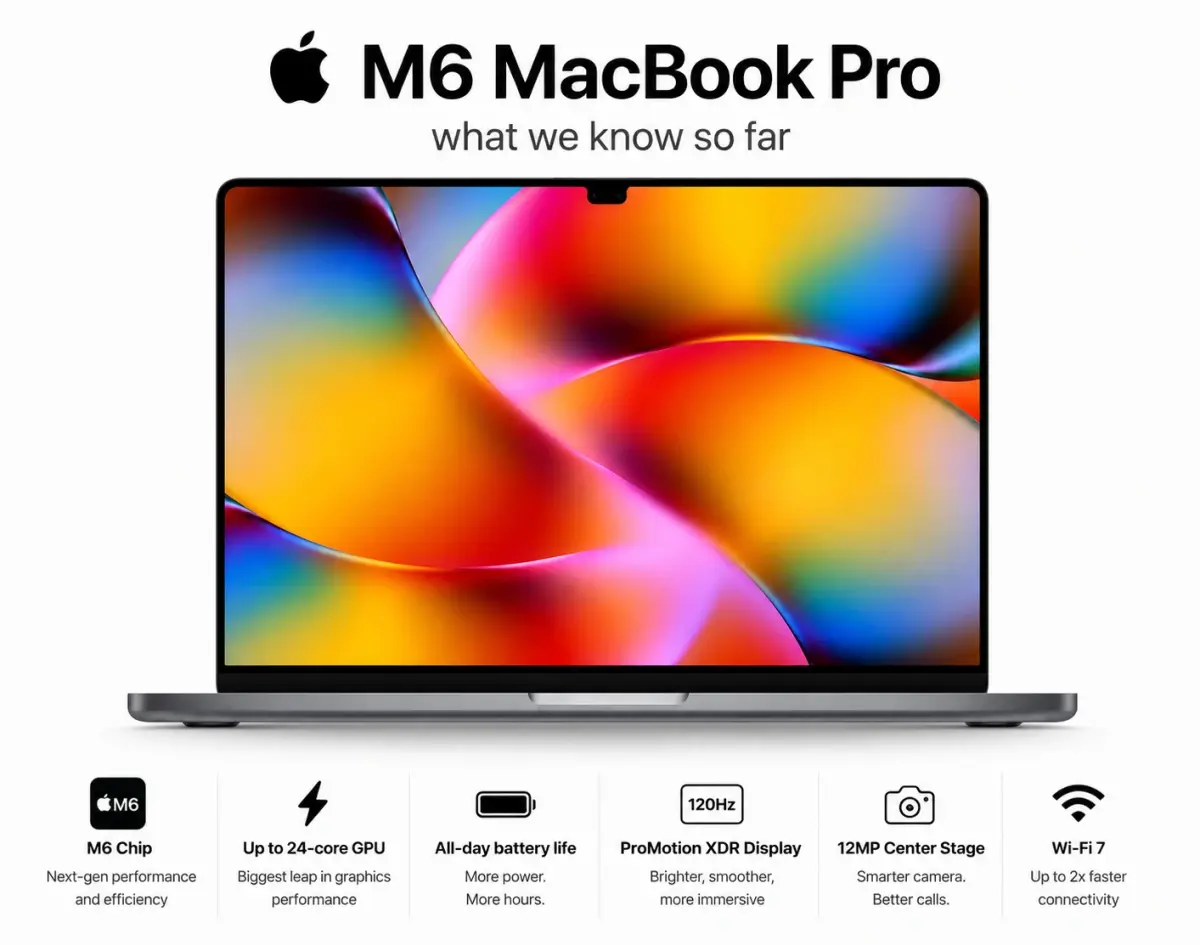
MacBook Pro M6 & OLED Screen: Full 2026 Guide (WWDC 26)
Everything you need to know about the MacBook Pro M6 in 2026 — OLED display, touchscreen, M6 chip specs, release date, and whether it's worth the wait.
Mon Jun 08 2026
WWDC 2026: Siri AI, iOS 27 & Apple's Biggest Reveal
WWDC 2026 introduced Siri AI, iOS 27, and major Apple Intelligence upgrades. See every game-changing feature Apple announced.