Inkling 2 Mini: Mira Murati's AI Model Runs on a Laptop

Published (Updated )
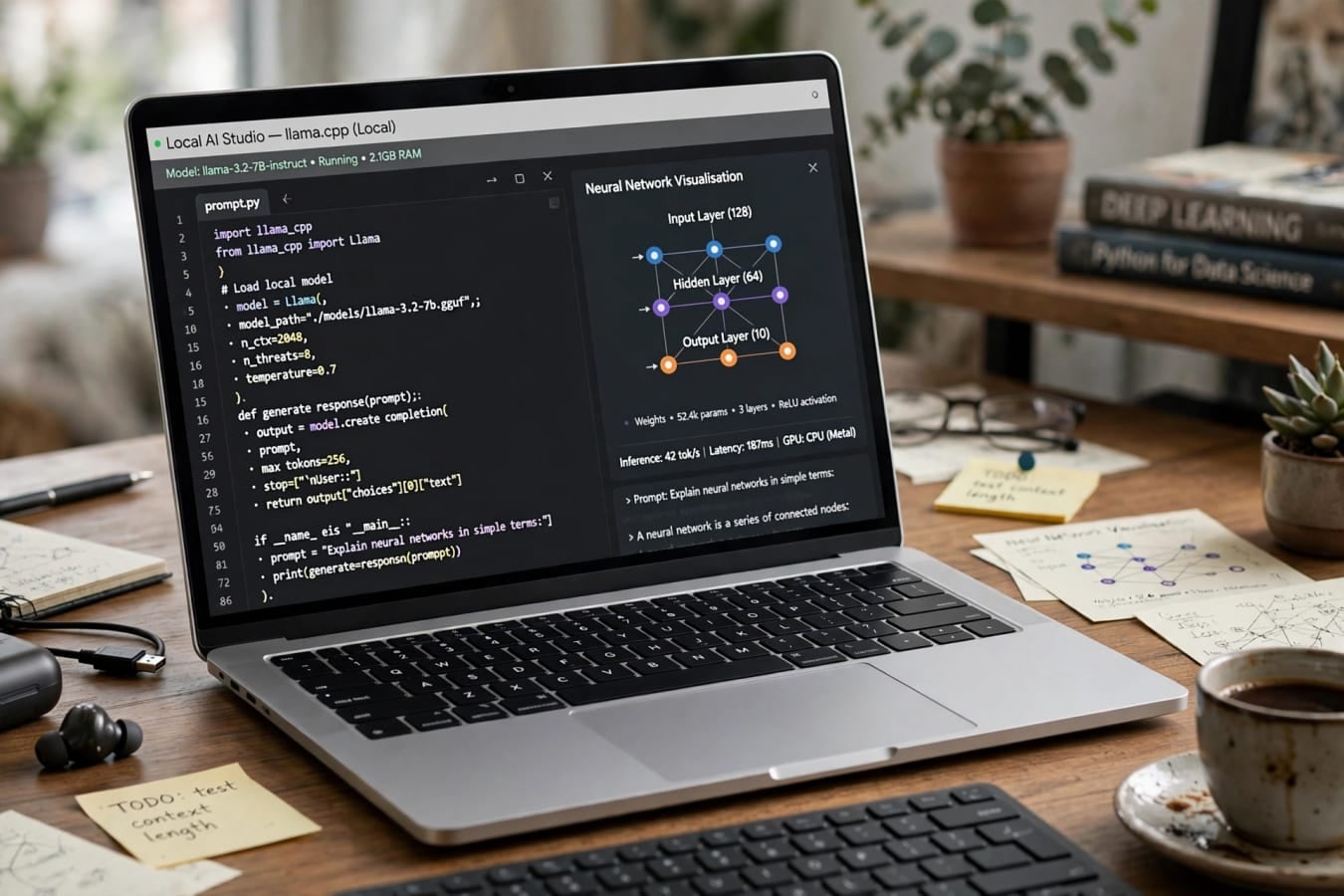
The quick answer
- Thinking Machines Lab released Inkling 2 Mini on November 20, 2026. It is a small, open-weights AI model that can run on an ordinary laptop, and the lab says it performs like models many times its size.
- The model has 26.4 billion total parameters, but only 3.4 billion are active for each token it generates. That small active size is the whole point: it keeps the model cheap to run and small enough to fit on local hardware.
- It is free to download under an Apache 2.0 open-source licence, with an acceptable-use policy attached. You can find it on Hugging Face as thinkingmachines/Inkling-2-Mini, and it is also available on the lab's own Tinker platform.
- The lab's own tests put it at 20.1 on the Artificial Analysis Intelligence Index, matching Alibaba's much larger Qwen3 27B, and at 79.2 percent on SWE-bench Verified, a respected coding test. These are the lab's own numbers, not independent results, so treat them as the lab's claims until outside testing confirms them.
- At launch it became the number one trending model on Hugging Face, pulling in about 1,649 likes within a day. For a model from a young startup, that is a striking reception.
Who made it, and why it matters
Thinking Machines Lab is a San Francisco AI startup founded and led by Mira Murati, the former chief technology officer of OpenAI. She left OpenAI in 2024, and her new lab has been one of the most closely watched startups in AI ever since.
Inkling 2 Mini is the lab's second release in its Inkling 2 family, and it is a deliberate statement about where AI is heading. While much of the industry is racing to build ever-bigger models that only run in giant data centres, Thinking Machines Lab is betting the other way: smaller models that run locally, on hardware people already own.
That bet matters for a few practical reasons:
- Privacy. A model running on your own laptop does not send your prompts to a cloud server. For developers working with private code, or anyone handling sensitive documents, that is a real advantage.
- Cost. Running a model locally costs nothing per token once you have the hardware. The lab's hosted API starts at $0.15 per million input tokens and $0.50 per million output tokens, with prices from $0.08 and $0.35 per million tokens on OpenRouter — cheap by frontier-model standards, but local use is cheaper still.
- Offline use. The lab demonstrated Inkling 2 Mini running offline on a MacBook Pro in airplane mode, building a playable flight simulator in a few minutes. No internet connection, no cloud, no API key.
- Control. Open weights mean researchers and developers can inspect the model, fine-tune it, and run it however they like, within the terms of the licence and the acceptable-use policy.
None of this is new in principle. Open-weights models have existed for years. What is new is a model this small claiming results this strong, from a lab led by one of the most prominent figures in AI.
The clever trick: a looped transformer
Inkling 2 Mini's most unusual feature is its architecture. It is a looped transformer, and understanding the loop is the key to understanding the model.
A normal transformer model has a fixed stack of layers, and each token passes through every layer exactly once. Inkling 2 Mini has 24 decoder layers, but it does not treat them equally:
- The first 6 layers run once per token.
- The last 6 layers run once per token.
- The middle 12 layers run three times per token, reusing the same weights each time.
That adds up to 48 layer applications per token, from only 24 layers of stored weights. The model gets more computation per token without needing more memory to store the weights.
Why does that help? The lab's explanation is that looping lets the model "reason longer without writing its reasoning down". In plain language: a model normally shows its working by generating a long chain of thought in text, token by token. Looping gives it extra internal steps to think things through before it produces an answer, without spelling out every step.
That idea raises an obvious question. If a model is doing more of its thinking internally, where nobody can see it, how do we know what it is doing? The lab anticipated this and studied whether the chain of thought stays readable and overseeable, publishing that study as part of the release. A separate research checkpoint supports variable loop counts, so researchers can experiment with how many times the middle layers repeat.
Small on paper, big on the numbers — with a caveat
The raw specifications are modest by 2026 standards, and that is deliberate:
- Total parameters: 26.4 billion
- Active parameters per token: 3.4 billion
- Mixture-of-Experts design: 128 experts, with 8 routed per token
- Total footprint: about 20GB
- Context window: 1 million tokens in the weights
- Inputs: text and images; output is text
The Mixture-of-Experts design is worth a quick explanation. Instead of one giant network that fires all at once, the model has 128 smaller specialist networks, called experts, and only 8 of them are used for any given token. That is how a 26.4-billion-parameter model can behave like a much smaller one in terms of compute: most of its weights sit idle most of the time.
The 20GB footprint is what makes local use practical. The model is stored mostly in NVFP4 precision — 20 layers — with the last 4 layers in MXFP8, compressed number formats that shrink the model without, the lab says, hurting its performance much. The result fits on hardware many people already have:
- A 32GB MacBook Pro, via Ollama
- NVIDIA's DGX Spark desktop AI computer
- Machines with 16GB or more, using community GGUF quantised versions
That is a striking contrast with frontier models that need racks of server GPUs. A capable AI coding assistant that runs on a laptop you already own is a different product from a chatbot that lives in a data centre.
What the lab's own benchmarks claim
Here is where a clear warning label is needed. Every benchmark figure below comes from Thinking Machines Lab's own testing. No independent lab has yet published verification, and benchmark results from a model's own maker should always be read with that in mind. With that caveat, here is what the lab reports:
- Artificial Analysis Intelligence Index: 20.1, matching Alibaba's Qwen3 27B and Nanbeige 4.3-33B on the same index, with roughly 5 to 6 times fewer active parameters.
- Cost and speed: about 6 times cheaper and 4 times faster per task than Qwen3 27B on that index — $0.59 and 9.0 minutes per task, against $3.53 and 38.2 minutes for Qwen3 27B.
- DeepSWE v1.1: 48.2 percent, a test of real-world software engineering tasks.
- SWE-bench Verified: 79.2 percent, a widely used benchmark where the model fixes real bugs in real open-source codebases.
- Overall: the best among open-weights models of similar size on most tasks the lab measured, with its strongest results in long-horizon agentic work — tasks where the model has to plan and act over many steps without human help.
The pattern in these numbers is consistent: the model punches above its weight, and its biggest edge is in agentic coding — work where an AI writes code, runs it, sees what happens, and keeps going. That is also the area the lab's demo, building a flight simulator offline in a few minutes, was aimed at.
The cost and speed numbers deserve a second look, because they are the most commercially important. If a model can do a task for $0.59 in 9 minutes that a rival does for $3.53 in 38 minutes, that changes the economics of building AI products on top of it.
One honest caveat belongs here too. The weights support a 1-million-token context window — enough to hold an entire codebase in memory at once. But the lab's hosted Tinker catalog lists a 256K cap for its own hosted version. If you need the full million tokens, you will likely need to run the model yourself rather than using the hosted service. The gap between what the weights support and what the hosted service offers is worth knowing before you plan around it.
The reception: number one on Hugging Face
Whatever the benchmarks eventually prove, the launch itself was a hit. Inkling 2 Mini went straight to number one on Hugging Face's trending models at launch, collecting about 1,649 likes within a day. Its larger sibling, Inkling 2 Small, sat at number 19 on the same list — a strong showing for a two-model family from a single lab.
Hugging Face trending is not a scientific measure of quality, but it is a good measure of developer excitement. Developers download and test models they think might be useful. A small model that runs on a laptop is useful in a way that a giant cloud-only model is not, and the download numbers reflect that.
The timing also matters. Inkling 2 Mini arrived in a week when the AI world was talking about scale in the opposite direction — Moonshot's Kimi K3.1 Pro, a model with 2.8 trillion parameters, represents the giant-and-cloud end of the spectrum. Thinking Machines Lab is making the opposite bet: small, open, and local. The two approaches are not really competing head to head. They are different answers to the question of what AI should be: a service you rent from a data centre, or a tool you own and run yourself.
What you can actually do with it
For most readers, the practical question is simple: should I try it, and what would I use it for? The honest answer depends on what you do.
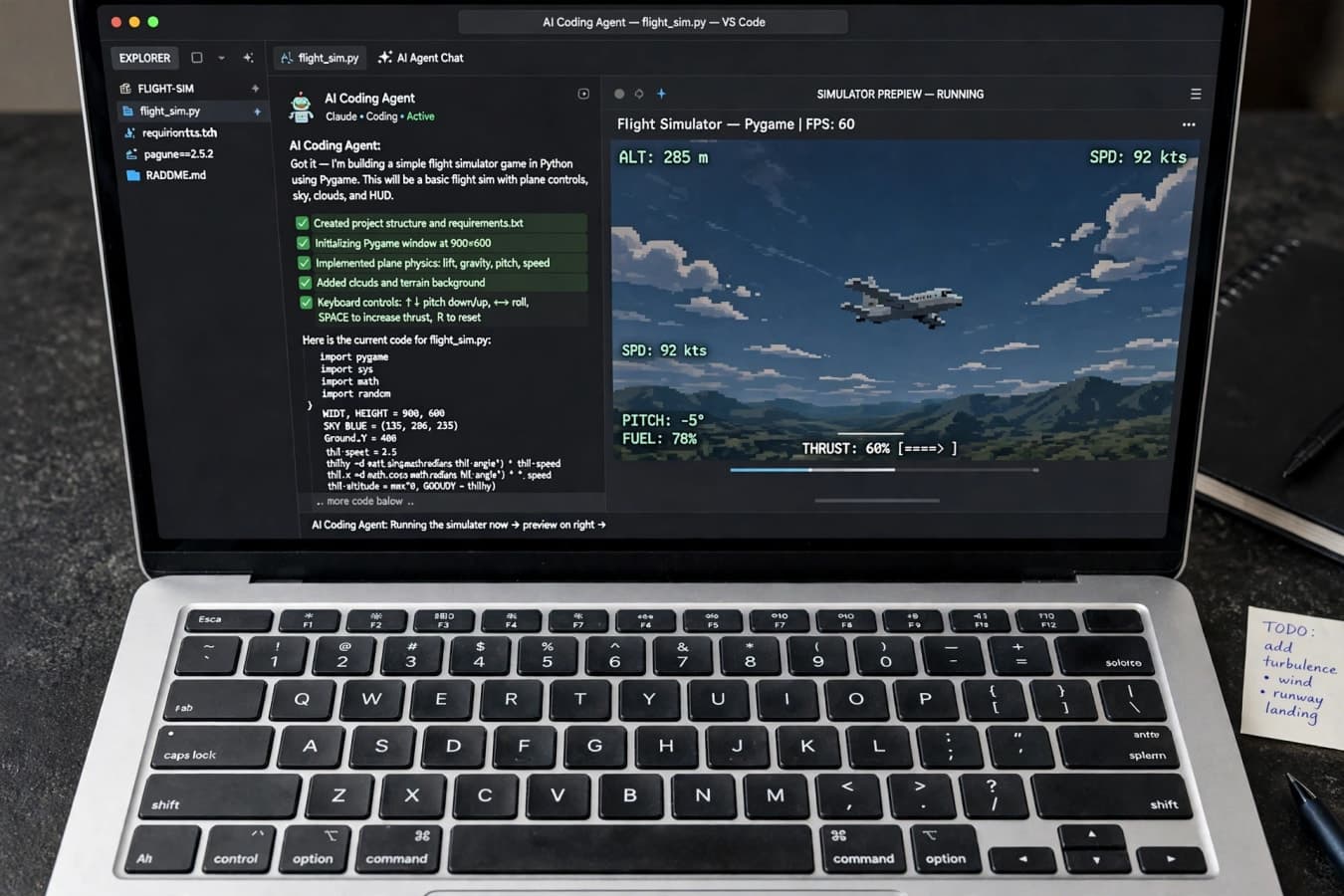
- Developers and coders. This is the clearest use case. The lab's strongest results are in agentic coding, and the model is designed to run locally through Ollama, a popular tool for running AI models on your own machine. You can point it at a codebase, ask it to fix a bug or build a feature, and watch it work without sending your code to anyone.
- Researchers. The open weights, the looped architecture, and the variable-loop research checkpoint make this a model worth studying. The looped design is unusual, and the lab's own study of whether its reasoning stays overseeable is part of the release.
- Privacy-conscious users. If you want an AI assistant that does not phone home, a local model is the only real option. Inkling 2 Mini running offline on a laptop is exactly that.
- Hobbyists and builders. The flight simulator demo is the template: give the model a creative brief, let it write the code, and run the result. A model that can build a playable game in a few minutes, offline, is a genuinely fun tool.
How to try it
Getting started is straightforward, and the lab has kept the barriers low:
- Hugging Face: download the weights from thinkingmachines/Inkling-2-Mini. The Apache 2.0 licence covers the weights, with an acceptable-use policy on top, so read both before using the model commercially.
- Tinker: the lab's own platform hosts the model if you would rather use an API than run it yourself. Remember the hosted context cap of 256K, against 1 million tokens in the weights.
- Ollama: the easiest route to local use on a Mac. If you have a 32GB MacBook Pro, the lab says it will run there. Community GGUF quantised versions bring the requirement down to 16GB and above.
- API pricing: the first-party hosted API costs $0.15 per million input tokens and $0.50 per million output tokens. On OpenRouter, prices start from $0.08 per million input tokens and $0.35 per million output tokens.
Before you download anything, check your hardware. The full model needs about 20GB of storage and enough memory to hold it while it runs. A machine with 16GB of memory will need the smaller community quantised versions rather than the full model.
The bigger picture: small is the new frontier
Inkling 2 Mini is best understood as part of a wider shift. For two years, the story of AI has been about scale: bigger models, bigger data centres, bigger budgets. That story is still true at the top end. But a second story is now running alongside it, and it is about making capable models small enough to run anywhere.
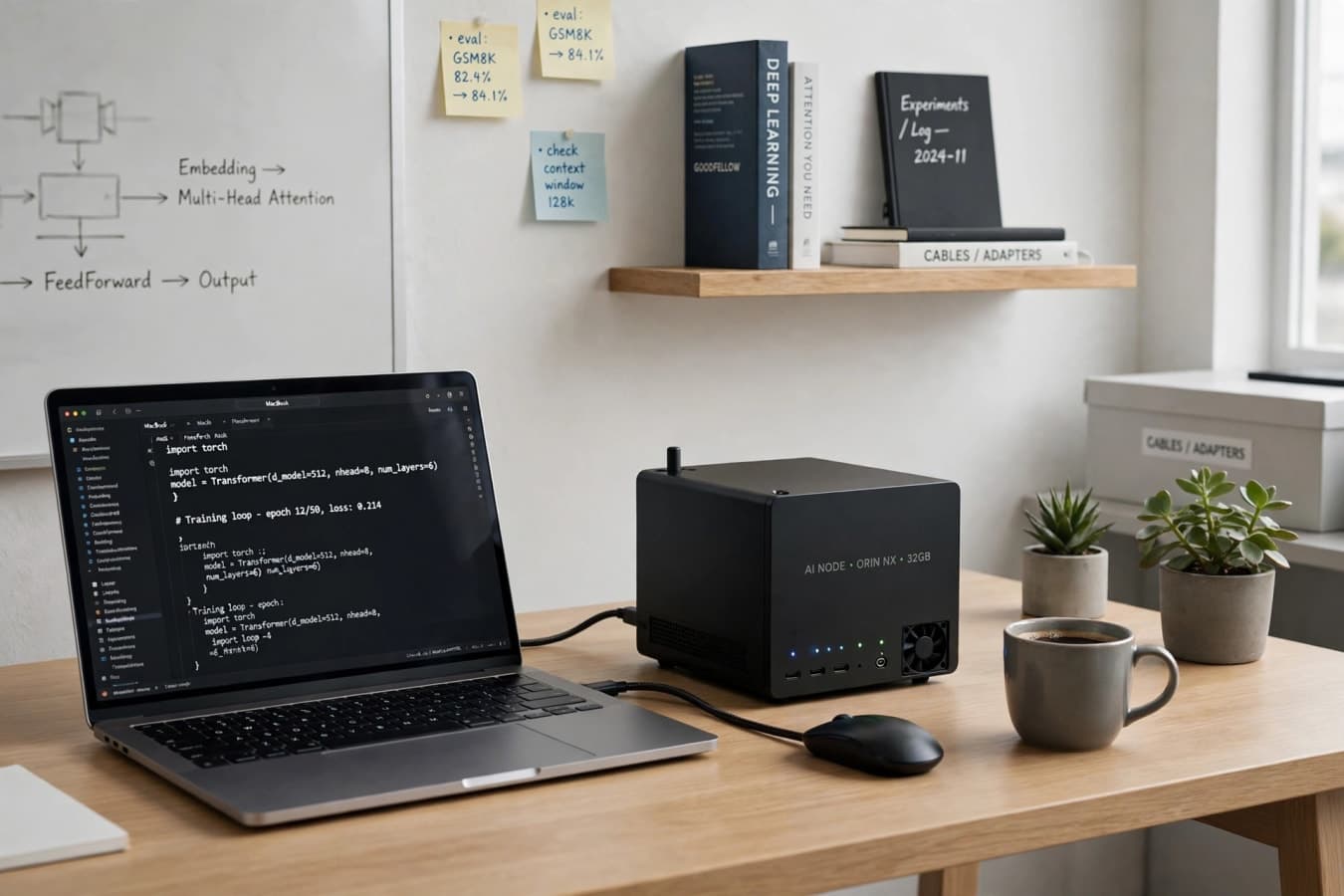
The logic is hard to argue with. A model that runs on a laptop is private by default, cheap to operate, available offline, and under its user's control. Those are qualities that a cloud API cannot offer, no matter how powerful the model behind it is. For developers, startups, and anyone who wants AI as a tool rather than a service, that matters.
Thinking Machines Lab is not the only company working on small models, but it is one of the most prominent to make smallness the centrepiece of a launch. Mira Murati's name brings attention, and the lab's results — if they hold up under independent testing — give that attention something to latch onto.
The open question is verification. Lab-reported benchmarks are a starting point, not a conclusion. Independent testers will now put Inkling 2 Mini through its paces, and their results will tell us whether the lab's claims survive contact with the real world.
The bottom line
Thinking Machines Lab's Inkling 2 Mini is a small, open-weights AI model that runs on a laptop and, according to the lab's own tests, performs like models five to six times its size. It costs $0.15 per million input tokens and $0.50 per million output tokens through the lab's own API, or nothing per token if you run it yourself. It topped Hugging Face's trending chart at launch, and its looped-transformer design is a genuinely novel idea with real questions attached about how much of its thinking stays visible. The benchmarks are the lab's own and still await independent verification, and the hosted version caps context at 256K rather than the full 1 million tokens the weights support. With those caveats in mind, it is one of the most interesting AI releases of the year — and the strongest sign yet that the future of AI might be small, local, and open.
FAQs
What is Inkling 2 Mini?
Inkling 2 Mini is a small, open-weights AI model released by Thinking Machines Lab on November 20, 2026. It has 26.4 billion total parameters with 3.4 billion active per token, accepts text and image inputs, and is designed to run locally on a laptop or desktop AI computer.
Who is behind Thinking Machines Lab?
Thinking Machines Lab is a San Francisco AI startup founded and led by Mira Murati, the former chief technology officer of OpenAI. Inkling 2 Mini is the lab's second release in its Inkling 2 model family.
Can Inkling 2 Mini really run on a laptop?
Yes, according to the lab. The model has a footprint of about 20GB, so it runs on a 32GB MacBook Pro via Ollama, on NVIDIA's DGX Spark, and on machines with 16GB or more using community GGUF quantised versions. The lab demonstrated it running offline on a MacBook Pro in airplane mode.
How much does it cost to use?
The weights are free to download under an Apache 2.0 licence with an acceptable-use policy. The lab's hosted API costs $0.15 per million input tokens and $0.50 per million output tokens, while prices on OpenRouter start from $0.08 per million input tokens and $0.35 per million output tokens. Running it locally costs nothing per token.
What is a looped transformer, and why does it matter?
Inkling 2 Mini has 24 decoder layers, but its middle 12 layers run three times per token with shared weights, giving 48 layer applications per token. The lab says this lets the model reason longer internally without writing its reasoning down, and it published a study on whether that reasoning stays readable and overseeable.
Are the benchmark results independently verified?
No. All benchmark figures, including the Artificial Analysis Intelligence Index score of 20.1 and the SWE-bench Verified score of 79.2 percent, are Thinking Machines Lab's own results and have not been independently verified. The hosted Tinker version also lists a 256K context cap, below the 1 million tokens the weights support.
Was this article helpful?

Written By
TechorCoffeeContributing Writer
TechorCoffee is a technology reporter and software creator writing reviews and tutorials for TechOrCoffee.
Comments (0)
Leave a Comment
Read Next

Tue Oct 13 2026
Gemini 4 Argon: Everything You Need to Know
Gemini 4 Argon is Google’s new flagship AI model. See its benchmarks vs GPT-6 Astra and Claude, pricing, 1M-token output, safety features and how to get access.
Fri Oct 30 2026
Run AI Locally: Ollama, LM Studio, Best Models
Run AI locally in 2026 on your laptop: Ollama vs LM Studio guide, RAM and VRAM rules, best Qwen, Gemma, Llama and coding models, privacy, and setup steps.
Fri Oct 30 2026
Agentic AI Explained: Agents That Actually Act
Agentic AI explained in 2026: how AI agents plan, use tools and MCP, where they work, why prompt injection and cost matter, and how to deploy them safely.