MacBook Pro M6 vs ASUS ProArt P16 (2026): Which Is Better?

Published
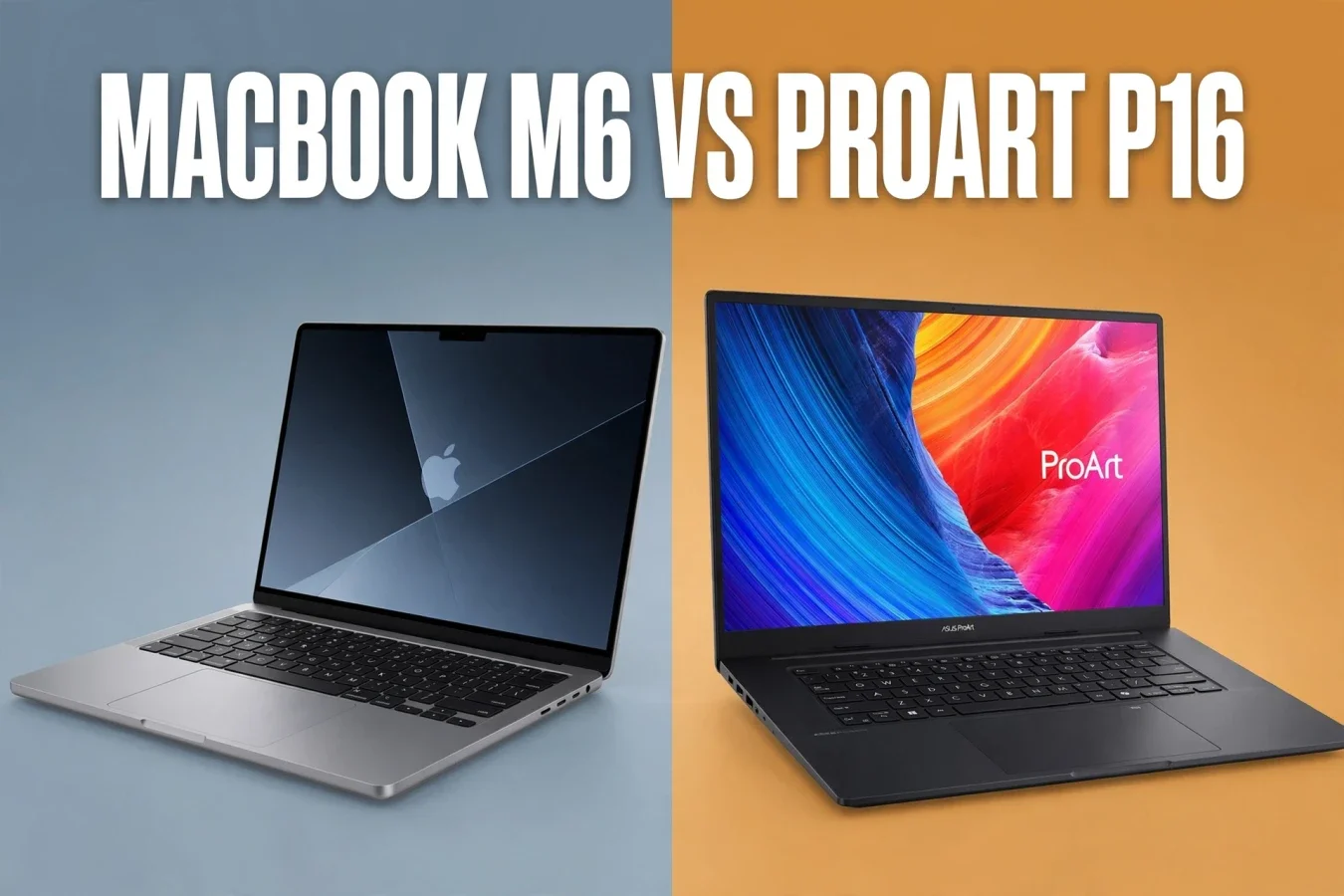
Two creator laptops — one Apple Silicon, one Windows RTX
MacBook Pro M6 vs ASUS ProArt P16 compares Apple's 14-inch MacBook Pro with M6 against ASUS's 16-inch ProArt P16 creator laptop, with a clear warning: ProArt P16 is a family with many configurations, from RTX 5060 to RTX 5090, so this article uses the RTX 5070 Laptop configuration as the main comparison, with higher configurations noted separately. On paper, MacBook wins on efficiency and ecosystem, while ProArt wins on GPU choice, display size and Windows software. For buyers, the choice is mostly macOS versus Windows, not just chip versus chip.
| Laptop | Chip / CPU | GPU | Display | Battery | Weight |
|---|---|---|---|---|---|
| MacBook Pro 14, M6 | Apple M6: 12-core CPU, 12-core GPU, Dual Neural Engine | 12-core Apple GPU | 14.2-inch Liquid Retina XDR, 3024 x 1964 | Up to 24 hours, Apple claim | About 1.60kg, standard model |
| ASUS ProArt P16, RTX 5070 | AMD Ryzen AI 9 HX 370: 12 cores, 24 threads, up to 5.1GHz, 50 TOPS NPU | RTX 5070 Laptop, 8GB GDDR7 | 16-inch 4K OLED, 3840 x 2400, 120Hz, 1600 nits HDR peak | 90Wh | About 1.85kg, per ASUS listing |
Specifications
MacBook Pro M6 uses Apple's first 2nm chip, with a 12-core CPU, a 12-core GPU and a Dual 16-core Neural Engine, with up to 32GB of unified memory and up to 170GB/s of memory bandwidth on 24GB and 32GB models. ProArt P16 uses AMD's Ryzen AI 9 HX 370, with 12 cores and 24 threads, a 50 TOPS NPU, and up to 64GB of LPDDR5X RAM and 2TB of PCIe 4.0 SSD in the higher configurations. ProArt also offers NVIDIA RTX 50 Series Laptop GPUs, from RTX 5060 with 8GB GDDR7 to RTX 5090 Laptop with 24GB GDDR7, with up to two decoders and three encoders for 10-bit 4:2:2 video workflows.
For creators, ProArt's dedicated GPU and larger memory options are the bigger advantage. For developers and students, MacBook's unified memory and efficiency are the bigger advantage. For 3D and video work, ProArt's RTX GPU and encoders should help more; for photo and everyday creative work, both laptops are excellent.
Performance
Apple claims up to 1.2x faster multithreaded CPU performance for M6 against M5, and up to 30% faster graphics. Early Geekbench 7 results from the M6 Mac mini scored about 4,074 single-core and 22,632 multi-core, but those are Mac mini results, not MacBook Pro results, so treat them as a guide. ProArt's Ryzen AI 9 HX 370 is a 12-core mobile chip with a 50 TOPS NPU, but no controlled side-by-side CPU test between M6 MacBook Pro and ProArt P16 was reviewed, so no CPU winner is claimed beyond the core counts.
For everyday work, both laptops are fast. For heavy multitasking, both should handle large projects, with ProArt's dedicated GPU helping more in GPU-heavy tasks. For compilation and photo work, the gap should be small. For rendering and video export, ProArt's RTX GPU and encoders should help more, especially with NVIDIA-accelerated workflows.
Gaming
For gaming, ProArt wins clearly on paper, with a dedicated RTX 5070 Laptop GPU, 8GB GDDR7, against MacBook's integrated 12-core Apple GPU. No controlled side-by-side gaming test between these two laptops was reviewed, so no FPS winner is claimed beyond the GPU gap. MacBook can play casual and indie games well, and some demanding titles with ray tracing, but Windows gaming laptops remain the stronger gaming choice.
For creators who also game, ProArt is the better choice. For creators who do not game, gaming should not decide the purchase. For students who want one laptop for work and play, ProArt's RTX GPU is a real advantage, at the cost of battery life and weight.
AI performance
MacBook M6 has a Dual 16-core Neural Engine rated at up to 1.9x faster than M5, with up to 25% faster AI workloads against M5 in Apple's claims. ProArt has a 50 TOPS AMD XDNA NPU, plus NVIDIA RTX AI acceleration, with ASUS claiming a combined 321 TOPS of AI performance for some configurations. Those TOPS figures are not directly comparable, because they count different parts of the system, so do not read them as a head-to-head AI score.
For local AI models, memory matters: MacBook M6 tops out at 32GB, while ProArt goes to 64GB, so larger models fit on ProArt. For everyday AI features, both laptops are fast. For local LLM research, ProArt's memory and RTX GPU are the bigger advantage. For Apple Intelligence tasks, MacBook is the only choice, because those features are macOS-only.
Display
MacBook uses a 14.2-inch Liquid Retina XDR display at 3024 x 1964, with the same chassis as the M5 model. ProArt uses a 16-inch OLED touchscreen at 3840 x 2400, with 120Hz refresh rate, 1600 nits HDR peak brightness, 100% DCI-P3 colour, a 1,000,000:1 contrast ratio, PANTONE validation and stylus support. ProArt also offers a 3K OLED option at 2880 x 1800 with 120Hz and 400 nits full-screen brightness, depending on configuration.
For colour work, ProArt's larger OLED panel with PANTONE validation is excellent. For portability, MacBook's smaller 14-inch panel is easier to carry. For touch and stylus work, ProArt wins, because the standard MacBook Pro does not have a touchscreen. For creators who need a larger canvas, ProArt wins; for creators who travel often, MacBook wins.
Battery
Apple claims up to 24 hours of battery life for the M6 MacBook Pro, per its announcement. That is Apple's own test claim, so real-world results will depend on apps, settings and tasks. ProArt has a 90Wh battery, with a 240W adapter in the higher configurations, and Notebookcheck notes that battery life should be decent as long as the dedicated GPU is not heavily used. No controlled side-by-side battery test between these two laptops was reviewed, so no battery winner is claimed beyond Apple's claim and ProArt's 90Wh capacity.
In practice, MacBook should last much longer for light work, because it has no dedicated GPU to power. ProArt should last a full workday for light work, but heavy GPU work will drain it faster. For travel, MacBook wins clearly; for desk work, battery matters less.
Thermals
ProArt uses three fans and liquid metal thermal paste, with up to 120W under sustained load, dynamically allocated to processor and graphics card, per Notebookcheck. MacBook uses the same 14-inch chassis as the M5 model, with no controlled thermal or fan-noise test between these two laptops reviewed, so no temperature or noise winner is claimed. ProArt's larger 16-inch chassis should cool better under sustained GPU work, while MacBook's efficiency should keep it quieter for light work.
For sustained rendering, ProArt's cooling should help more. For silent work, MacBook should be quieter. For desk work, thermals matter less than GPU cores and memory.
Price
ProArt P16 prices vary by configuration, so the table below lists verified configurations separately, not a single price for the whole family. MacBook M6 prices are for the 14-inch model with 16GB and 1TB.
| Model | US | India | Europe |
|---|---|---|---|
| MacBook Pro 14, M6, 16GB, 1TB | $1,999 | ₹2,39,900 | £1,999 UK, €2,299 Germany |
| ASUS ProArt P16, RTX 5070, Germany | Not confirmed in this article | Not confirmed in this article | €3,099, including VAT |
| ASUS ProArt P16, RTX 5060, Germany | Not confirmed in this article | Not confirmed in this article | €2,699, including VAT |
| ASUS ProArt P16, RTX 5080, 64GB, 2TB, India | Not confirmed in this article | ₹4,39,990, Amazon listing | Not confirmed in this article |
| ASUS ProArt P16, RTX 5080, 32GB, 1TB, India | Not confirmed in this article | ₹4,69,990, Smartprix listing | Not confirmed in this article |
US prices exclude sales tax, while India prices include GST and Europe prices include VAT, so headline numbers are not directly comparable. For a like-for-like creator configuration, ProArt with RTX 5070 or higher will usually cost more than the base M6 MacBook Pro, but it also offers a larger display and a dedicated GPU.
Verdict
Buy the MacBook Pro M6 if you want macOS, efficiency and portability, from $1,999 in the US or ₹2,39,900 in India. Buy the ASUS ProArt P16 if you want Windows, a larger OLED touchscreen, a dedicated RTX GPU and up to 64GB of memory, from €2,699 in Germany for RTX 5060 or ₹4,39,990 in India for RTX 5080 configurations. For most creators, the choice is macOS versus Windows first, and chip versus chip second.
FAQs
Which is better for creators, M6 MacBook or ProArt P16?
ProArt for RTX and larger OLED, MacBook for efficiency and macOS.
Which has better GPU?
ProArt, with RTX 5070 Laptop or higher, against MacBook's integrated GPU.
Which has better battery?
MacBook on Apple's claim, up to 24 hours, against ProArt's 90Wh battery.
Which has touchscreen?
ProArt only; the standard MacBook Pro does not have a touchscreen.
Which is more portable?
MacBook, with a 14-inch chassis, against ProArt's 16-inch chassis.
What is the MacBook M6 price?
From $1,999 in the US and ₹2,39,900 in India, 16GB and 1TB.
What is the ProArt P16 price?
From €2,699 in Germany for RTX 5060, and ₹4,39,990 in India for RTX 5080 configurations.
Was this article helpful?

Written By
TechorCoffeeContributing Writer
TechorCoffee is a technology reporter and software creator writing reviews and tutorials for TechOrCoffee.
Comments (0)
Leave a Comment
Read Next

Tue Apr 21 2026
Leaks & Rumors: Apple MacBook M6 with Touch Screen: My 2026 Leaks Expectations
As a tech journalist with 15+ years testing Apple gear, I break down the buzz around the Apple MacBook M6 with touch screen. Expect OLED touch displays, M6 chip leaps in AI tasks, and pricing from $1,099. I compare it to MacBook Air M6 and Pro M6, share my insights on battery life and workflows
Fri Jun 05 2026
MacBook Pro M6 & OLED Screen: Full 2026 Guide (WWDC 26)
Everything you need to know about the MacBook Pro M6 in 2026 — OLED display, touchscreen, M6 chip specs, release date, and whether it's worth the wait.
Fri Apr 03 2026
Leaks & Rumors: MacBook Neo vs MacBook Air M5: Which One Should You Buy ?
Apple launched two MacBooks in March 2026. The Neo starts at $599 with an A18 Pro chip great for light users. The Air M5 starts at $1,099 with M5, 16GB RAM, and Thunderbolt 4 built for serious work. One is a smart buy. The other is a smarter one.