Signal Blocks Screenshots to Stop AI Reading Your Chats

Published (Updated )
The quick answer
- Signal now blocks screenshots inside its app by default, to stop AI agents on your phone from reading your private chats.
- The encrypted messaging app announced the change on Friday, November 20, 2026.
- On iPhone, a new setting called "Block Siri AI" is switched on by default on iOS 27.
- On Android, Signal automatically turns on its existing "Screen security" protection when it detects an AI assistant trying to access the screen.
- The move targets the AI assistants built into your phone's operating system, mainly Apple's Siri AI and Google's Gemini Intelligence.
- Those assistants read what is on your screen to answer questions and help with tasks. That help comes with a side effect: messages meant to stay private can be pulled out of Signal and sent to a remote server.
- Signal says the protections are deliberately incomplete. It wants Apple, Google and Microsoft to build a proper, system-level way for apps to opt out of AI snooping.
- You can turn the protection off if you want to take screenshots, but Signal warns that doing so exposes your messages, and your contacts' messages, to the AI assistants on your phone.
What Signal announced
- Signal is the encrypted messaging app used by tens of millions of people who want their conversations to stay private. It is run by the non-profit Signal Technology Foundation, carries no advertising, and stores as little data about its users as possible.
- On Friday, November 20, 2026, Signal said it would restrict screenshots to stop AI agents from reading private chats on phones.
- Signal President Meredith Whittaker announced the changes, warning that the tech industry's push to embed AI in consumer devices was eroding Signal's ability to guarantee privacy.
- The announcement was blunt about the scale of the problem. Signal views AI agents built into phones as an "existential threat" to private messaging, because they can quietly read the screen of an app that was designed never to let anyone else read it.
- But encryption only protects messages in transit. Once a message is displayed on your screen, anything that can read your screen can read your message.
- Modern phones now ship with AI assistants that do exactly that. Siri AI on iPhone and Gemini Intelligence on Android are built to look at what is on your screen, understand it, and use it to help you.
- A screenshot is the same door. If an app or an agent can capture your screen, it can capture your chats, including messages that were encrypted a moment earlier.
- Signal's answer is to close that door by default, on every phone where the operating system gives it a way to do so.
How it works on iPhone
- On iPhone, the new protection is a setting called "Block Siri AI", and it is switched on by default on iOS 27.
- With the setting on, Signal blocks screenshots inside the app. If you, or an AI assistant, try to capture the screen while Signal is open, the capture is stopped.
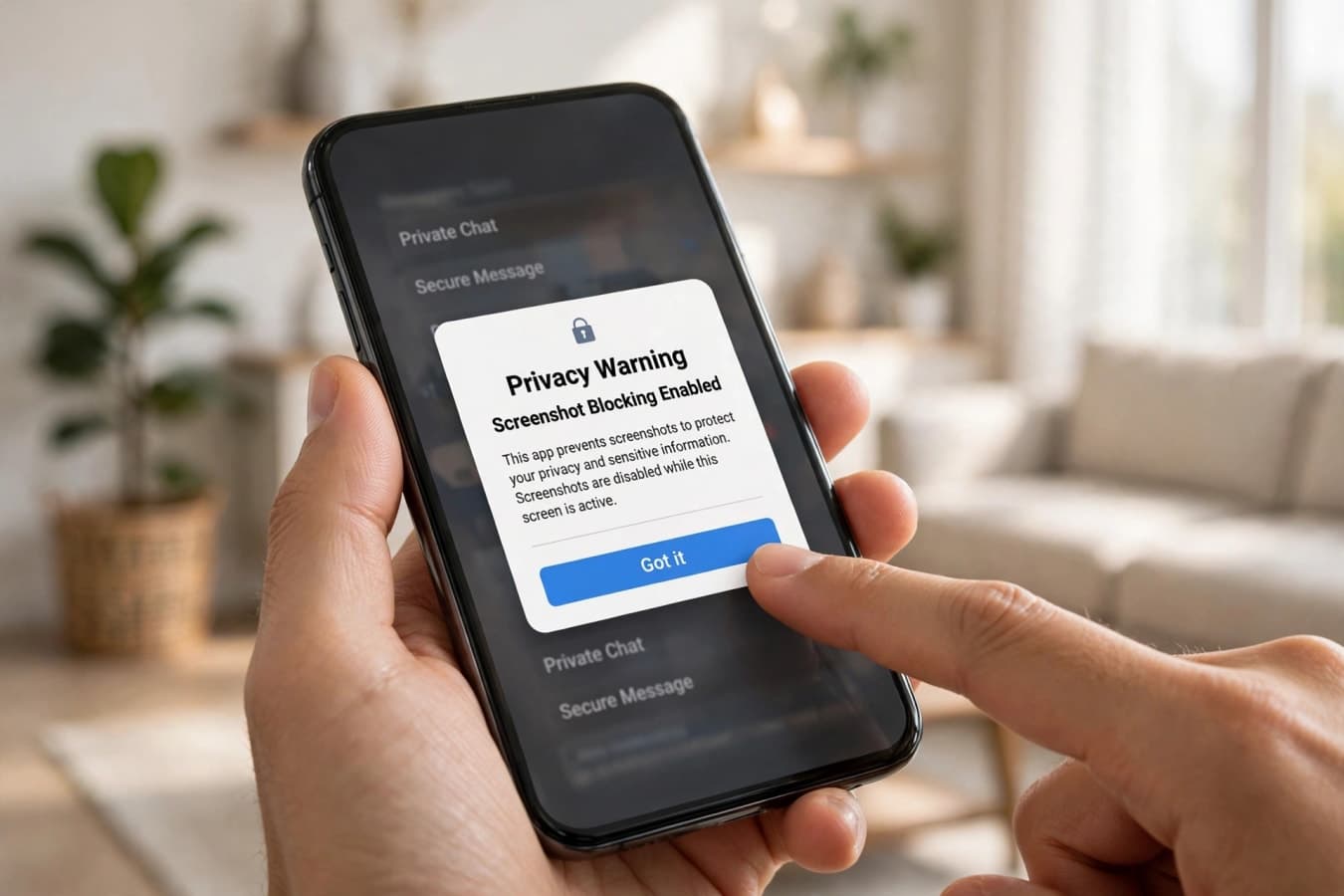
- When Signal detects a screenshot attempt, it shows a pop-up that offers you the option to turn the protection off.
- The pop-up matters, because the block is a choice, not a lock. Signal is not removing your ability to take a screenshot. It is making the private option the default, and asking you to confirm if you want to give it up.
- The setting is aimed squarely at Siri AI, Apple's on-screen assistant. Siri AI is designed to read what is on your display, so it can answer questions about what you are looking at, summarise it, or act on it.
- That is useful when you are looking at a web page or a photo. It is a privacy problem when you are looking at an encrypted conversation that was never meant to leave your phone.
How it works on Android
- On Android, Signal uses its existing "Screen security" option, and it now switches that protection on automatically when it detects an AI assistant trying to access the screen.
- Screen security has been part of Signal for years. When it is on, the app cannot be captured in screenshots or in the recent-apps view, and its content is hidden from screen-recording tools.
- What is new is the trigger. Signal now turns the protection on by itself, in the moment an AI assistant attempts to read the screen, rather than waiting for you to switch it on in settings.
- As on iPhone, you will see a prompt when the protection kicks in, offering you the option to turn it off.
- The Android change is aimed mainly at Gemini Intelligence, Google's on-screen AI. Gemini Intelligence reads your display to answer questions, summarise content and complete tasks, and it can do that inside messaging apps too.
- Google builds Gemini Intelligence deep into Android, which is why Signal treats it as a particular worry. An assistant that lives in the operating system does not need your permission to open an app. It just needs to look at the screen.
The Windows Recall precedent
- The screenshot block is not Signal's first fight with screen-reading software. It follows a similar move last year, when Signal blocked Microsoft's Recall from snapshotting its chats on Windows 11.
- Recall is a Windows feature that periodically takes snapshots of everything on your screen, so you can search your own computer's history later.
- Signal used Windows content-protection controls to exclude its chat window from Recall, so the snapshots never include your conversations.
- The new phone protections extend the same principle to mobile. The device in your pocket now does what Recall does on a PC, and Signal is drawing the same line.
- On Windows, the Recall exclusion remains in place. Signal continues to keep its chat window out of Microsoft's snapshots, even as the company rolls the feature out more widely.
The macOS gap
- On Mac, Signal says it has no reliable way to block screenshots at all, and that leaves its users with no protection from the app itself.
- macOS does not offer developers a control that would let an app refuse screen capture. Any app with the right permissions can read what is on your display.
- That matters more than it used to, because AI agents on Mac increasingly ask for accessibility permissions during setup. Those permissions let an agent see and control your screen, and Signal warns they can be exploited "as a skeleton key" into everything you do on the computer.
- Signal's only advice for Mac users is a workaround. On macOS 27, it recommends adding Signal to the Excluded Apps list under System Settings, then Siri, to limit Siri's proactive access to message content.
What the protection does not stop
- Signal is unusually open about the limits of its own fix, and those limits are worth understanding before you rely on it.
- First, the protection only works on your own device. If the person you are talking to has switched the protection off, an AI assistant on their phone can still read your messages on their screen.
- Privacy in messaging has always been a two-sided problem, and AI agents make that sharper. Your messages are only as private as the least careful phone in the conversation.
- Second, blocking screenshots does not stop third-party agents from reading your notifications, or from digging through files already stored on your device.
- An agent that can read your notifications can see the preview of an incoming message without ever opening Signal. An agent with filesystem access can reach content already saved on the phone.
- Third, the protection does not stop an agent that has already been given deep permissions. On Android, that includes agents that read notifications. On Mac, it includes agents holding accessibility permissions.
Why Signal acted now
- The timing is not an accident. The announcement came two days after a Reuters investigation showed how easily an AI agent could read Signal messages through ordinary phone permissions.
- Reuters reported on November 18, 2026 that Meta's Muse, the company's AI assistant, had been caught reading Signal messages via permissions granted during setup.
- On Android, Muse read messages from notifications. On Mac, it used accessibility permissions to read the screen.
- Signal's announcement does not name Meta as its only concern, but the investigation is the clearest public example of the exact problem the new protections are designed to stop.
- Signal's concern also reaches beyond any one company. The assistants built into iOS and Android are the bigger worry, because they are installed by default, deeply integrated, and hard to remove.
- Siri AI and Gemini Intelligence do not need to be downloaded, and they do not need to ask for permission the way a third-party app does. They are part of the phone.
- That is why Signal calls the situation an existential threat. An encrypted messenger can protect messages from everyone except the phone itself, and the phone itself is now an AI agent.
What Signal wants from Apple, Google and Microsoft
- Signal's ask is specific. It wants a documented, system-level way for developers to opt their apps out of AI data access, covering screen capture, files, notifications and system APIs.
- A standard opt-out would change that. An app could declare that its content is not available to AI agents, and the operating system would enforce it, across screenshots, notifications, files and APIs.
- Signal says it is already in conversation with Apple and Google about such a standard, and that it is cautiously optimistic about the outcome.
- Until that switch exists, Signal's own screenshot block is the stopgap. It is the most the app can do on its own, and the company is clear that it is not enough.
What this means for you
- On iPhone, check that you are on iOS 27 and that the "Block Siri AI" setting is on. It should be on by default, but it is worth confirming after a major update.
- On Android, check that Screen security is on in Signal's settings, especially if you use Gemini Intelligence or another on-screen assistant.
- On Mac, add Signal to the Excluded Apps list under System Settings, then Siri, on macOS 27. Then check which apps hold accessibility permissions on your Mac, and remove any you do not need.
- If you need to take a screenshot from Signal, you can. The app will show a pop-up offering to turn the protection off. Think before you tap it, because switching it off exposes not only your messages but also the messages your contacts sent you.
- The more important habit is to check the other end of the conversation. If you share sensitive information on Signal, ask the person you are talking to whether their screenshot protection is on too.
The bottom line
- Signal now blocks screenshots by default, on iPhone through a new "Block Siri AI" setting, and on Android by switching on Screen security when an AI assistant tries to read the display.
- The change is aimed at Siri AI and Gemini Intelligence, the assistants built into your phone, and at third-party agents like Meta's Muse, which Reuters caught reading Signal messages through ordinary permissions.
- The protection is real, but it is incomplete. It does not stop the other person in a conversation from switching it off, it does not cover notifications or files, and on Mac there is no reliable block at all.
- Signal knows that, and says so. What it wants is a system-level opt-out that lets any app refuse AI access to its content, across screens, notifications, files and APIs.
- Until Apple, Google and Microsoft build that, Signal's screenshot block is the best an app can do on its own. It makes private the default, and it asks you to choose, out loud, if you want to give that privacy up.
FAQs
What did Signal announce on November 20, 2026?
Signal announced it would block screenshots by default to stop AI agents from reading private chats on phones. On iPhone, a new "Block Siri AI" setting is on by default on iOS 27. On Android, Signal automatically turns on Screen security when an AI assistant tries to access the screen.
Why is Signal blocking screenshots?
AI assistants built into phones, such as Apple's Siri AI and Google's Gemini Intelligence, read what is on your screen to help you. That means they can also read private, encrypted chats once those chats are displayed. Blocking screenshots stops agents from capturing Signal's screen, keeping messages inside the app's encrypted environment.
Does the screenshot block work on Mac?
No, not reliably. macOS does not offer developers a way to block screen capture, so Signal cannot stop agents from reading its window on a Mac. On macOS 27, Signal recommends adding the app to Excluded Apps under System Settings, then Siri, to limit Siri's access to message content.
Can I still take screenshots in Signal?
Yes. When Signal detects a screenshot attempt, it shows a pop-up offering to turn the protection off. You can disable the block in settings, but Signal warns that doing so exposes your messages, and your contacts' messages, to AI assistants on your phone.
What does the protection not stop?
It does not stop the other person in a conversation from switching the protection off on their phone. It does not stop agents from reading notifications or files already stored on your device. And it does not remove permissions an agent already holds, such as accessibility access on a Mac.
What does Signal want Apple, Google and Microsoft to do?
Signal wants a documented, system-level way for developers to opt their apps out of AI data access, covering screen capture, files, notifications and system APIs. It says it is talking with Apple and Google about such a standard and is cautiously optimistic about the outcome.
Was this article helpful?

Written By
TechorCoffeeContributing Writer
TechorCoffee is a technology reporter and software creator writing reviews and tutorials for TechOrCoffee.
Comments (0)
Leave a Comment
Read Next
Tue Jun 16 2026
Apple Intelligence 2.0: Siri AI & iOS 27 at WWDC 2026
Apple Intelligence 2.0 is here. I cover Siri AI, iOS 27 release dates, supported devices, and how Apple's new AI really compares to ChatGPT and Gemini.
Mon Jun 08 2026
WWDC 2026: Siri AI, iOS 27 & Apple's Biggest Reveal
WWDC 2026 introduced Siri AI, iOS 27, and major Apple Intelligence upgrades. See every game-changing feature Apple announced.
Thu Aug 13 2026
iPhone 18 Leaks and Rumors: Everything Apple’s 2026 iPhone
iPhone 18 leaks reveal rumored specs, A20 Pro chip, camera upgrades, smaller Dynamic Island, AI features, price, launch date and more.