Touchscreen MacBook Pro: Touch Changes How Pros Work

Published
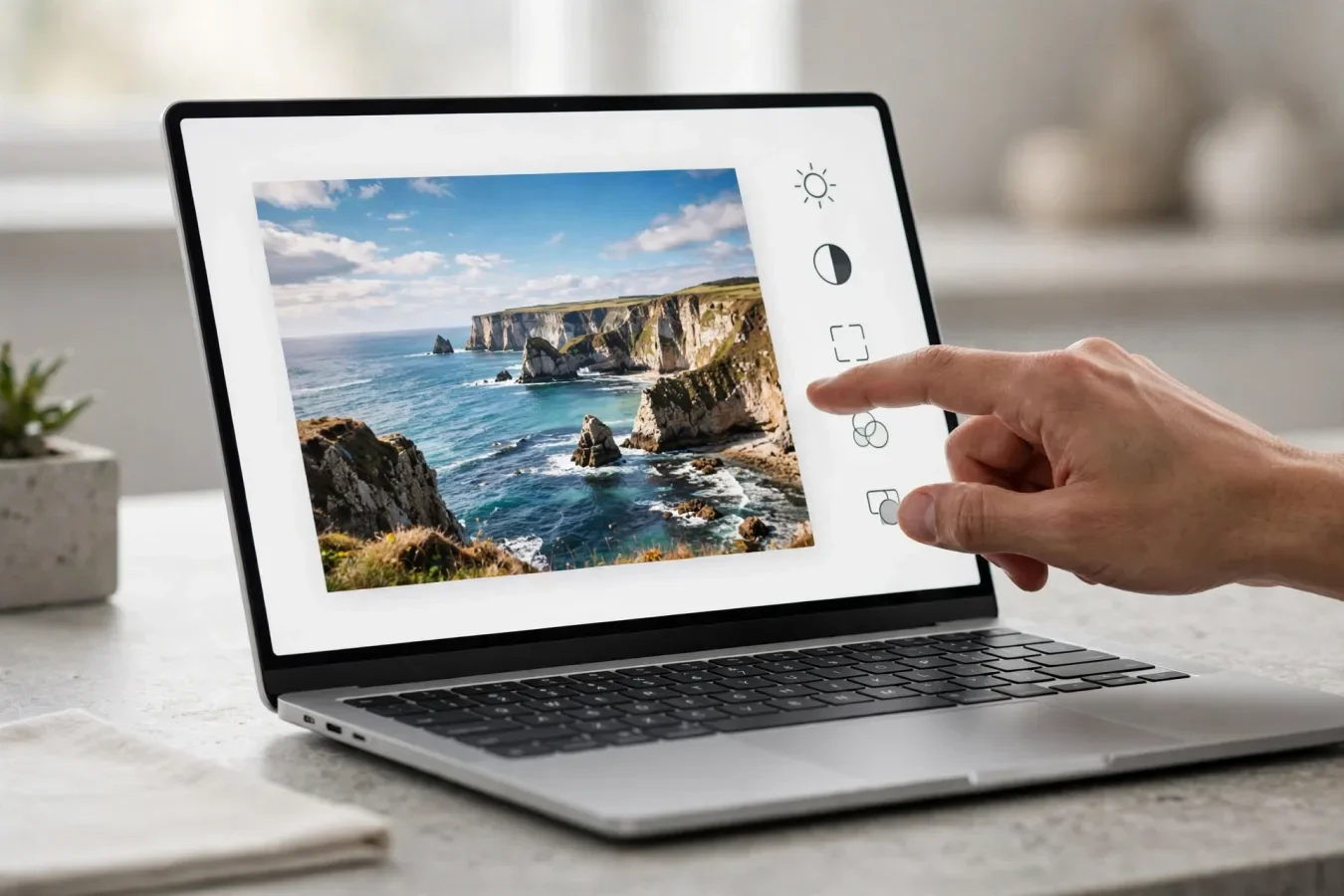
Apple just broke its own rule, and pros should pay attention
For years, Apple had a clear position on touchscreens and laptops: they did not belong together. The argument, famously associated with Steve Jobs in 2010, was that reaching up to touch a vertical screen was ergonomically terrible, and that a great demo did not make a great daily experience. Apple built the Touch Bar, killed the Touch Bar, and kept the Mac keyboard-and-trackpad-first while Windows laptops embraced touch without apology.
On 28 October 2026, Apple broke that rule. The new MacBook Pro with PROLED XDR Display is the first Mac you are supposed to touch. It is not a tablet with a keyboard attached. It does not fold flat. It does not support Apple Pencil, at least not in the announcement and coverage checked for this article. It is still a laptop, with a keyboard and trackpad that remain central. But it adds a tandem OLED touchscreen, a new way to interact with macOS, and a price that forces a serious question: is touch on a Mac a genuine workflow improvement, or an expensive novelty?
This article is not a repeat of the price guide TechOrCoffee already published. It is about how touch actually works on this machine, who it genuinely helps, who it will leave cold, and whether it changes the laptop market or merely catches Apple up with it.
What Apple actually announced
Apple announced 14-inch and 16-inch MacBook Pro models with a PROLED XDR Display, using tandem OLED technology. The display sizes are listed as 14.2-inch and 16.3-inch in detailed coverage. The touch sensor is built directly into the OLED panel, rather than layered on top of it, which Apple says reduces latency. The panel uses two light-emitting layers, reaches up to 2,000 nits of peak brightness for both HDR and SDR content, offers a 10,000,000:1 contrast ratio, supports P3 and Adobe RGB colour gamuts, and runs ProMotion from 10Hz to 120Hz.
The chips are M5 Pro and M5 Max, not M6 Pro or M6 Max. That distinction matters, and it is easy to get wrong in a week when Apple also announced an M6 MacBook Pro. The M6 model is a separate, standard 14-inch MacBook Pro without a touchscreen. The touchscreen models are the PROLED XDR models, with M5 Pro or M5 Max. If you want touch and OLED, you are choosing from the M5 Pro and M5 Max range. If you want the newest standard chip, you are looking at a different machine.
Configurations go up to 128GB of unified memory and up to 16TB of storage, according to launch coverage. The base 14-inch M5 Pro model starts with 24GB of unified memory and a 1TB SSD, while M5 Max models start with at least 36GB and 2TB, according to detailed spec coverage. Those are not entry-level machines. They are professional machines with professional prices, and that context matters for everything that follows.
Pre-orders opened on 28 October 2026, with US availability from 6 November 2026. In India, pre-orders also opened on 28 October, with starting prices from Rs 3,49,900 for the 14-inch M5 Pro model. Reports differ on the exact first India availability date, with some listing 6 November and others listing 9 November, and one report noting a conflict inside Apple's India release itself. Buyers in India should confirm the delivery date on Apple's India store before ordering, rather than relying on a single report.
How touch actually works in macOS 27
The most important thing to understand about touch on this Mac is what Apple did not do. Apple did not redesign macOS into a tablet operating system. It did not make everything bigger, or turn the Mac into an iPad with a keyboard. Instead, macOS 27, which Apple calls Golden Gate, translates touches into clicks, so many existing apps respond to a finger without needing an update from their makers. A tap is a click. A swipe scrolls a webpage. A pinch zooms a photo.
That approach has a clear advantage: it works with the apps you already use, on day one, without waiting for developers to redesign their interfaces. It also has a clear limitation: a Mac interface was designed for a precise pointer, not a fingertip. Apple addresses that in part by enlarging the control under your finger when you touch it, rather than permanently enlarging everything on screen. The menu bar, window buttons, and Dock keep their Mac sizes, but the item you touch expands under your finger, according to hands-on and guide coverage.
There are also gestures that are specific to this machine. Apple describes double-tapping a window to make it fill the screen, and flicking a window towards a side to tile it into place. Dragging works too, with a long press in Finder lifting a document under your finger, ready to drop somewhere else, according to MacStories hands-on coverage quoted in guides. Swiping between pages, Mission Control, App Exposé, Notification Center, and showing apps or the desktop can be configured in a dedicated Touch Display section in System Settings, according to Smartprix's report on the settings.
The Dynamic Island also moves to the Mac on these models, replacing the notch. Apple calls it the home for Spotlight, Live Activities, and Siri AI. Tapping it gives you controls, and pulling it down gives you Siri-related options, according to guide coverage. There is a footnote condition worth knowing: Spotlight only moves into the island when Siri AI is available and switched on, and Siri AI is in beta in macOS 27.2, in selected languages, and not for users under 13, according to the same coverage. That does not make the Dynamic Island useless, but it does mean its full behaviour depends on software and language availability, not just hardware.
Apple's own pro apps get deeper touch features. Logic Pro adds a fully multi-touch polyphonic keyboard, plus tappable chord and drum pads on the screen, according to MacObserver's touch guide. Apple also says designers can use the full display as a canvas, and musicians can play software instruments right on the screen. That is the kind of use case where touch makes intuitive sense: not replacing a keyboard for typing, but adding a direct, hands-on way to manipulate something visual or musical.
There are also limits that buyers should know before they spend this much money. The screen does not fold back flat for tablet-style use. There is no Apple Pencil support on the Mac yet, according to multiple guides, and Apple's release does not mention it, so you should not plan on drawing with one. The hinge has been redesigned for stability, and Apple has added a new thermal layout to keep the display cooler, plus an anti-reflective coating, but early hands-on reports still mention some screen wobble when pressed and lingering fingerprint concerns. Those are not deal-breakers for everyone, but they are real trade-offs of touching a laptop screen.
Who touch actually helps
Touch on a Mac will not help everyone equally, and pretending otherwise would be dishonest. The people most likely to benefit are those whose work is visual, spatial, or performative.
Photo and video editors are the obvious first group. Tapping to select, pinching to zoom into a detail, dragging a clip or an object directly on screen, and scrubbing through a timeline with a finger can be faster than moving a pointer across a large display, especially on the 16-inch model. The OLED display itself helps here too, with deep blacks and high contrast that make colour work easier to judge. Touch does not replace precise tools, but it adds a quick, direct way to navigate and manipulate content.
Musicians are the second group. A multi-touch keyboard and tappable pads on screen are not gimmicks for someone who plays software instruments. They turn the display into an instrument surface, in a way a trackpad never could. That is a niche use case, but for that niche, it is transformative.
Presenters, teachers, and people who review work with others are a third group. Pointing directly at something on screen, tapping to advance, or dragging an element while talking to a room full of people is more natural than saying "look at the top right, no, a bit further left" while moving a pointer. Touch makes the screen a shared surface, not just a private one.
Designers who work with layouts, storyboards, or spatial arrangements may also benefit, especially when they are sketching out ideas or moving elements around. Again, this is not about replacing a mouse for fine work. It is about the early, exploratory stage of a design, where direct manipulation feels faster than indirect control.
The price question, honestly
Touch on a Mac is not free, and Apple is not pretending otherwise. In the US, the touchscreen models start at $2,899 for the 14-inch M5 Pro, $3,399 for the 16-inch M5 Pro, $4,499 for the 14-inch M5 Max, and $4,799 for the 16-inch M5 Max. Those prices carry a $400 premium over equivalent non-touch M5 models, according to Macworld's comparison. In India, starting prices are Rs 3,49,900 for the 14-inch M5 Pro, Rs 4,09,900 for the 16-inch M5 Pro, Rs 5,49,900 for the 14-inch M5 Max, and Rs 5,89,900 for the 16-inch M5 Max, with education prices lower.
That premium does not buy a newer processor generation, more base memory, or a larger entry SSD, according to Macworld. What it buys is the PROLED XDR tandem OLED display, touch input, Thunderbolt 5, and, on the higher configurations, support for up to 128GB of memory. Whether that is worth it depends entirely on how much you value the display and touch, not on raw chip performance.
For comparison, the separate 14-inch M6 MacBook Pro starts at $1,999 in the US and Rs 2,39,900 in India. That is a $900 gap to the cheapest touchscreen model in the US, and a Rs 1,10,000 gap in India, but these are differently equipped computers, not the same machine with touch added. The M6 model has a newer standard chip, a Liquid Retina XDR mini-LED display, and no touch. The PROLED model has an older Pro/Max chip generation, a tandem OLED touchscreen, and a higher price. Choosing between them is not just a question of "touch or no touch". It is a question of which trade-off matters more to you: newest standard silicon and lower price, or OLED, touch, and Pro/Max performance.
If you already own a recent M5 Pro or M5 Max MacBook Pro with a mini-LED display, this is not an obvious upgrade. You are paying a large premium for a display and an input method, not for a generational leap in processing power. If you are coming from an older Intel Mac, an M1 Mac, or a Windows laptop with touch, the calculation is different, because you are gaining OLED, touch, and Apple Silicon performance in one move.
Verdict: a real change, priced for pros
Apple's first touchscreen MacBook Pro is a real change, not a gimmick, but it is also a carefully limited one. Touch is optional, keyboard-first, and designed to work with existing apps, not to replace them. The OLED display is arguably the bigger upgrade for many buyers, with touch as a welcome bonus for visual and musical work. The price is high, the premium over non-touch models is real, and the value depends entirely on your workflow.
For professionals who work visually, present often, or play software instruments, this is the most interesting MacBook Pro in years. For everyone else, it is a fascinating sign of where Apple is heading, and a reason to watch what happens next, rather than a reason to rush to the store. Either way, the old rule is gone. The Mac can now be touched, and that, after sixteen years of saying never, is a story in itself.
FAQs
Is the touchscreen MacBook Pro Apple's first touchscreen Mac?
Yes. Apple announced the MacBook Pro with PROLED XDR Display on 28 October 2026 as its first Mac with a touchscreen, after years of resisting touch on Macs.
Which chips do the touchscreen models use?
M5 Pro and M5 Max. The separate 14-inch M6 MacBook Pro does not have a touchscreen.
What is PROLED XDR?
It is Apple's name for the tandem OLED display on the touchscreen models, with two light-emitting layers, up to 2,000 nits peak brightness, a 10,000,000:1 contrast ratio, and P3 and Adobe RGB support.
Does the touchscreen MacBook Pro support Apple Pencil?
No, according to the announcement and guide coverage checked for this article. Apple's release does not mention Apple Pencil support for the Mac.
Can touch be turned off?
Yes. A Touch Display section in System Settings lets you configure gestures, and an option under Accessibility lets you disable touch input entirely, while the keyboard and trackpad keep working.
How much does the touchscreen MacBook Pro cost in India?
Starting prices reported are Rs 3,49,900 for the 14-inch M5 Pro, Rs 4,09,900 for the 16-inch M5 Pro, Rs 5,49,900 for the 14-inch M5 Max, and Rs 5,89,900 for the 16-inch M5 Max, with lower education prices.
Should I buy the touchscreen model or the M6 model?
Choose the touchscreen PROLED model if OLED and touch matter for your visual or musical work and you want Pro/Max performance. Choose the M6 model if you want the newest standard chip at a lower price and do not need touch or OLED.
Was this article helpful?

Written By
TechorCoffeeContributing Writer
TechorCoffee is a technology reporter and software creator writing reviews and tutorials for TechOrCoffee.
Comments (0)
Leave a Comment
Read Next

Tue Apr 21 2026
Leaks & Rumors: Apple MacBook M6 with Touch Screen: My 2026 Leaks Expectations
As a tech journalist with 15+ years testing Apple gear, I break down the buzz around the Apple MacBook M6 with touch screen. Expect OLED touch displays, M6 chip leaps in AI tasks, and pricing from $1,099. I compare it to MacBook Air M6 and Pro M6, share my insights on battery life and workflows
Tue Jun 16 2026
Apple Intelligence 2.0: Siri AI & iOS 27 at WWDC 2026
Apple Intelligence 2.0 is here. I cover Siri AI, iOS 27 release dates, supported devices, and how Apple's new AI really compares to ChatGPT and Gemini.
Fri Jun 05 2026
MacBook Pro M6 & OLED Screen: Full 2026 Guide (WWDC 26)
Everything you need to know about the MacBook Pro M6 in 2026 — OLED display, touchscreen, M6 chip specs, release date, and whether it's worth the wait.