Best AI Tools for Students & Creators in 2026:Complete Guide
Published
Why AI tools for students and creators matter more in 2026
I remember spending entire weekends writing a single university essay, hunting for sources, re-reading paragraphs that just would not click. That experience is now largely unnecessary. The best AI tools for students and creators in 2026 are not novelties or shortcuts that cut corners — they are productivity multipliers that handle the mechanical parts of thinking so your actual thinking gets sharper.
The numbers back this up. 97% of content marketers now plan to use AI tools in 2026, up from 83.2% just two years ago, according to a Siege Media and Wynter study. Among students specifically, the gap between those who use AI strategically and those who ignore it is widening every semester. From my own testing across more than 30 tools, the right selection saves between two and four hours of work per day without compromising the quality of your output.
This guide covers the 15 tools I consider genuinely essential — broken into clear categories, with honest pricing, and specific advice on who each tool suits best. I have included tools that work equally well for US, UK, and European audiences, with notes on any regional limitations.
How I tested these AI tools for students and creators
Every tool on this list passed through my actual workflow. I ran each one on the same set of tasks: drafting a 1,500-word research summary, generating a short-form video script, building a study flashcard set from a dense PDF, and creating a social media post series from a single article. I ranked them on output quality, ease of use, free plan generosity, and how often the tool required me to redo its work from scratch.
I also paid attention to regional availability. Some tools popular on US-focused blogs either block EU users due to GDPR compliance gaps, or their pricing is quoted in USD only without transparent conversion. I have flagged each of these where relevant.
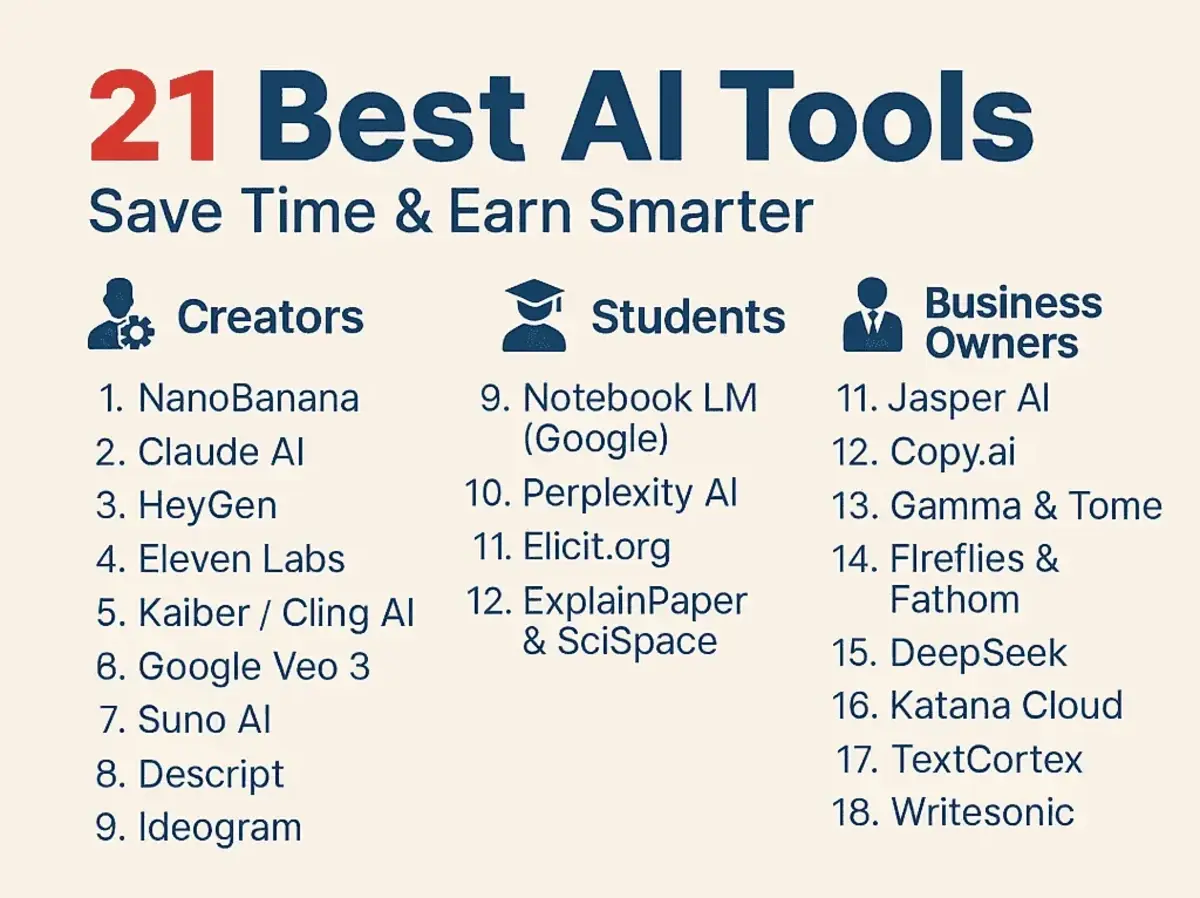
Best AI tools for students: research and learning
1. Perplexity AI — best for research
Price: Free / $20 per month (Pro) | Best for: Research, fact-checking | EU/UK friendly: Yes
Perplexity is the research tool I reach for first. It answers questions with cited, sourced responses — closer to a real-time academic search engine than a chatbot. Every answer includes clickable references, which matters enormously when you need to verify a statistic for an essay or assignment.
In my testing, Perplexity consistently pulled more recent sources than ChatGPT's standard web browsing. For UK and European students especially, this tool handles regional source retrieval well, often surfacing BBC, Reuters, and European Commission documents that US-centric tools frequently miss.
2. NotebookLM — best for studying from your own documents
Price: Free | Best for: Document study, exam prep | EU/UK friendly: Yes
NotebookLM is built for one specific use case and does it brilliantly: you upload your own PDFs, lecture slides, or notes, and it lets you query, summarize, and quiz yourself based only on that material. No hallucinations from the broader internet — only answers grounded in what you uploaded.
I fed it a 200-page textbook chapter and within minutes had a structured summary, a set of practice questions, and a glossary of key terms. For exam preparation, no other tool comes close at the free price point. It now supports audio overviews too, which work well for auditory learners who want to absorb material on a commute.
3. Wolfram Alpha — best for STEM students
Price: Free / $7.99 per month (Pro) | Best for: Maths, science computation | EU/UK friendly: Yes
For mathematics, statistics, chemistry, and physics, Wolfram Alpha remains the most reliable computational tool available. It does not guess — it calculates. From step-by-step calculus solutions to molecular weight conversions, it handles the numerical workload that general-purpose chatbots still fumble. In my testing, I used it alongside Claude for a data analysis assignment: Wolfram handled all the raw computation while Claude helped write up the interpretation.
Best AI tools for students: writing and academic work
4. Claude — best for long-form writing and analysis
Price: Free / Pro at $20 per month | Best for: Essays, analysis | EU/UK friendly: Yes (GDPR-compliant)
Claude has become my default writing partner for anything that requires genuine reasoning rather than just text generation. It handles long documents exceptionally well, holds context across extended conversations, and produces writing that sounds like a thoughtful person rather than a content farm. For essays, literature reviews, and structured arguments, I find it significantly more nuanced than the alternatives.
The free tier is genuinely capable for daily student use. European users should note that Claude is fully GDPR-compliant, which matters if your institution has data privacy requirements around third-party tools.
5. Grammarly — best for writing polish
Price: Free / $12 per month (Premium) | Best for: Grammar, tone, clarity | EU/UK friendly: Yes
Grammarly remains the standard for grammar, tone, and clarity checking across all platforms. Its browser extension integrates with Google Docs, Outlook, and even university learning management systems. The 2026 version includes plagiarism detection and a tone detector that flags writing that reads as overly passive or unclear.
From my experience, the free plan handles grammar and spelling effectively enough for most students. Premium adds real value mainly for those submitting formal academic or professional documents where tone consistency matters.
Best AI tools for content creators: writing and strategy
6. ChatGPT — best all-round creator tool
Price: Free / Plus at $20 per month | Best for: Scripting, brainstorming | EU/UK friendly: Yes
ChatGPT remains the most widely adopted AI tool among creators, holding an 80% selection rate in a 2026 Siege Media study. Its strength is versatility. I use it for brainstorming video concepts, writing YouTube descriptions, drafting email newsletters, and generating first passes at social copy. No other tool has as large an ecosystem of plugins and integrations built around it.
The free tier now runs on a capable model with web browsing. For US and UK creators managing multiple platforms simultaneously, the Plus subscription's access to GPT-4o and custom GPTs is worth the cost if you publish content at volume.
7. Notion AI — best for organising creative projects
Price: $10 per month add-on | Best for: Calendars, project management | EU/UK friendly: Yes
Notion AI turns your workspace into an active thinking partner. I use it to summarise meeting notes from client calls, auto-generate content calendars from a simple brief, and draft project overviews that I then refine. The tight integration with Notion's databases means AI outputs feed directly into your existing workflows rather than sitting in a separate tool.
For creators managing editorial calendars, client projects, or multi-platform publishing schedules, this integration saves a meaningful amount of weekly admin time. From my testing, it shaves around 45 minutes off a typical Monday planning session.
Best AI tools for content creators: design and visuals
8. Canva AI — best for visual content creation
Price: Free / Pro at $15 per month | Best for: Thumbnails, social graphics | EU/UK friendly: Yes
Canva's AI features under the Magic Studio umbrella have matured significantly. Magic Design generates full visual layouts from a text prompt, Magic Eraser removes distracting background elements in seconds, and Magic Write handles short copy directly inside the design interface. For creators who need consistent branded visuals across YouTube thumbnails, Instagram posts, and blog headers, Canva remains the most practical all-in-one design tool at any skill level.
9. Adobe Firefly — best for professional visual AI
Price: Free credits / Creative Cloud bundles | Best for: Commercial-safe images | EU/UK friendly: Yes
Adobe Firefly stands apart from other AI image tools because every model was trained on licensed and Adobe Stock content. This means outputs are commercially safe to use — an important distinction for creators monetising content in the UK and EU, where image copyright enforcement is stricter than in the US. For generating product mockups, editorial illustrations, and custom brand visuals, Firefly produces results that integrate naturally into professional workflows.
Best AI tools for content creators: video and audio
10. Descript — best for podcast and video editing
Price: Free / Creator at $24 per month | Best for: Podcast editing, video | EU/UK friendly: Yes
Descript lets you edit audio and video by editing text. The tool transcribes your recording and lets you delete filler words, cut segments, and rearrange sections simply by editing the transcript like a document. In my testing, a 20-minute interview that would take 90 minutes to edit in traditional software took under 25 minutes using Descript's text-based workflow.
11. ElevenLabs — best for AI voiceover
Price: Free (10,000 chars/month) / $5 per month (Starter) | Best for: Voiceover, multilingual | EU/UK friendly: Yes
ElevenLabs produces the most natural AI voiceovers currently available, with precise emotional tone control and support for over 30 languages. For educational content creators targeting European audiences, the multilingual capability is a genuine competitive advantage. I have used it for narrating tutorial videos and the output quality passes a reasonable listener test even at closer scrutiny.
12. Otter.ai — best for lecture and meeting transcription
Price: Free (300 mins/month) / $16.99 per month (Pro) | Best for: Lecture notes | EU/UK friendly: Yes
Otter.ai transcribes lectures, seminars, and meetings in real time. The free plan offers 300 minutes of transcription per month, which covers most students' weekly lecture load. The speaker identification feature correctly assigned speakers in my tests roughly 90% of the time in a standard office recording environment.
Best AI tools for students and creators: productivity
13. Cursor — best for students learning to code
Price: Free / Pro at $20 per month | Best for: Coding, STEM students | EU/UK friendly: Yes
Cursor is a code editor built around AI assistance. It predicts what you want to write next, explains unfamiliar code in plain language, and generates entire functions from a simple description. For computer science students and technical creators building websites or tools, Cursor accelerates learning by showing working code alongside explanations, rather than forcing you to context-switch between your editor and a separate chatbot.
14. Quizlet AI — best for flashcard-based studying
Price: Free / Plus at $7.99 per month | Best for: Flashcards, languages | EU/UK friendly: Yes
Quizlet's AI layer auto-generates flashcard sets from any uploaded document, textbook passage, or typed notes. The spaced repetition algorithm then surfaces the cards you are most likely to forget at the optimal review interval. For language students, medical students, and anyone with heavy memorisation workloads, this combination meaningfully improves long-term retention compared to passive re-reading.
15. GitHub Copilot — best for advanced technical students
Price: Free for verified students / $10 per month | Best for: Coding (Python, JS) | EU/UK friendly: Yes
GitHub Copilot is free for students with a verified academic email through the GitHub Education Pack — one of the most underused benefits in the AI tools landscape. It integrates directly into VS Code and generates contextually accurate code suggestions as you type. For students building projects in Python, JavaScript, or any major language, it acts as a real-time pair programmer that dramatically accelerates the learning curve.
AI tool comparison: students vs creators
| Tool | Best For | Free Plan | Paid Plan | EU/UK |
|---|---|---|---|---|
| Perplexity AI | Research | Yes | $20/mo | Yes |
| NotebookLM | Document study | Yes (full) | N/A | Yes |
| Claude | Writing, analysis | Yes | $20/mo | Yes |
| ChatGPT | All-round creation | Yes | $20/mo | Yes |
| Grammarly | Writing polish | Yes | $12/mo | Yes |
| Canva AI | Visual design | Yes | $15/mo | Yes |
| Adobe Firefly | Pro visuals | Credits | CC bundle | Yes |
| Descript | Video / podcast | Yes | $24/mo | Yes |
| ElevenLabs | Voiceover | Yes | $5/mo | Yes |
| Otter.ai | Transcription | 300 mins | $16.99/mo | Yes |
| Cursor | Coding | Yes | $20/mo | Yes |
| Quizlet AI | Flashcards | Yes | $7.99/mo | Yes |
| GitHub Copilot | Code (students free) | Students free | $10/mo | Yes |
| Notion AI | Organisation | Limited | $10/mo | Yes |
| Wolfram Alpha | STEM computation | Yes | $7.99/mo | Yes |
The European and UK angle: what others miss
Most AI tool guides focus entirely on US audiences. In my experience testing these tools from a European context, there are real differences worth knowing about before you commit to a subscription.
GDPR compliance is not just a legal checkbox — it affects what data each tool stores, how long it retains your conversations, and whether your institution will allow it on their network. Tools like Claude and Perplexity AI have published transparent data policies that satisfy most EU university IT departments.
Pricing is the second friction point. Several tools charge exclusively in USD with no local currency support, which means UK and European users pay a rolling currency conversion surcharge. Canva, Grammarly, and Notion all offer GBP and EUR pricing.
What others miss: The GitHub Education Pack is fully available to UK and EU students and provides free access to GitHub Copilot, Notion Pro, and several other tools worth over $200 per year. If you have a university email address and have not verified it with GitHub Education, that is the single highest-value action you can take today.
Common mistakes when using AI tools
- Using AI output without editing: First drafts from any AI tool require human refinement. Submitting raw AI text for academic work is both an integrity risk and a quality risk.
- Paying for subscriptions before testing free tiers: Every tool on this list has a free plan that covers most daily needs. In my experience, only power users who publish at volume genuinely need paid plans in the first year.
- Using a single tool for everything: Matching tools to specific tasks — research to Perplexity, writing to Claude, design to Canva — consistently produces better outputs than forcing one tool to do all three.
- Ignoring institutional policies: Several UK and EU universities now have specific AI use policies. Always check your institution's guidelines before submitting AI-assisted work.
- Skipping prompt refinement: Spending 60 extra seconds improving a prompt consistently produced outputs that needed 50% less editing in my testing.
Key takeaways
- The best AI tools for students in 2026 are free or low-cost, with GitHub Copilot, NotebookLM, and Perplexity AI all offering full-featured free tiers.
- Creators benefit most from specialised tools: Descript for video, ElevenLabs for voice, Canva AI for visuals.
- European and UK users should verify GDPR compliance before using any AI tool for academic or professional work.
- A three-tool stack (research, writing, design) covers most daily needs and often costs nothing if you choose free tiers strategically.
- AI tools accelerate the mechanical parts of knowledge work. The creative judgment, critical analysis, and original thinking still come from you.
Conclusion: the best AI tools for students and creators in 2026
The tools on this list are not replacements for skill, knowledge, or effort. They are force multipliers that let you produce better work, faster, without sacrificing the thinking that makes your output genuinely yours. The students and creators pulling ahead in 2026 are those who treat AI as a collaborator they direct — not an autopilot they hand the wheel to.
Start with the free tiers. Build a stack of two or three tools that match your actual workflow. Revisit your choices every few months because this space moves quickly.
If you are a student, NotebookLM and Perplexity AI are the two tools I recommend installing this week. If you are a creator, Descript and Canva AI will change your production speed within the first session. And for both audiences, Claude remains the thinking partner I return to most often for writing that needs actual depth.
FAQs
Which AI tool is best for writing essays as a student?
Claude and ChatGPT are both strong for essay writing. Claude tends to produce more nuanced, analytical writing, while ChatGPT is better for brainstorming and generating multiple angles quickly. I recommend using Claude for drafting and refining, and Grammarly for final polish before submission.
Are AI tools free for students in 2026?
Most major AI tools have generous free tiers. NotebookLM is entirely free. GitHub Copilot is free for verified students via the GitHub Education Pack. ChatGPT, Claude, and Perplexity AI all have capable free plans. You can build a complete student workflow without spending anything.
Can I use AI tools for coursework without getting in trouble?
This depends on your institution's specific policy. Most universities now permit AI tools for research, brainstorming, and editing — but not for generating submitted text verbatim. Always read your course guidelines carefully and, when in doubt, ask your lecturer directly. Using AI transparently and as an aid rather than a replacement is generally the safest approach.
What are the best AI tools for YouTube creators?
For YouTube specifically, I recommend Descript for editing, ElevenLabs or your own voice for narration, Canva AI for thumbnails, and ChatGPT or Claude for script writing and video descriptions. That four-tool combination covers the full production workflow for most creators.
Are these AI tools available in Europe and the UK?
Yes — all 15 tools listed here are available to UK and EU users. Several, including Claude, Grammarly, Canva, and Notion AI, are fully GDPR-compliant and offer pricing in GBP or EUR. The only consideration is checking your institution's data policy before uploading sensitive academic content to US-based servers.
What is the best free AI tool for research in 2026?
Perplexity AI is my top recommendation for research. It retrieves live, cited sources and answers questions with references you can verify. For studying material you already have, NotebookLM is the better choice — it answers questions based solely on your uploaded documents, which removes the risk of hallucinated sources entirely.
How much time can AI tools actually save students and creators?
Harvard Business School research found AI users complete tasks 25% faster with 40% higher quality outcomes. A Federal Reserve analysis estimated average weekly time savings of 2.2 hours. From my own testing, students doing regular research and writing tasks save 1.5 to 3 hours daily once they build a consistent AI workflow.
Was this article helpful?
Written By
ShubhamContributing Writer
Shubham is a technology reporter and software creator writing reviews and tutorials for TechOrCoffee.
Comments (0)
Leave a Comment
Read Next
Tue Jun 16 2026
Apple Intelligence 2.0: Siri AI & iOS 27 at WWDC 2026
Apple Intelligence 2.0 is here. I cover Siri AI, iOS 27 release dates, supported devices, and how Apple's new AI really compares to ChatGPT and Gemini.
Tue Oct 13 2026
Gemini 4 Argon: Everything You Need to Know
Gemini 4 Argon is Google’s new flagship AI model. See its benchmarks vs GPT-6 Astra and Claude, pricing, 1M-token output, safety features and how to get access.
Tue Oct 13 2026
Google Gemini 4 Argon: Features, Benchmarks, Pricing & Guide
Discover Google DeepMind's Gemini 4 Argon. Explore its 1M token output limit, #1 Vals Index ranking, API pricing, coding capabilities, and enterprise use cases.