Microsoft Ignite 2026: Copilot Is Now the New OS for Work

Published (Updated )
Microsoft Ignite 2026: Copilot Is Now the New OS for Work
Quick answer
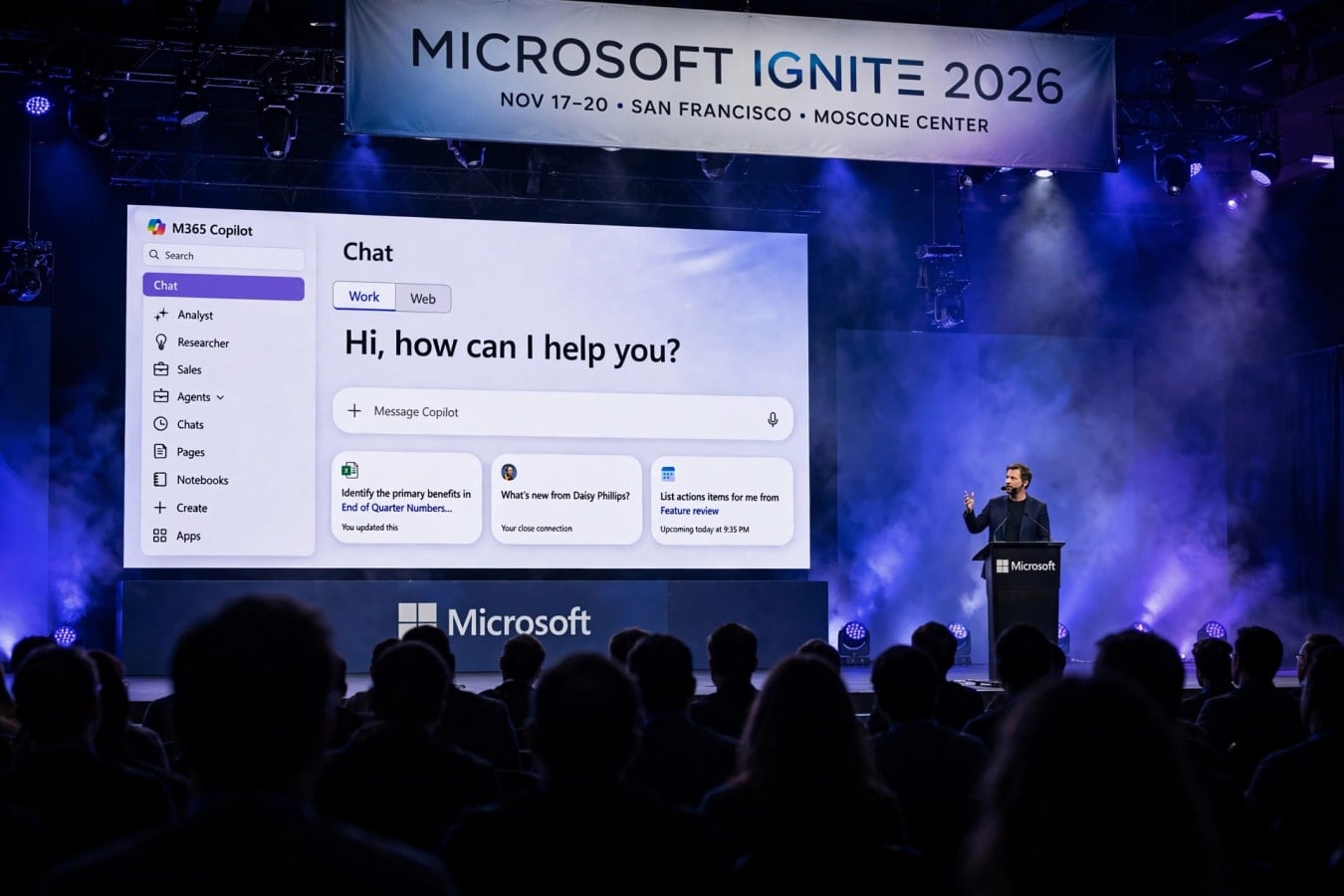
- Microsoft Ignite 2026 runs November 17–20 in San Francisco, and CEO Satya Nadella opened the keynote on November 17 by calling Copilot "the new OS for work".
- Copilot Home, built around Chat and a new Cowork mode, is now generally available, with Word, Excel and PowerPoint working directly inside Copilot.
- Copilot Workspaces are shared spaces where people and AI agents work together as one team.
- Autopilot is a new long-running autonomous agent for recurring tasks and projects, rolling out first to Frontier customers.
- Microsoft unveiled seven new MAI models, the Maia 200 AI accelerator in mass production, Cobalt 200 virtual machines and the HorizonDB database.
- Nadella opened the keynote with an apology for the Microsoft 365 outage on November 12.
Copilot is no longer a sidebar
For the past two years, Copilot has mostly lived at the edge of the apps people already use. It sat in a sidebar in Word, offered suggestions in Outlook, and answered questions in Teams. At Ignite 2026, Microsoft flipped that relationship around. Nadella's message was simple: Copilot is no longer a feature inside your apps. It is the place where work happens, and the apps live inside it. That is what "the new OS for work" means in practice. The keynote was built around that idea from start to finish. Every major announcement — Copilot Home, Workspaces, Autopilot, new models and new chips — fits the same pattern: AI that does work with you, not just next to you. For the millions of people who use Microsoft 365 every day, the change is concrete. Instead of opening Word to write a document, you can start in Copilot, describe what you need, and have Word, Excel and PowerPoint work inside the Copilot window. The files stay fully editable in the native apps, so nothing is lost in translation between the AI and the tools people already know.
Copilot Home: Chat and Cowork, now generally available
Copilot Home is the new front door. It is generally available now, and it has two main modes:
- Chat — the conversational starting point, where you ask questions, draft content and get answers grounded in your files, emails and meetings.
- Cowork — a collaborative mode where Copilot works alongside you on a task in real time, rather than waiting for a prompt and then handing back a finished answer. The difference matters. A chatbot answers a question and stops. Cowork stays in the document with you, edits as you edit, and keeps track of where a piece of work stands. Microsoft's pitch is that this turns Copilot from a question-and-answer tool into a working partner. The practical change for everyday users is that the Microsoft 365 apps now run inside Copilot:
- Word documents can be drafted, edited and reviewed without leaving Copilot.
- Excel spreadsheets can be built, analysed and updated in the same window.
- PowerPoint decks can be created and revised alongside the conversation that shaped them.
- Files stay editable in the native apps at any point, so teams are not locked into the AI view. For businesses, the appeal is obvious. Staff do not need to learn a new tool or change where they keep their files. The work surface changes, but the files, permissions and apps stay the same.
Copilot Workspaces: people and agents on one team
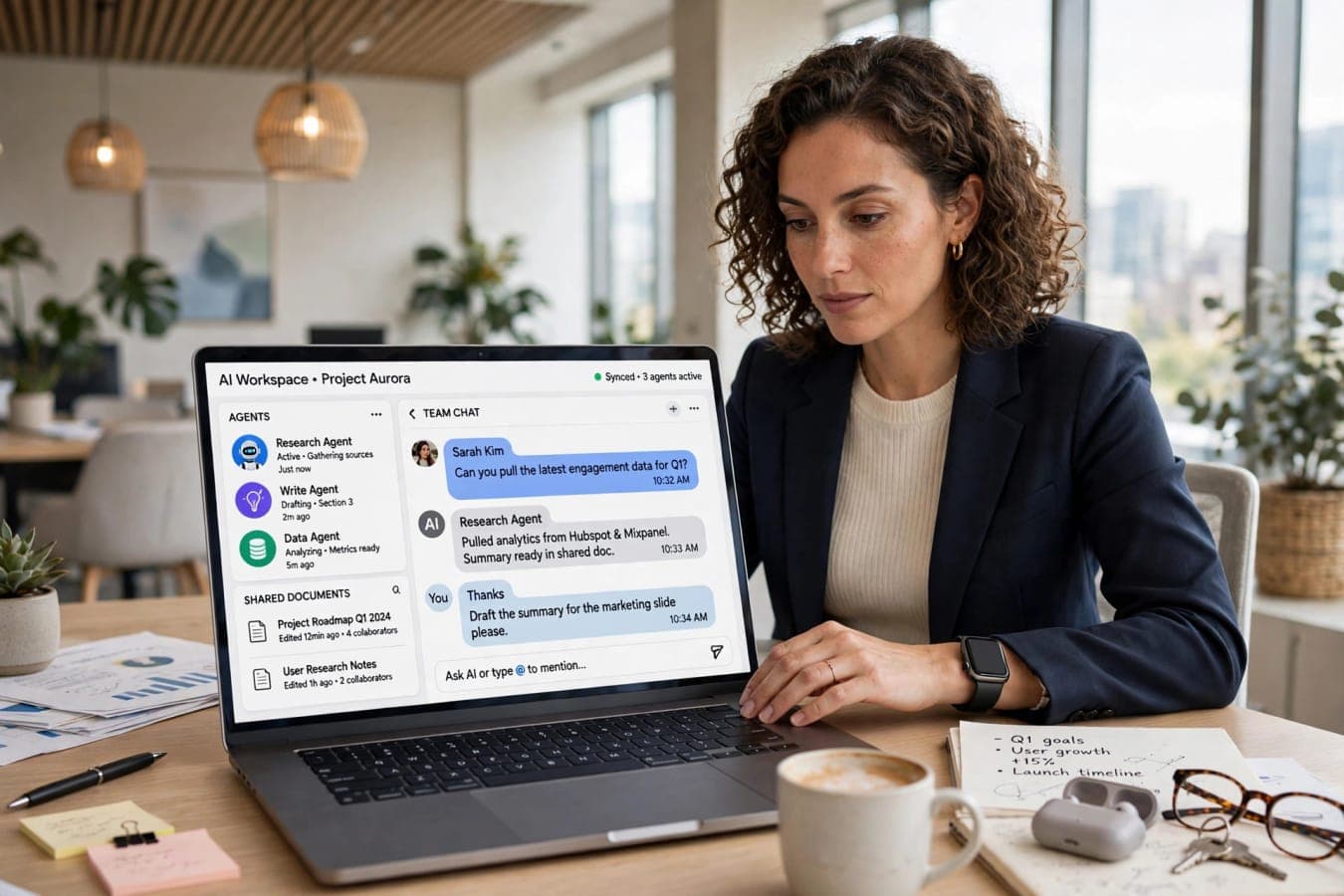
If Copilot Home is the front door, Copilot Workspaces are the rooms where the work gets done. Microsoft describes them as shared spaces where people and AI agents collaborate as one team. A Workspace brings together the people working on a project, the AI agents assigned to it, and the documents, data and tasks they share. Everyone — human or agent — can see the same context, contribute to the same work, and hand tasks back and forth. That sounds abstract, so here is how Microsoft frames the everyday version:
- A marketing team opens a Workspace for a product launch, with agents assigned to research, drafting and scheduling.
- The agents work through their parts of the plan, and the humans review, adjust and approve.
- The Workspace keeps the full history, so anyone joining later can see what was decided and why. The idea is a direct answer to a problem every company using AI agents has hit: agents are useful one at a time, but they become hard to manage once there are dozens of them doing different jobs. Workspaces give them a shared home with shared context. This is also where Microsoft's wider agent strategy shows. Agent 365, the company's platform for managing AI agents at work, now holds more than 50 million agents. Workspaces are the place those agents meet their human colleagues.
Autopilot: the agent that keeps going
The most ambitious announcement of the keynote was Autopilot. It is a long-running autonomous agent that handles recurring tasks and whole projects without step-by-step prompting. Most AI agents today work like this: you ask for something, they do it, and they stop. Autopilot is built for the opposite pattern — work that repeats, stretches over days or weeks, and needs steady follow-through rather than a single clever answer. Examples Microsoft points to include:
- Recurring reporting — gathering data, building the report, flagging anything unusual, and delivering it on schedule.
- Ongoing projects — tracking progress, chasing updates, and keeping the plan current without being asked each time.
- Routine operations — handling the regular tasks that fill a team's week, from coordination to follow-ups. Autopilot is rolling out first to Frontier customers, Microsoft's early-access programme for its most advanced AI features. That means most organisations will not get it immediately, but the direction is clear: Microsoft wants agents that can be trusted with work that lasts, not just work that fits in a single chat. The risk, of course, is trust. An agent that keeps working on its own needs to be supervised, and Microsoft knows it. The company is positioning Autopilot inside the same management and governance tools as the rest of Agent 365, so IT teams can see what it is doing and set limits on it.
Copilot Code: build apps in plain language
Developers got their own headline announcement. Copilot Code lets people build dashboards, trackers and apps using natural language, and it is reaching general availability in the coming weeks. The idea is to lower the barrier between having an idea and having a working tool:
- Describe the dashboard or tracker you need, in plain English.
- Copilot Code builds it, including the data connections and the interface.
- Refine it by talking through changes, rather than rewriting code by hand. This is not aimed only at professional developers. Microsoft is pitching it at the analysts, managers and operations staff who know exactly what tool they need but have never written code to build one. For developers, it is a faster way to prototype and ship small internal tools. Copilot Code sits alongside Microsoft's wider developer push at Ignite, including new models built specifically for coding — which brings us to the MAI family.
Seven new MAI models, led by coding and security
Microsoft announced seven new models under its MAI (Microsoft AI) banner, covering coding, cybersecurity, image generation and speech. Two coding models are already generally available:
- MAI Code 2 — Microsoft's flagship coding model, now generally available.
- MAI Code 2 Flash — a faster, lighter coding model, also generally available. The headline claim is striking. Microsoft says MAI Code 2 delivers 98% of the coding quality of GPT-6.1 Sol at about 40% of the price under promotional pricing. If that holds up in real-world use, it changes the economics of AI-assisted coding in a big way — capable coding help at less than half the cost. That "if" matters. Benchmarks and promotional pricing are not the same as everyday performance and long-term cost, and developers will test the claim quickly. But the pricing message is deliberate: Microsoft wants to compete on value, not just on capability. Also generally available is Microsoft Decision 1.1, a model designed for decision-making work, which Microsoft says is already used by more than 4,000 customers. The remaining MAI models cover cybersecurity, image generation and speech, rounding out a family that is meant to serve the full range of enterprise AI work rather than a single use case. The strategy is clear. Microsoft is no longer only a distributor of other companies' models. It is building its own, tuning them for the jobs its customers actually do, and pricing them to win.
Maia 200: Microsoft's own AI chip goes into mass production
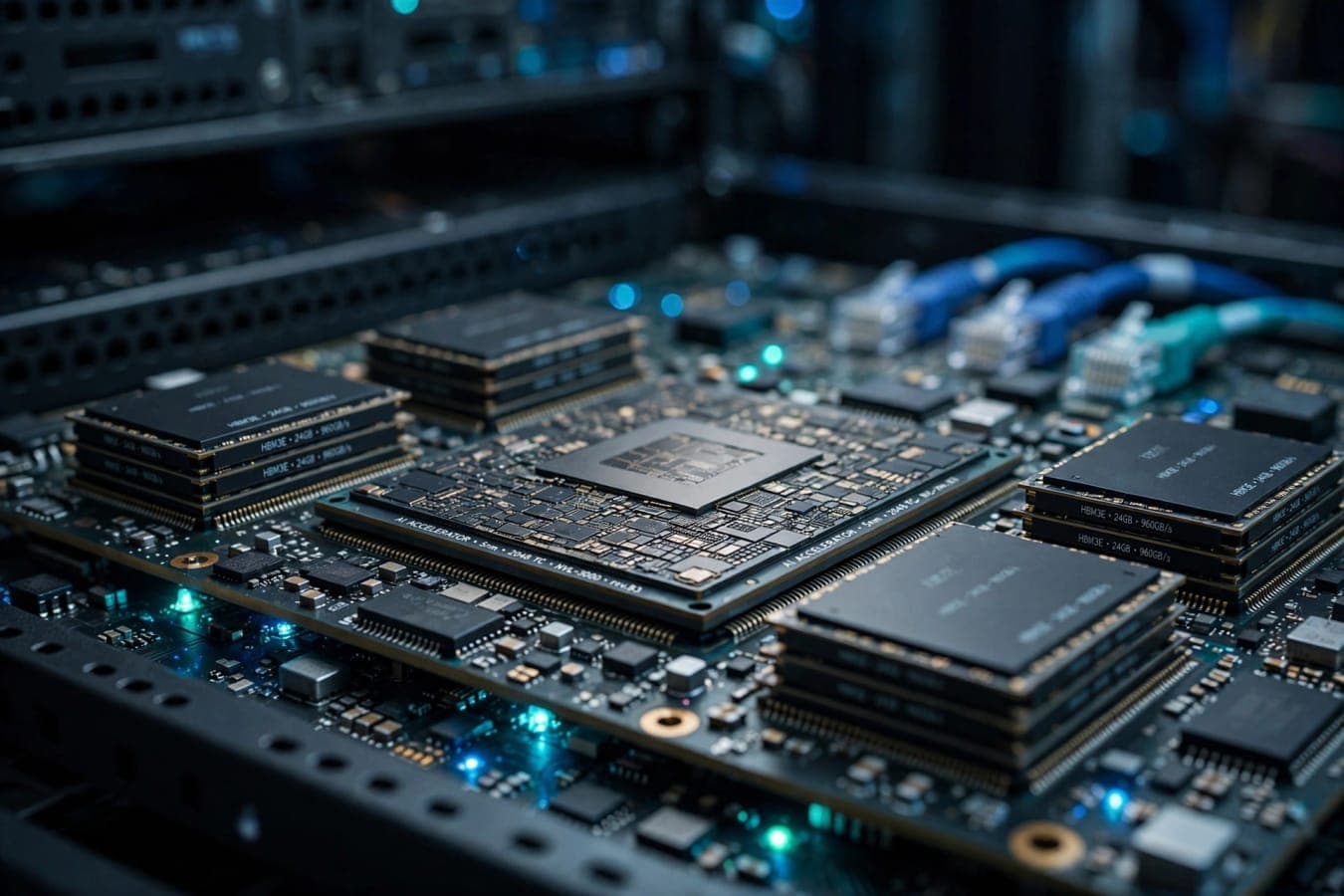
Underneath all of the software announcements sits a hardware story that may matter just as much. Maia 200, Microsoft's second-generation custom AI accelerator, has entered mass production and is already running the company's largest frontier AI models. The numbers Microsoft shared are impressive:
| Specification | Maia 200 |
|---|---|
| Manufacturing process | TSMC 3nm |
| Memory | 216 GB HBM3e |
| On-chip SRAM | 272 MB |
| Tensor cores | FP4 / FP8 |
| Efficiency | Up to 1.7x tokens per watt vs reference GPU infrastructure |
| Deployment | US, Europe and Australia |
That efficiency figure — up to 1.7 times more tokens per watt than reference GPU infrastructure — is the one that matters most. AI models are expensive to run, and energy is a growing share of that cost. A chip that does more work per watt directly lowers the cost of every Copilot answer, every agent task and every model run. Microsoft says Azure Maia systems will scale to multi-gigawatt capacity by 2027. That is data-centre scale measured in power stations, not server racks, and it signals how seriously Microsoft is investing in running its own AI on its own silicon. Maia 200 is deployed in the US, Europe and Australia, and it is part of a broader infrastructure push. The message to customers is that Microsoft controls more of the stack — from the chip to the model to the app — than it did a year ago.
Cobalt 200, HorizonDB and the infrastructure underneath
Maia 200 was not the only infrastructure announcement. Microsoft also confirmed:
- Cobalt 200 virtual machines are generally available, offering up to 50% better performance than the previous generation, and will be in 23 regions by the end of the year.
- HorizonDB is generally available — a distributed PostgreSQL database built for AI workloads and large-scale applications.
- Microsoft IQ has been externalised as a platform, so customers can build on the same intelligence layer Microsoft uses internally.
- Agent 365 now holds more than 50 million agents, underlining how fast agentic AI is spreading inside organisations. None of these is a headline on its own. Together, they describe a company building the full foundation for the AI workplace it announced on stage: faster chips, better databases, a platform for intelligence, and a management layer for millions of agents.
Salesforce comes to Copilot
One of the more practical announcements for sales teams was the arrival of Salesforce inside Copilot. The integration is now in public preview, with more than 38 prebuilt sales skills, and Sales Cloud in Teams is in pilot. For the many companies that run their sales process on Salesforce and their daily work in Microsoft 365, this removes a constant context switch. Sales data, customer records and Copilot's drafting and summarising can now sit in the same place. The 38-plus prebuilt skills cover the routine jobs in a sales workflow — preparing for a meeting, summarising an account, drafting a follow-up, updating records. Microsoft and Salesforce have competed and cooperated for years; this is a clear case of cooperation winning, because customers use both.
Nadella's apology: the November 12 outage
The keynote did not start with celebration. Nadella opened with an apology about the Microsoft 365 outage on November 12, which disrupted email, Teams and other services for many users. It was a brief moment, but a deliberate one. A company asking the world to trust it with the operating system for work cannot ignore the day that system went down. Nadella acknowledged the outage directly before moving on to the announcements. For IT leaders watching the keynote, the apology will have landed alongside the product news. Reliability is part of the pitch now — the more central Copilot becomes to daily work, the more an outage costs, and the more trust matters. Microsoft also touched on its AI Transparency Initiative at the event, a separate effort around openness in how its AI systems are built and used.
What it all means for you
Ignite 2026 is best understood as a single bet, made in several parts. Here is the short version:
- If you use Microsoft 365, Copilot Home is the change you will feel first. Your apps now work inside Copilot, and Cowork turns the AI into a collaborator rather than a chatbot.
- If you manage a team, Workspaces and Autopilot are the ones to watch. They change how groups of people and agents share work, and how much of the recurring load can be handed over.
- If you build software, Copilot Code and the MAI coding models lower the cost and the barrier of building internal tools.
- If you run IT, the infrastructure announcements — Maia 200, Cobalt 200, HorizonDB and Agent 365 — are the foundation the rest depends on, and the November 12 outage is a reminder to plan for resilience. The theme running through all of it is the one Nadella put in the opening line. Copilot is no longer an add-on to work. Microsoft wants it to be where work happens. Whether that vision sticks depends on the next few months: how quickly Copilot Home and Workspaces reach everyday users, how well Autopilot handles real recurring work, and whether the MAI models deliver on their price and performance claims outside a keynote demo. For now, Ignite 2026 has set the direction. The OS for work, in Microsoft's telling, is not Windows and it is not a chat window. It is Copilot — and everything else is built around it.
The bottom line
Microsoft Ignite 2026 turned Copilot from an assistant into the centre of the workplace. Copilot Home is generally available, Workspaces bring people and agents onto one team, Autopilot takes on long-running work, new MAI models and the Maia 200 chip power it all from below, and Salesforce joins the fold. The vision is bold; the next test is whether everyday users feel the difference.
FAQs
What is Copilot Home?
Copilot Home is Microsoft's new starting point for work in Copilot, now generally available. It includes Chat for conversational help and Cowork, a mode where Copilot works alongside you on a task in real time. Word, Excel and PowerPoint now work directly inside Copilot, with files remaining editable in the native apps.
What are Copilot Workspaces?
Copilot Workspaces are shared spaces where people and AI agents collaborate as one team on a project. They bring together the team members, the agents assigned to the work, and the documents, data and tasks they share, with a full history of what was decided.
What is Autopilot?
Autopilot is a long-running autonomous agent announced at Microsoft Ignite 2026. It handles recurring tasks and whole projects without step-by-step prompting, such as regular reporting and ongoing project tracking. It is rolling out first to Frontier customers.
What is the Maia 200 chip?
Maia 200 is Microsoft's second-generation custom AI accelerator, built on TSMC's 3nm process with 216 GB of HBM3e memory. It has entered mass production, runs Microsoft's largest frontier AI models, and delivers up to 1.7 times more tokens per watt than reference GPU infrastructure.
How good is Microsoft's MAI Code 2 model?
Microsoft says MAI Code 2 delivers 98% of the coding quality of GPT-6.1 Sol at about 40% of the price under promotional pricing. Both MAI Code 2 and the faster MAI Code 2 Flash are generally available. Real-world performance and long-term pricing will need independent testing.
When and where is Microsoft Ignite 2026?
Microsoft Ignite 2026 runs from November 17 to 20, 2026, in San Francisco. CEO Satya Nadella opened the event with a keynote on November 17, in which he called Copilot "the new OS for work" and apologised for the Microsoft 365 outage on November 12.
Was this article helpful?
Written By
TechorCoffeeContributing Writer
TechorCoffee is a technology reporter and software creator writing reviews and tutorials for TechOrCoffee.
Comments (0)
Leave a Comment
Read Next

Tue Apr 21 2026
Best AI Tools for Students & Creators in 2026:Complete Guide
AI tools are transforming how students learn and creators produce content. From writing assistants to design and research tools, these platforms save time, enhance creativity, and improve efficiency. Choosing the right AI stack can significantly boost productivity and output quality.
Tue Jun 16 2026
Apple Intelligence 2.0: Siri AI & iOS 27 at WWDC 2026
Apple Intelligence 2.0 is here. I cover Siri AI, iOS 27 release dates, supported devices, and how Apple's new AI really compares to ChatGPT and Gemini.
Tue Oct 13 2026
Gemini 4 Argon: Everything You Need to Know
Gemini 4 Argon is Google’s new flagship AI model. See its benchmarks vs GPT-6 Astra and Claude, pricing, 1M-token output, safety features and how to get access.